
OpenAI 官方指南:GPT Image 2.5 提示词工程全景解析(双模型架构与多图一致性实战)
💡 导读:OpenAI 官方正式发布了全新一代视觉生成大模型——GPT Image 2.5 及其配套的《图像提示词工程权威指南》(Image Prompting Guide)。
相比上一代模型,GPT Image 2.5 实现了原生多模态视觉生成的重大架构飞跃:原生精准文字排版(双引号文字无乱码)、多图参考角色解耦、精准局部图像编辑(Inpainting 与透明通道抠图)、以及角色跨镜头连贯一致性。OpenAI 同步推出了 GPT Image 2.5 Flare(高并发轻量版) 与 GPT Image 2.5 Sunburst(旗舰高画质版) 双模型矩阵。
本文由 evaoo 架构技术团队基于 OpenAI 官方文档进行全量原子级整理与工业级实战译注,涵盖双模型选型、核心参数硬约束、6 步迁移工作流、8 大提示词黄金准则、9 大单图实战场景、8 组多图编辑范式、3 大高级定制流及完整 Python 生产调用范例。
01|双模型矩阵与生产架构选型指南
在工业级生产环境中,图像生成从来不是“单一模型打天下”,而是在延迟吞吐、推理成本与画质细节之间寻找最优工程平衡点。OpenAI 为 GPT Image 2.5 推出了两款定位鲜明的模型:
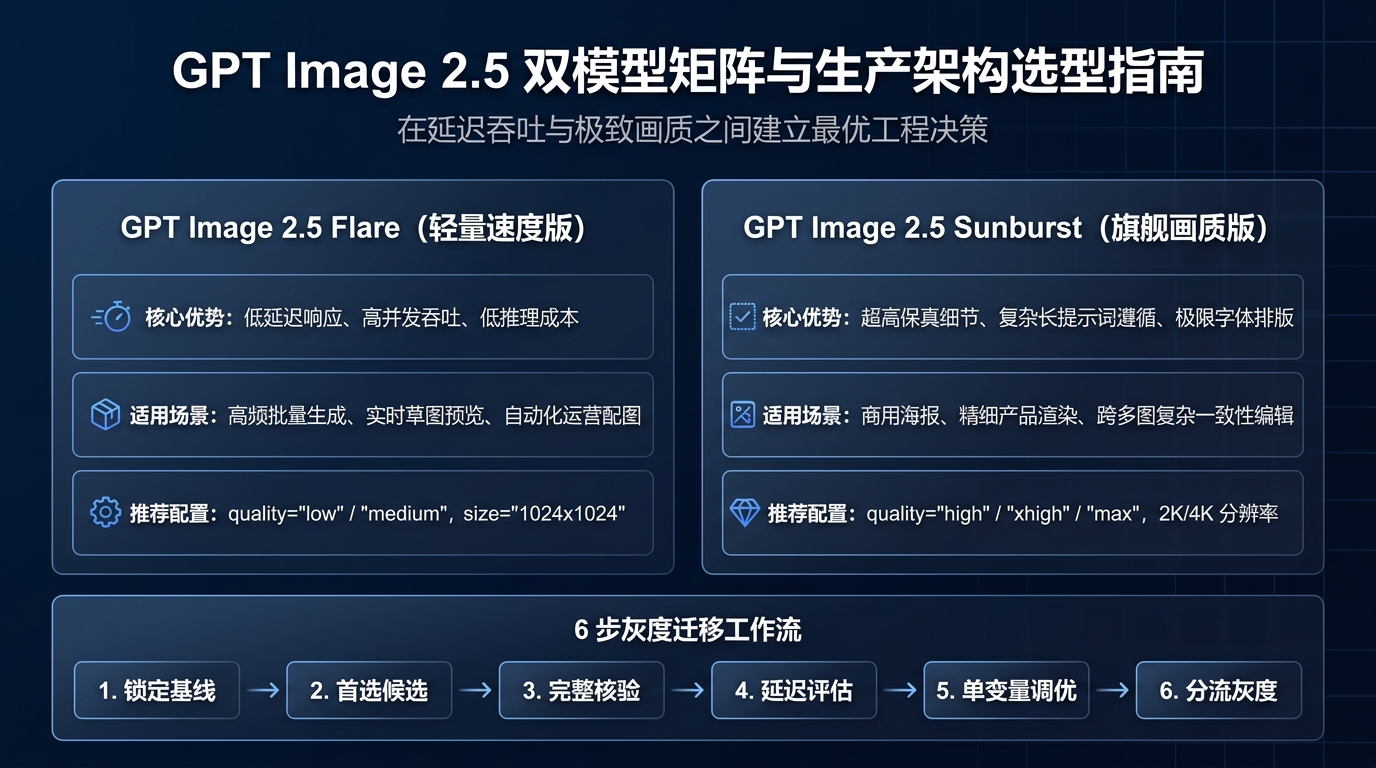
1. 核心模型特性对比
| 评估维度 | GPT Image 2.5 Flare(轻量速度版) | GPT Image 2.5 Sunburst(旗舰画质版) |
|---|---|---|
| 定位与规模 | 小型轻量模型(Small Model) | 基础旗舰大模型(Base Model) |
| 响应延迟 | 极低,适合实时交互与端侧快速反馈 | 相对较高,侧重极致细节与深度推理 |
| 并发吞吐 | 高吞吐量,单卡/集群成本极优 | 吞吐受限,单次推理资源开销较高 |
| 长文本与指令遵循 | 适合标准指令与结构化模板 | 超强,能精准解析长句、嵌套空间关系与细微约束 |
| 文字排版精度 | 常见短标题表现良好 | 像素级排版,长标语、特殊品牌名与密集文本零漂移 |
| 多图参考解耦 | 适合 1-2 张简单参考图融合 | 支持多张复杂图层解耦(主体+服装+风格+光影) |
| 推荐适用场景 | 批量电商主图生成、草图实时预览、自动化运营资讯配图 | 商业摄影大片、高精度海报、复杂科学图表、品牌矢量 Logo |
2. 生产环境选型决策树
⚙️ 官方建议选型工作流:
- 先保质量,后测提速:如果旧版 GPT Image 2 已经满足当前业务质量,优先引入
gpt-image-2.5-flare验证延迟提升与成本压降;如果业务场景存在复杂文字或细致构图且 GPT Image 2 表现欠佳,必须首先接入gpt-image-2.5-sunburst建立画质及格线。 - 真实业务基准测试:严禁用外部通用 Benchmark 替代自身业务负载。响应时间与画质高度依赖于 Prompt 复杂度、参考图分辨率与目标输出尺寸。
- 保持基准变量不变:初次跨模型对比时,务必保持提示词(Prompt)、参考图输入、宽高分辨率及 Quality 显式设置完全一致,严禁跨模型混合调参。
02|API 核心参数规格与分辨率约束铁律
GPT Image 2.5 的工程设计理念是将控制指令与物理参数解耦:所有物理生成配置通过 API 参数独立传递,提示词纯粹聚焦于视觉语义表达。
1. 核心 API 请求参数一览
| 参数名称 | 可选配置值 | 官方工程说明与推荐策略 |
|---|---|---|
model | gpt-image-2.5-flare / gpt-image-2.5-sunburst | 根据延迟敏感度与画质要求选用相应模型分支 |
quality | auto(默认), low, medium, high, xhigh, max | 从 medium 起步评估,仅当文字或细节不达标时才上调至 xhigh/max |
size | auto 或 自定义物理分辨率 WIDTHxHEIGHT | 常见标准档位:1024x1024(方形), 1536x1024(横版 3:2), 1024x1536(竖版 2:3), 2048x1152(2K 16:9), 3840x2160(4K 16:9) |
background | auto, opaque(默认不透明), transparent(透明) | 设为 transparent 时可原生输出带 Alpha 通道的商品抠图与矢量图标 |
output_format | png / jpeg / webp | 透明底必须指定 png 或 webp;output_compression 仅对 JPEG/WebP 生效 |
2. 自定义分辨率的 5 大物理硬约束(SRE 级核验铁律)
如果业务需要传入自定义尺寸 WIDTHxHEIGHT,必须通过以下前置校验,否则 API 将直接返回参数校验异常:
- 单边最大限制:任何一条边的物理像素不得超过 3,840 像素;
- 16 像素对齐:长和宽的像素值必须是 16 的整数倍(如 1024、1152、1536、2048、3840 等);
- 极限长宽比限制:长边与短边的比例不得超过 3:1(严禁超过 3:1 的极端带状图);
- 总像素数量区间:整图总像素数必须在 655,360 到 8,294,400 之间;
- 实验性尺寸标记:总像素数超过 3,686,400(即高于 2560x1440)的超大分辨率输出在当前版本属于实验性支持。
GPT Image 2.5 API 参数调试与代码生成实验台
交互式调节模型规格与分辨率,物理验证 SRE 5 大硬约束,一键导出生产级调用代码
from openai import OpenAI

client = OpenAI()

response = client.images.generate(
    model="gpt-image-2.5-flare",
    prompt="A commercial product photograph of a modern ergonomic coffee machine on a warm marble counter, soft morning sunlight, cinematic depth of field",
    size="1024x1024",
    quality="auto",
    n=1,
)

image_url = response.data[0].url
print(f"Generated Image URL: {image_url}")
3. 透明通道(Alpha Channel)规范
当配置 background="transparent" 时:
- 必须搭配
output_format="png"或output_format="webp"; - 严禁在透明图生成中启用
output_compression; - 解码后的图像将原生保留透明通道,特别是发丝、玻璃器皿、半透明投影与复杂几何边缘;必须在渲染端验证 Alpha 通道完整性,切忌用白底混合后误判。
03|工作流迁移 6 步黄金法则 (Migration Blueprint)
为了帮助现有生产系统从 GPT Image 1 / 1.5 / 2 平滑迁移至 2.5,官方给出了标准化的 6 步实施蓝图:
| 1 | [1. 锁定业务基线] ──> [2. 选定首选候选] ──> [3. 完整要素核验] |
| 2 | │ |
| 3 | [6. 按业务线分流] <── [5. 单变量调优] <── [4. 延迟画质评估] |
- 第一步:锁定生产基线 (Save a baseline):搜集并固化当前业务最具代表性的 Prompt 提示词集、参考图(包含人脸、复杂几何商品、多字体排版、透明素材),记录当前旧模型的参数与输出结果。
- 第二步:选定首选候选 (Choose the first candidate):已有质量达标者直接以
gpt-image-2.5-flare开测提速;对高精尖场景直接以gpt-image-2.5-sunburst建立质量基线。严格保持提示词与参数一致。 - 第三步:完整要素核验 (Check the complete result):逐项比对指令遵循度、人物与主体 ID 保持率、文字拼写准确性、透明通道毛边等,并重复相同请求以评估输出方差与稳定性。
- 第四步:画质达标后测试提速 (Test latency gain):如果 Sunburst 已经满足质量,在相同输入下测试 Flare。若 Flare 同样达标且大幅降低耗时与成本,果断切换至 Flare;否则坚守 Sunburst。
- 第五步:单次只调优单一设置 (Tune one setting at a time):在重写 Prompt 之前,先对比
quality档位微调。严禁在一次改动中同时变更多个参数,避免归因混乱。 - 第六步:按业务工作流平滑灰度 (Roll out by workflow):通过灰度网关先引入 5% 流量,持续监控 P95/P99 延迟、错误率与单张图片综合成本,保留一键回滚开关。
04|提示词工程 8 大核心黄金法则 (Prompting Fundamentals)
如何写出能被 GPT Image 2.5 100% 准确执行的提示词?OpenAI 总结了 8 项至关重要的底层范式:
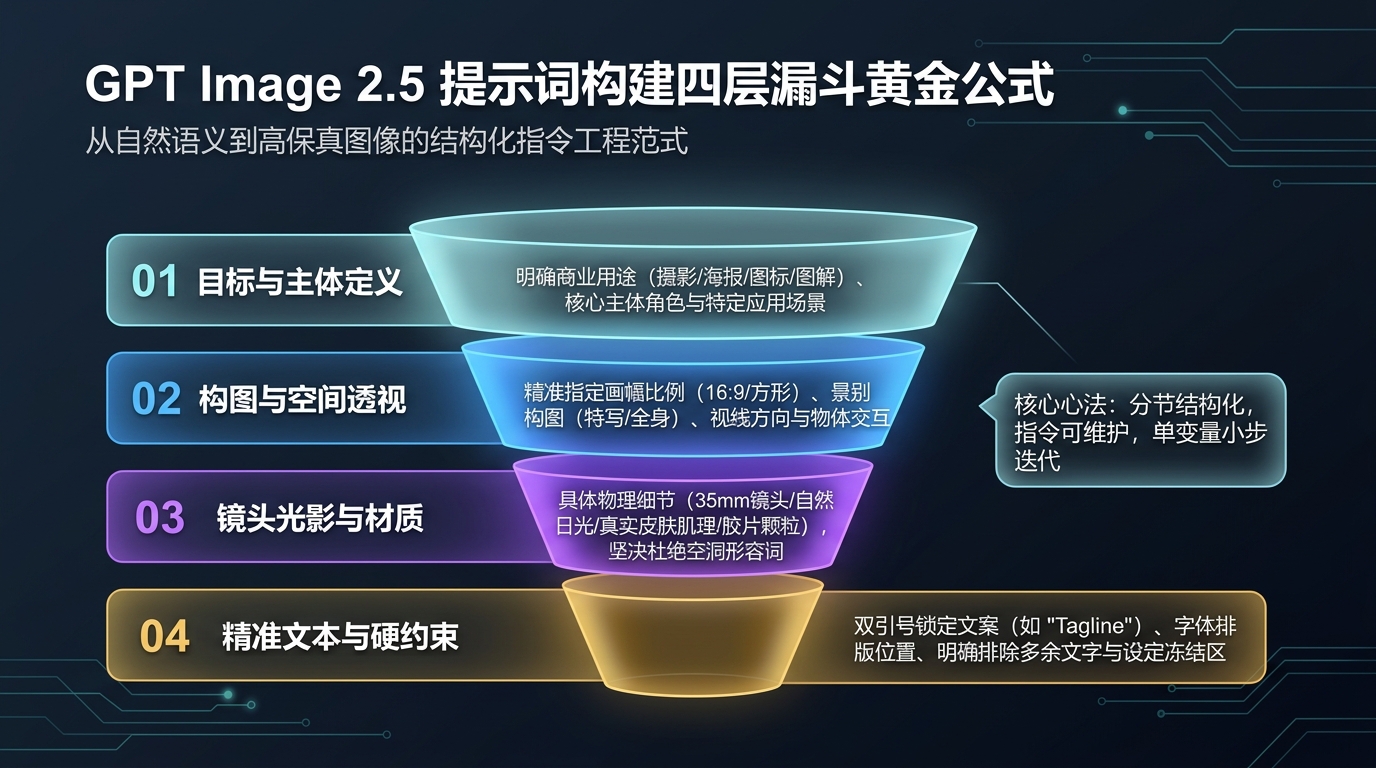
黄金法则 1:明确定义最终结果 (Define the result)
- 明确指出图像的商业用途与介质(例如:商业产品摄影、电商广告、技术架构图、矢量图标、分镜漫画)。
- 明确指定构图比例与空间布局。
- 对于复杂生成任务,采用结构化四段式语法分块编写:
【场景 Scene】、【主体 Subject】、【细节 Details】、【硬约束 Constraints】。
黄金法则 2:选用高可维护格式 (Choose a maintainable format)
- 短提示短语、描述性段落、JSON 键值对或分节标签(Tags)均具有同等解析效力。
- 优先选择让团队工程师与设计人员最容易阅读、维护与版本回滚的格式,不迷信所谓“玄学咒语”。
黄金法则 3:详述肉眼可见细节 (Describe visible details)
- 拒绝空洞抽象形容词:彻底摒弃
hyperrealistic、8k、stunning、masterpiece等无实际语义的信息噪声。 - 明确物理真实细节:指明材质(如“带有做旧折痕的粗帆布”、“哑光氧化铝表面”)、光源方向(“右侧 45 度清晨低角度柔和日光”)、视觉介质(“35mm 胶片感,轻微颗粒,浅景深”)。
黄金法则 4:精准描述人物与动作 (Specify people and actions)
- 明确景别与身体露出程度:例如“全身可见,包含双脚落地(full body visible, feet included)”。
- 精确到视线与手部交互:例如“低头凝视翻开的工程蓝图(looking down at the open book)”、“双手自然抓握自行车把手(hands naturally gripping the handlebars)”,杜绝扭曲漂移肢体。
黄金法则 5:双引号锁定精准文本 (Specify exact text)
- 必须渲染的文字必须置于英文双引号之中(例如
"Yours to Create.")。 - 明确说明渲染频次(如
Render the tagline exactly once,严格避免重复打印)。 - 明确字体排版风格与视觉层级,并附加负向排除约束
No extra text, no watermarks, no unrelated logos。
黄金法则 6:严格区分“变动目标”与“保留约束” (Separate changes from constraints)
- 在图像编辑任务中,开门见山声明
change only X(仅修改 X)。 - 紧随其后逐条罗列必须完全冻结保留的特征清单:面部五官、几何轮廓、色彩饱和度、光照角度、背景透视与原有文字标签。
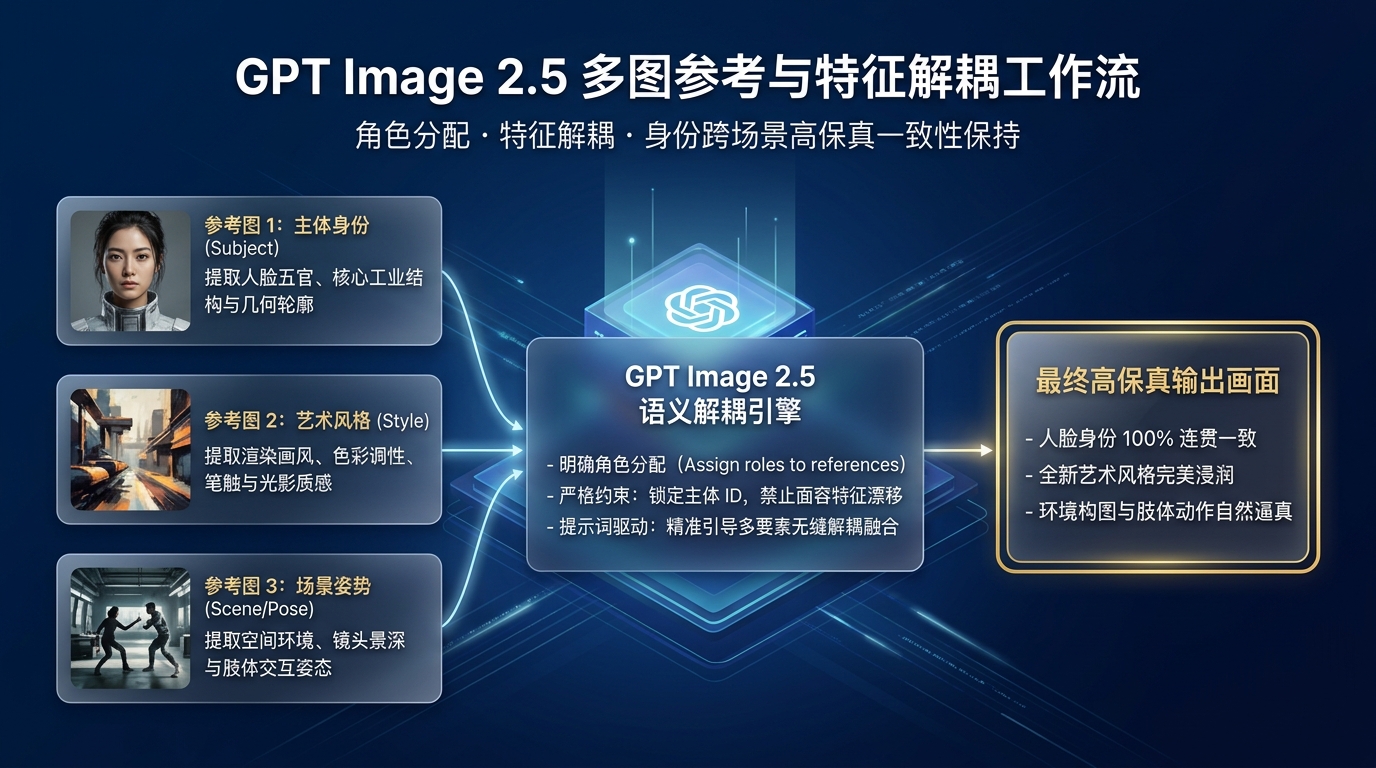
黄金法则 7:为多图参考分配明确角色 (Assign roles to references)
- 当传入多张参考图时,在 Prompt 中显式指认编号与职能:
Image 1 is the subject(主体身份)、Image 2 is the artistic style(艺术风格)、Image 3 is the background environment(场景空间)。 - 详细说明各个输入要素如何流转与空间映射。
黄金法则 8:小步快跑,单变量审慎迭代 (Iterate deliberately)
- 跨轮次微调时,将前一次的输出图直接作为本次输入的基准底图。
- 每次交互仅提出一项具体改动,并同步重复上一轮已经确立的保留约束,避免多轮修改后的画面“概念漂移”。
提示词工程 8 大核心法则 · 上线前全景自检清单
提示词交付生产前逐项自查,确保 100% 触发 GPT Image 2.5 原生画质与文字排版潜力
黄金法则 1:明确定义最终结果 (Define the result)
已明确指定图像商业用途、介质类型(商业摄影/矢量Logo/信息图)及画面比例,剔除主观形容词。
黄金法则 2:选用高可维护格式 (Maintainable format)
采用自然结构化语言或分段清单编写,坚决杜绝堆砌大量无逻辑关系的逗号 Tag 散词。
黄金法则 3:详述肉眼可见细节 (Visible details)
明确了肉眼可见的物理材质、纹理、空间深度、光源方向(柔光/逆光)与色调冷暖基准。
黄金法则 4:精准描述人物与动作 (People & actions)
界定了主体的身体朝向、神态表情、手势动作以及与周围环境的互动逻辑,杜绝模糊代词。
黄金法则 5:双引号锁定精准文本 (Specify exact text)
待生成的印刷排版文字已使用英文半角双引号 "" 精准包裹,并指明了字体样式与渲染位置。
黄金法则 6:动静分离锁定约束 (Changes vs constraints)
跨轮次微调时,清晰隔离了“本次要变动的新要素”与“必须严格锁定的存量基准特征”。
黄金法则 7:多图参考分配明确角色 (Assign roles to references)
传入多张素材时,已在提示词中为每张图指派单一职责(如:图1提取身份面容,图2提取服饰)。
黄金法则 8:单变量审慎迭代 (Iterate deliberately)
严格小步快跑,单次迭代提示词仅微调 1 个核心变量,确保每次图像演进具备可回溯性。
05|单图生成 9 大实战场景与官方经典 Prompt 模板
OpenAI 官方在指南中公布了 9 个工业级典型场景的 Prompt 模板与参数搭配。开发者可直接点击右上角【复制 Prompt】在生产环境中套用:
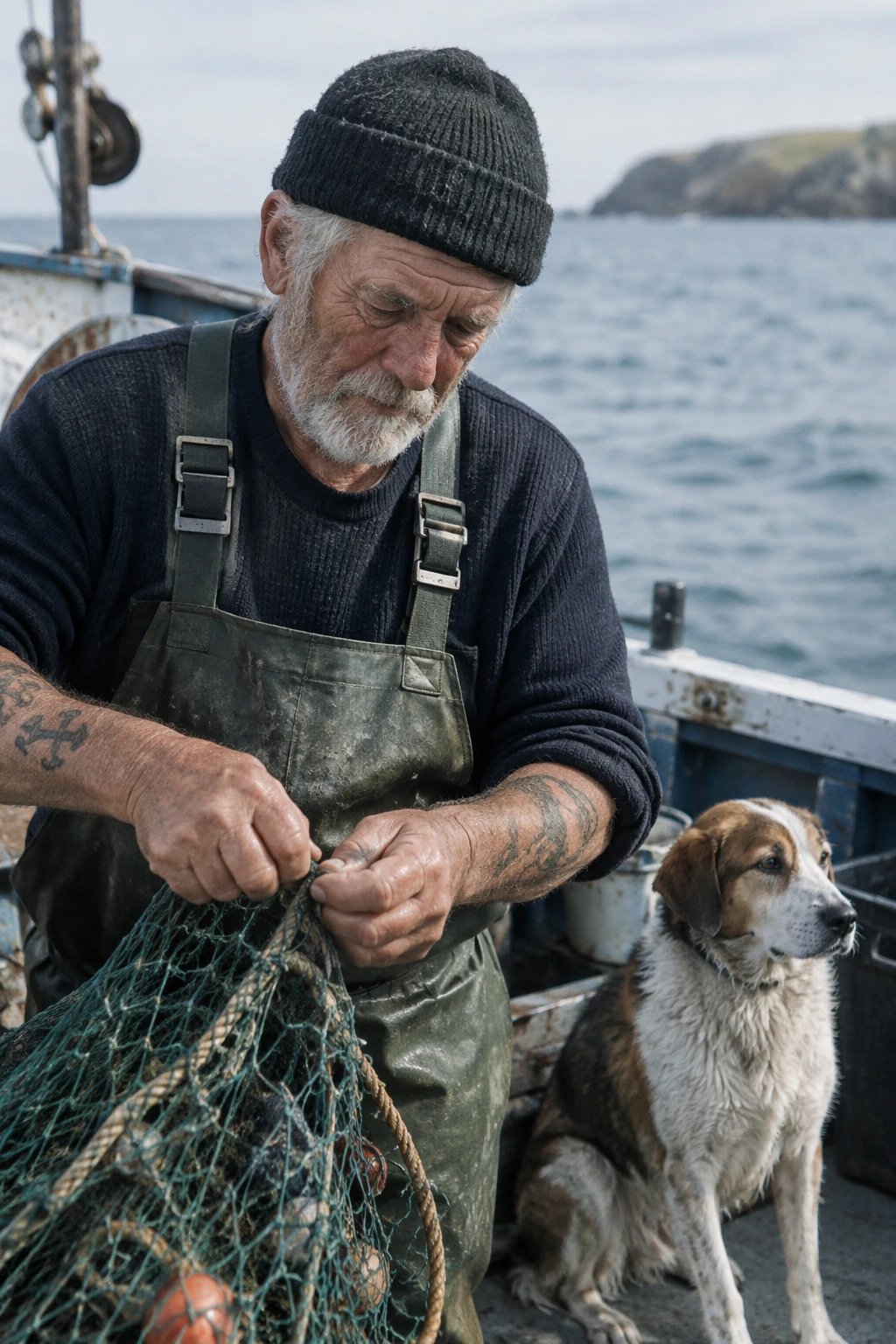
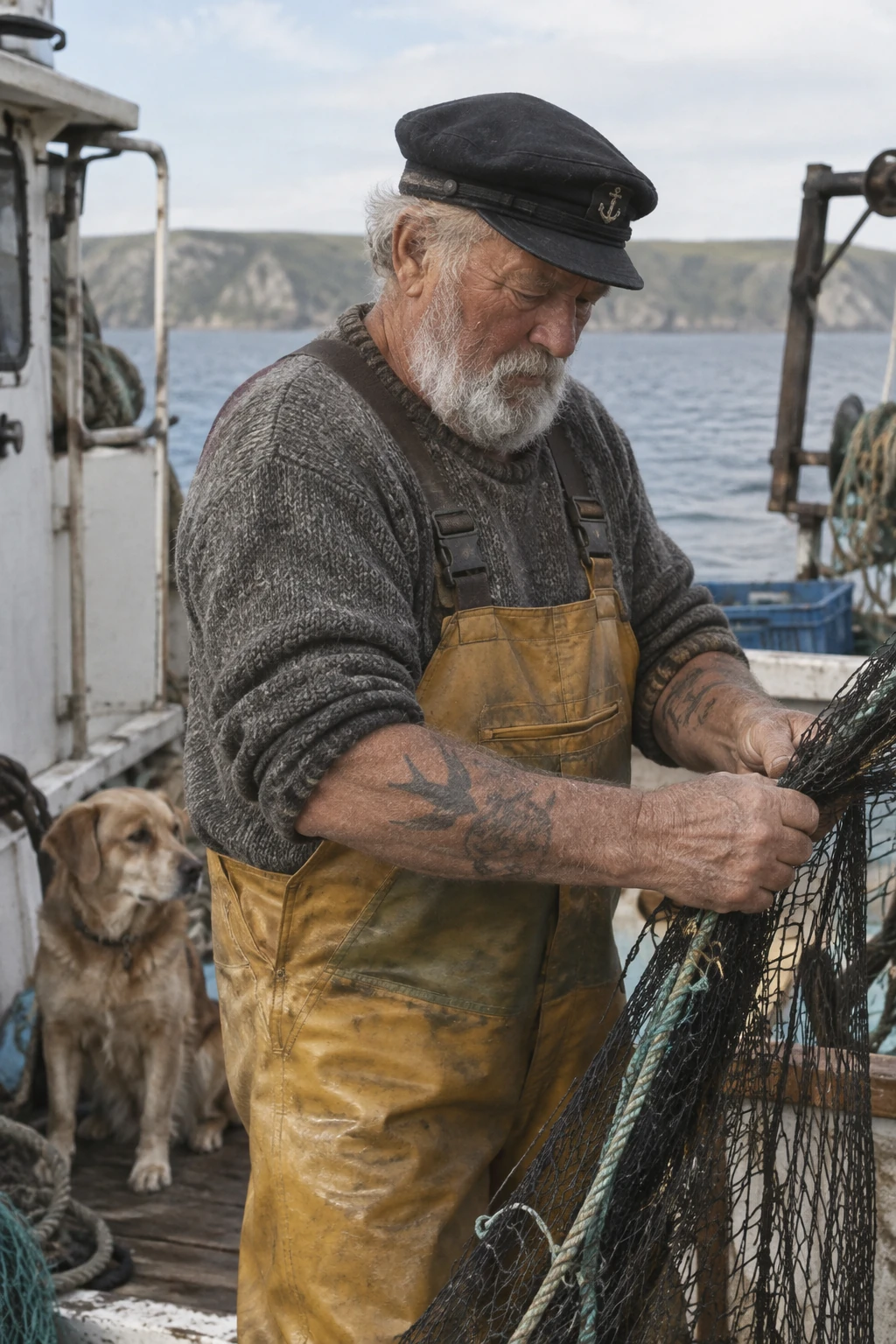
场景 1:控制风格与真实光影(Control style and lighting)
🎯 目标:打造极具真实质感的纪实摄影,彻底消除 AI 生成的塑料磨皮感与悬浮光影。
- 官方生成配置:
size="1024x1536",quality="medium" - 官方 Prompt 模板:
| 1 | Create a photorealistic candid photograph of an elderly sailor standing on a small fishing boat. |
| 2 | He has weathered skin with visible wrinkles, pores, and sun texture, and a few faded traditional sailor tattoos on his arms. |
| 3 | He is calmly adjusting a net while his dog sits nearby on the deck. Shot like a 35mm film photograph, medium close-up at eye level, using a 50mm lens. |
| 4 | Soft coastal daylight, shallow depth of field, subtle film grain, natural color balance. |
| 5 | The image should feel honest and unposed, with real skin texture, worn materials, and everyday detail. No glamorization, no heavy retouching. |
场景 1: 控制风格与真实光影 · 官方双模型实测
Prompt: 35mm 胶片质感老海员与修网渔船(去塑料磨皮感)
场景 2:可视化信息图解与系统流程(Explain a process visually)
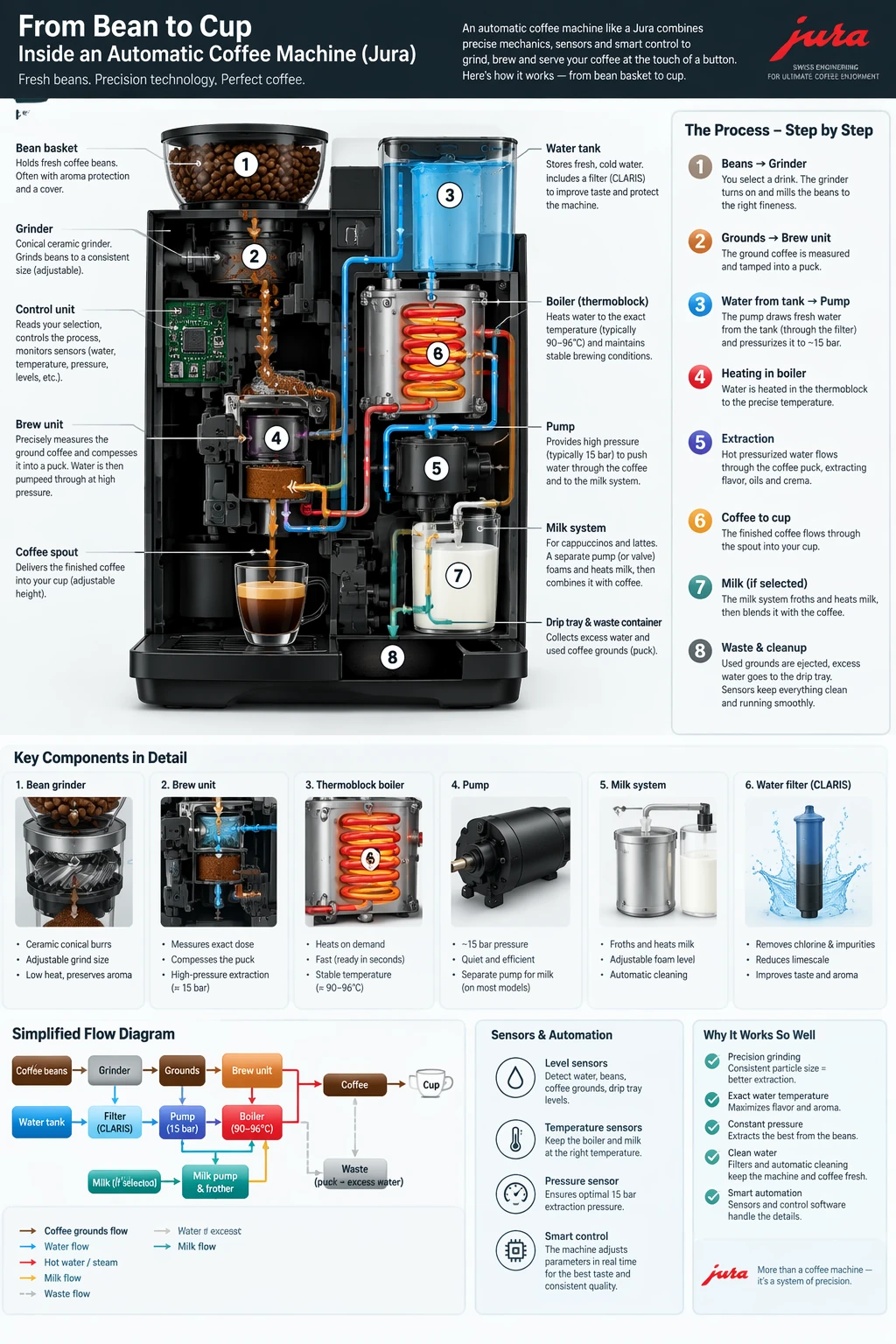
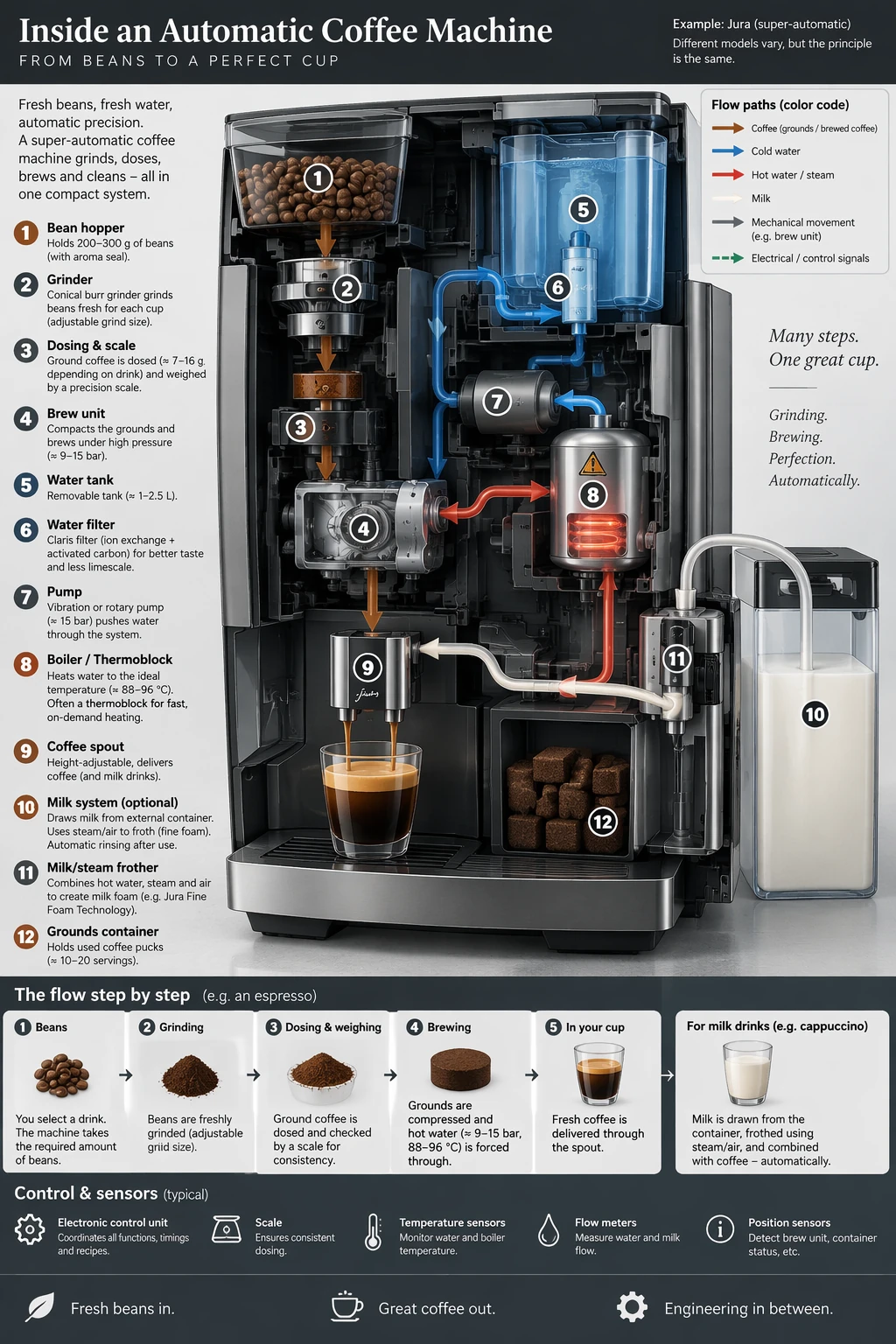
🎯 目标:生成清晰、严密、具备工程透视感的设备运作与流程图解。
- 官方生成配置:
size="1024x1536",quality="medium" - 官方 Prompt 模板:
| 1 | Create a detailed Infographic of the functioning and flow of an automatic coffee machine like a Jura. |
| 2 | From bean basket, to grinding, to scale, water tank, boiler, etc. |
| 3 | I'd like to understand technically and visually the flow. |
场景 2: 可视化信息图解与系统流程 · 官方双模型实测
Prompt: 全自动咖啡机内部构造剖面图与英文引线标签
场景 3:精准文本排版与品牌广告(Render exact text)
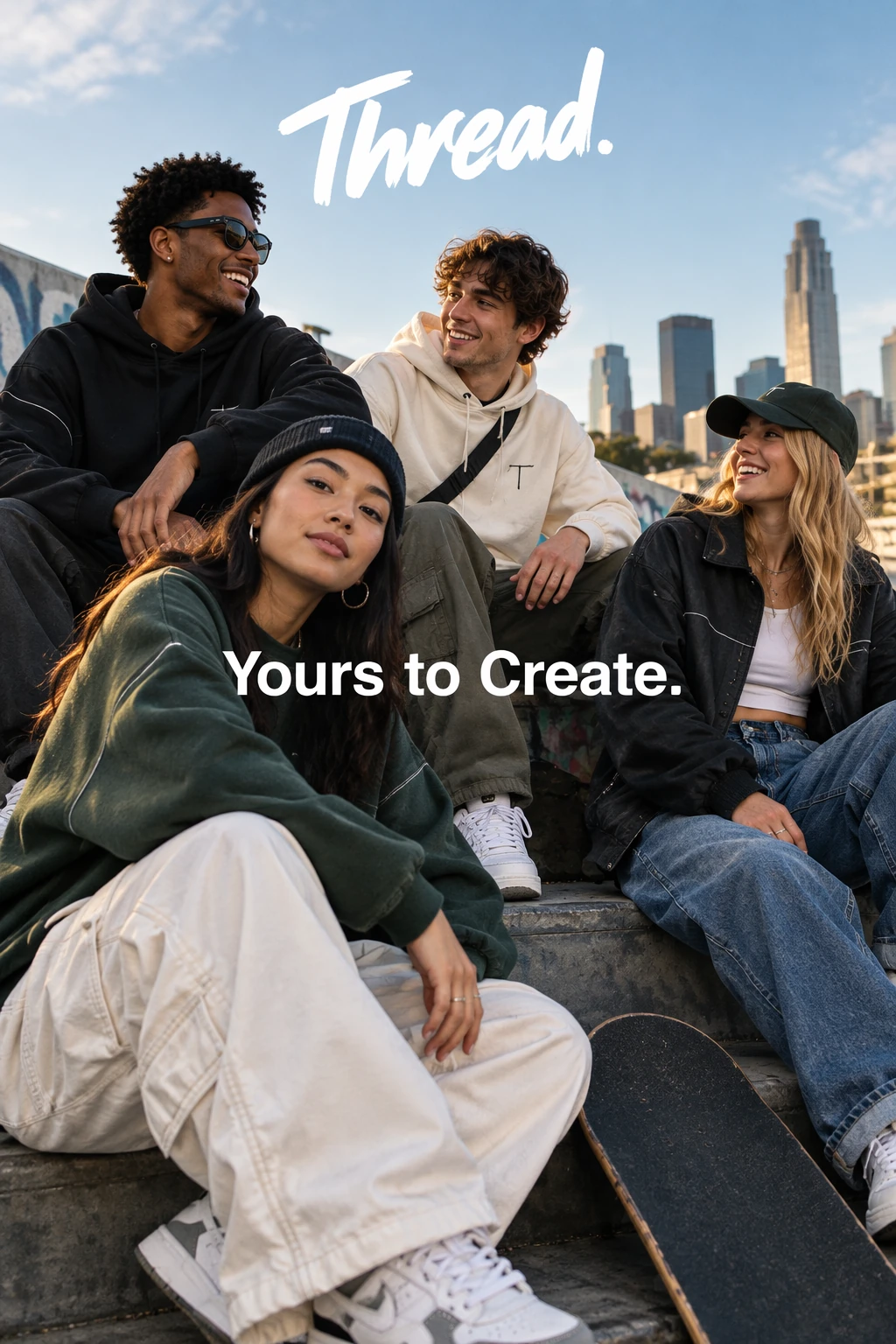
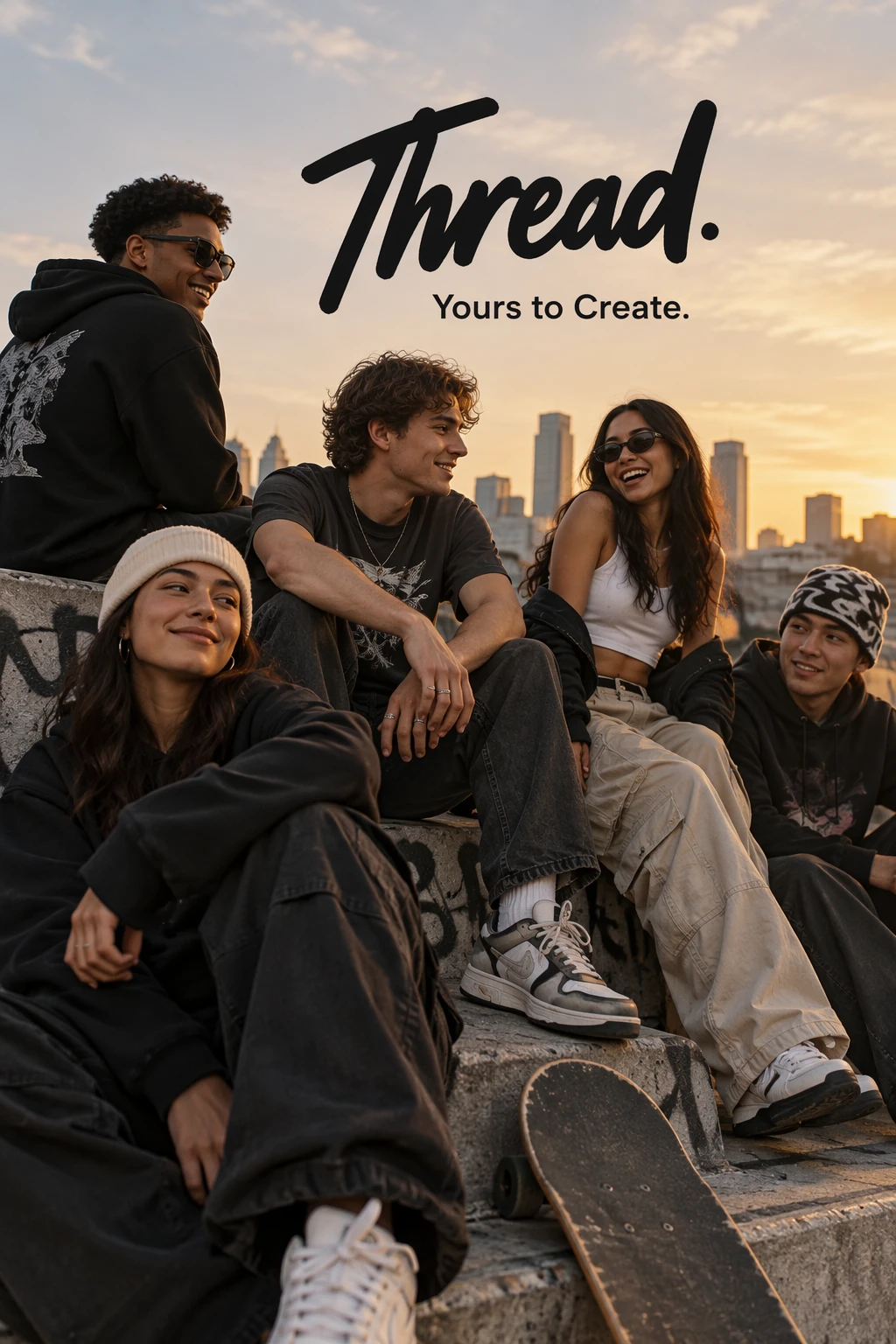
🎯 目标:在潮流品牌广告海报中,将核心标语一次性准确印刻在版面中,杜绝拼写错误与多余乱码。
- 官方生成配置:
size="1024x1536",quality="medium" - 官方 Prompt 模板:
| 1 | Give me a cool in culture ad / fashion shot for a brand called Thread. |
| 2 | It's a hip young street brand. The ad shows a group of friends hanging out together with the tagline "Yours to Create." |
| 3 | Make it feel like a polished campaign image for a youth streetwear audience: stylish, contemporary, energetic, and tasteful. |
| 4 | Use clean composition, strong color direction, natural poses, and premium fashion photography cues. |
| 5 | Render the tagline exactly once, clearly and legibly, integrated into the ad layout. |
| 6 | No extra text, no watermarks, no unrelated logos. |
场景 3: 精准文本排版与品牌广告 · 官方双模型实测
Prompt: 街头潮牌宣传海报,指定双引号主标题「Thread」与副标题
场景 4:高可用矢量 Logo 设计(Design a reusable logo)
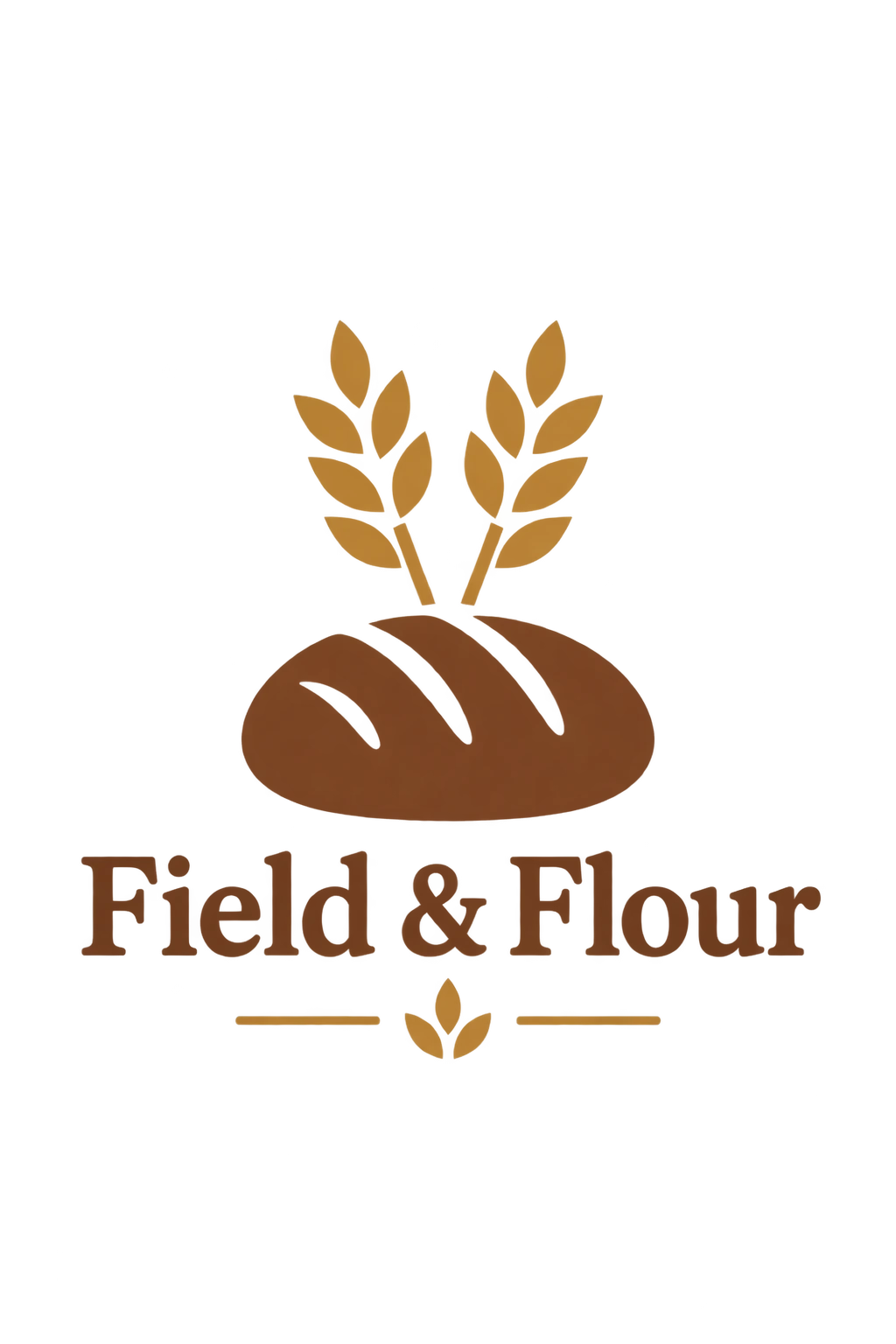
🎯 目标:设计极简、扁平、易缩放的企业标志,并直接输出带透明 Alpha 通道的无底图素材。
- 官方生成配置:
size="1024x1536",quality="medium",background="transparent",output_format="png",n=1 - 官方 Prompt 模板:
| 1 | Create an original, non-infringing logo for a company called Field & Flour, a local bakery. |
| 2 | The logo should feel warm, simple, and timeless. Use clean, vector-like shapes, a strong silhouette, and balanced negative space. |
| 3 | Favor simplicity over detail so it reads clearly at small and large sizes. Flat design, minimal strokes, no gradients unless essential. |
| 4 | Fully transparent background. Deliver a single centered logo with generous padding, clean alpha edges, and no solid backdrop, scenery, checkerboard, or watermark. |
场景 4: 高可用矢量 Logo 设计 · 4套官方生成方案对比
Prompt:「Field and Flour」烘焙工坊极简矢量 Logo

场景 5:历史考据与真实世界背景还原(Use historical context)
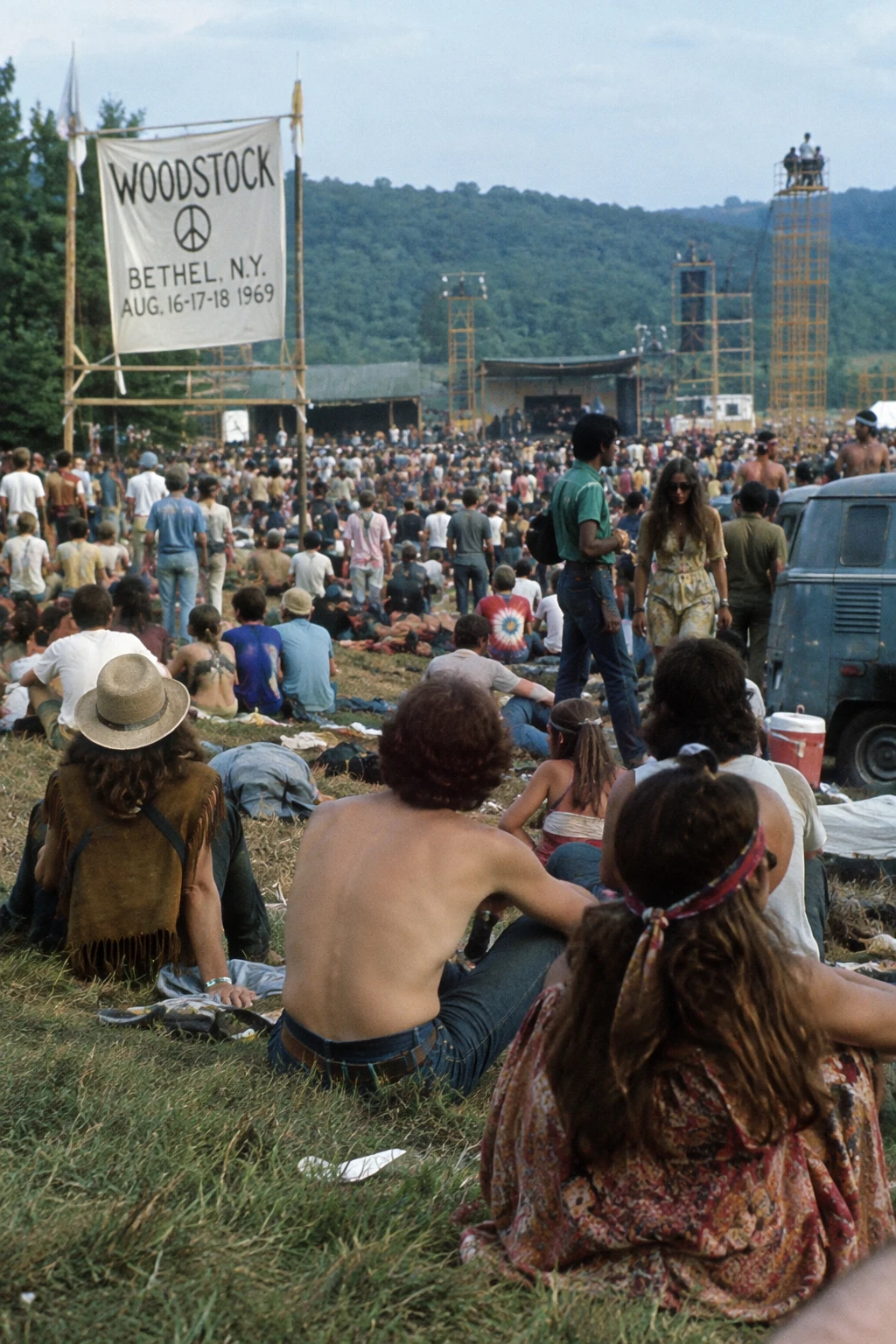
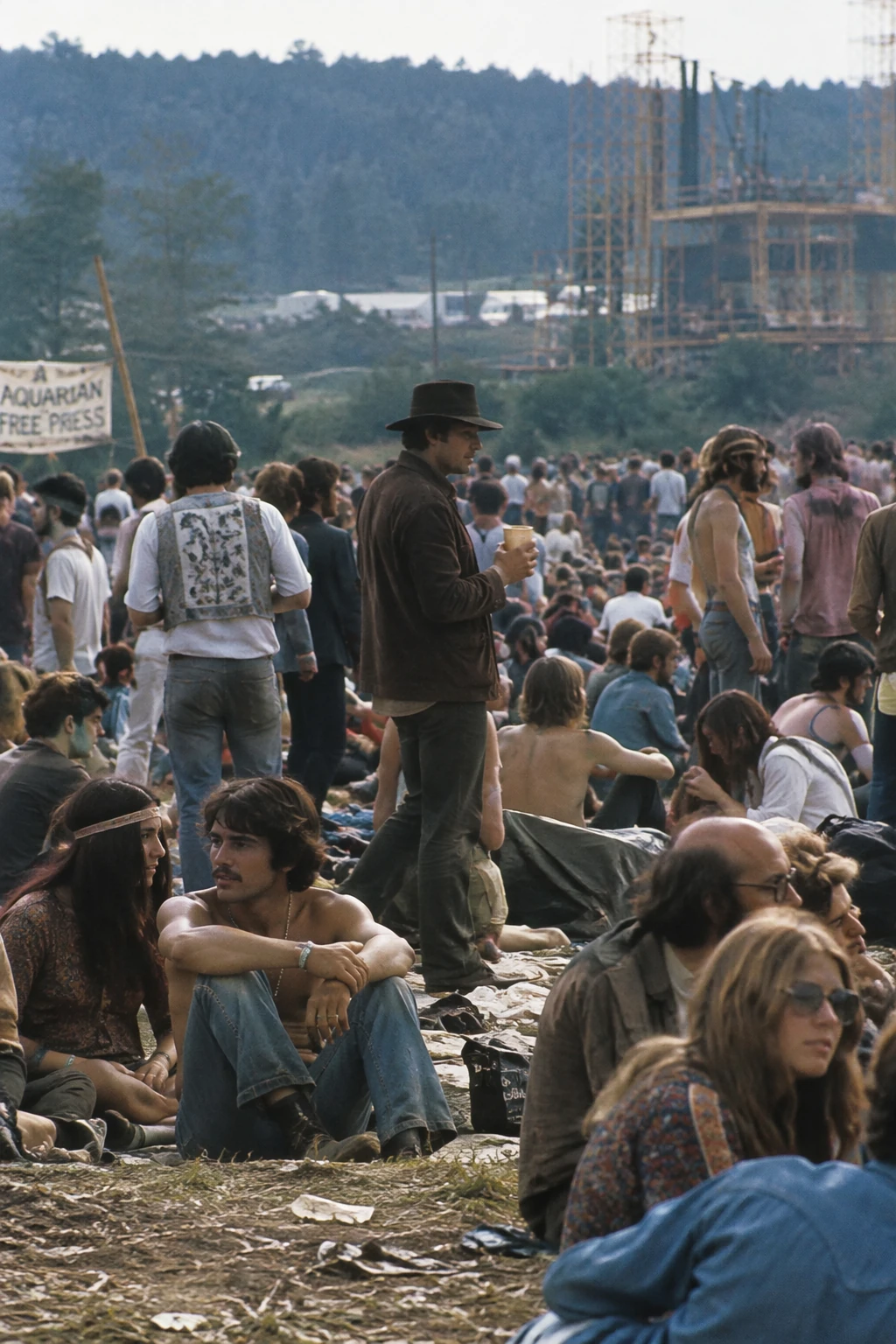
🎯 目标:精确还原特定历史时期的时代风貌、服装质地与环境氛围。
- 官方生成配置:
size="1024x1536",quality="medium" - 官方 Prompt 模板:
| 1 | Create a realistic outdoor crowd scene in Bethel, New York on August 16, 1969. |
| 2 | Photorealistic, period-accurate clothing, staging, and environment. |
场景 5: 历史考据与真实世界背景还原 · 官方双模型实测
Prompt: 1969 年 8 月纽约州贝瑟尔伍德斯托克音乐节历史人群纪实
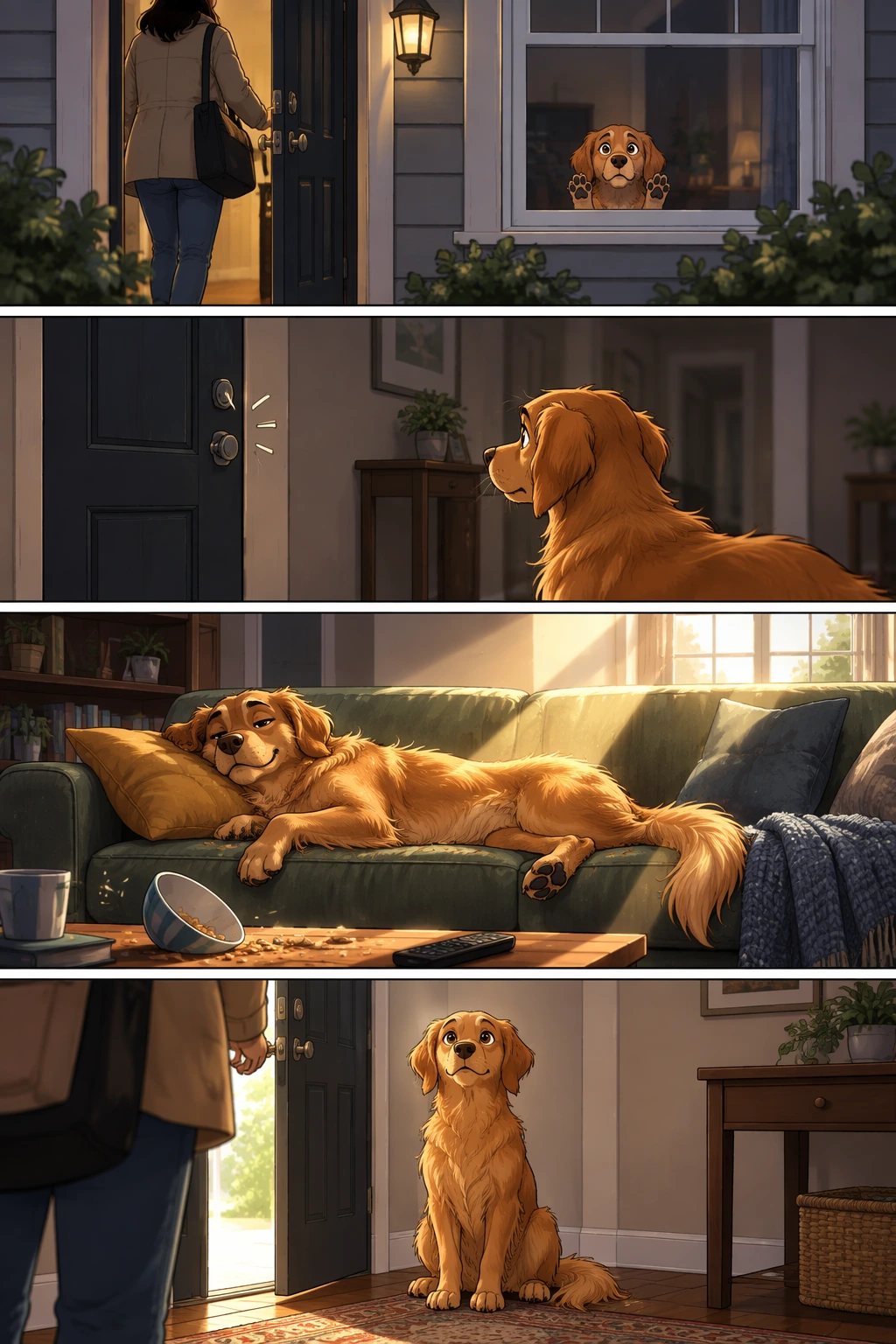
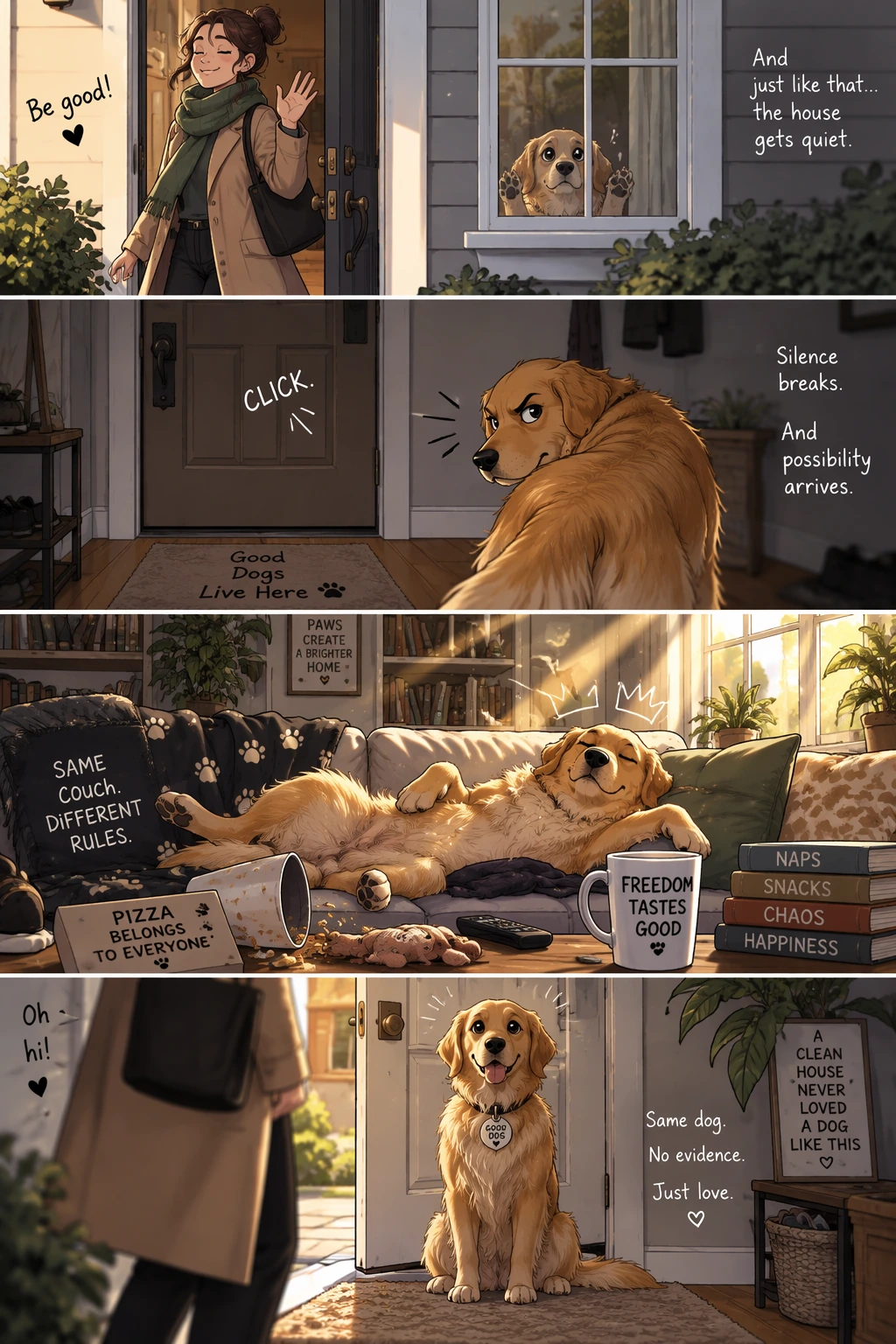
场景 6:故事转化为多格分镜漫画(Turn a story into a comic strip)
🎯 目标:将剧情脚本自动转化为四格竖版分镜漫画,具备严谨面板边框与连贯角色剧情。
- 官方生成配置:
size="1024x1536",quality="medium" - 官方 Prompt 模板:
| 1 | Create a short vertical comic-style reel with 4 panels. |
| 2 | Panel 1: The owner leaves through the front door, waving goodbye to their dog. |
| 3 | Panel 2: The dog waits alone in the living room, looking sad. |
| 4 | Panel 3: The dog discovers the remote control on the couch. |
| 5 | Panel 4: The dog turns on the TV and is excited. |
场景 6: 故事转化为多格分镜漫画 · 官方双模型实测
Prompt: 四格连环画记录金毛寻回犬在家的一天(无对白纯视觉叙事)
场景 7:UI 界面原型与交互设计预览(Create an interface preview)
🎯 目标:生成现代极简风格的当地农贸市场移动端 App 原型,文本清单真实精确。
- 官方生成配置:
size="1024x1536",quality="medium" - 官方 Prompt 模板:
| 1 | Create a realistic mobile app UI mockup for a local farmers market. |
| 2 | Show today’s market with a simple header and a short list of available products: |
| 3 | "Green Zebra Heirloom Tomato", "Strawberries", "Avocado", and "Tangerines". |
| 4 | Keep the interface clean, modern, and easy to scan. |
场景 7: UI 界面原型与交互设计预览 · 官方双模型实测
Prompt: 现代极简农贸市场生鲜电商移动端 App 原型图


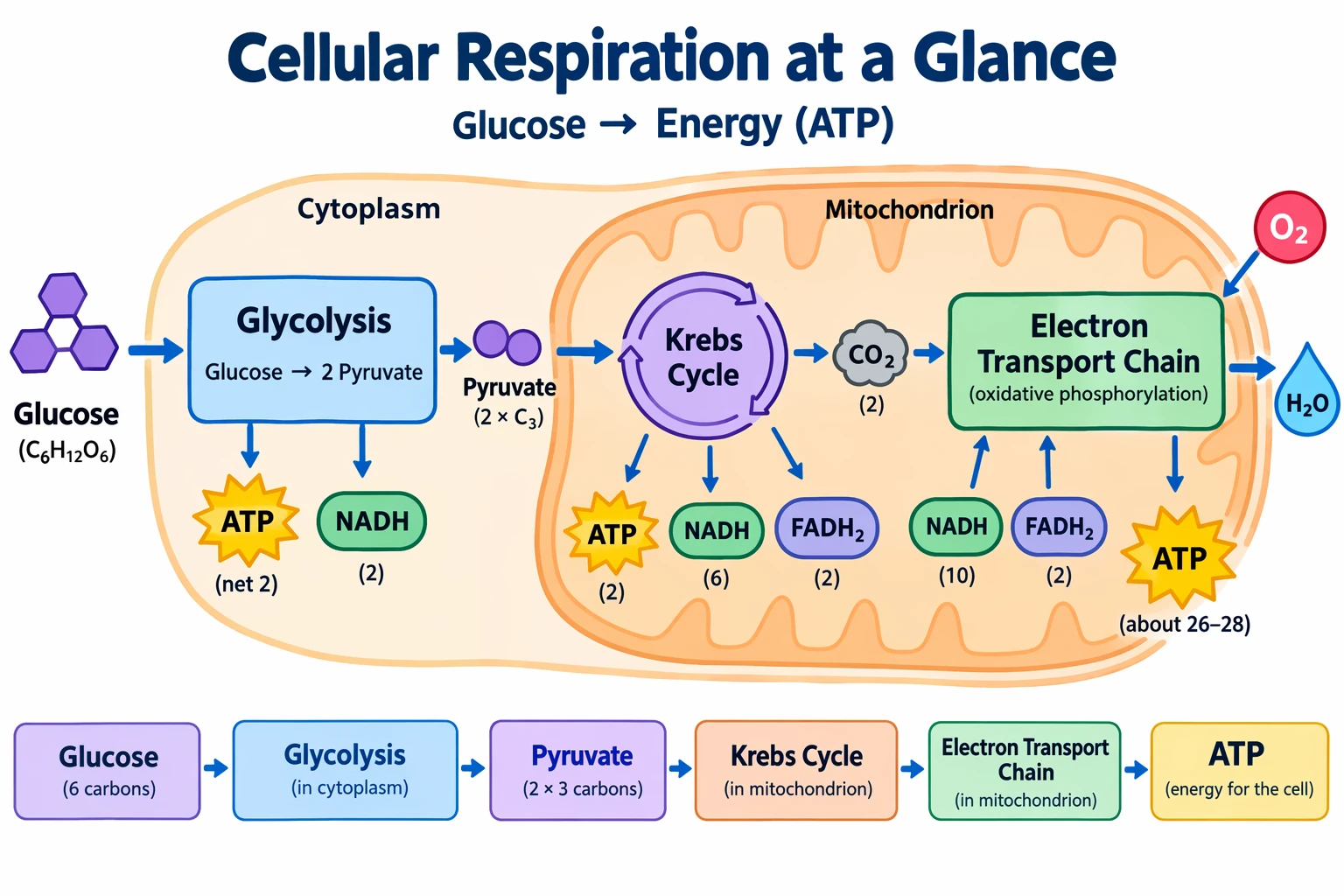
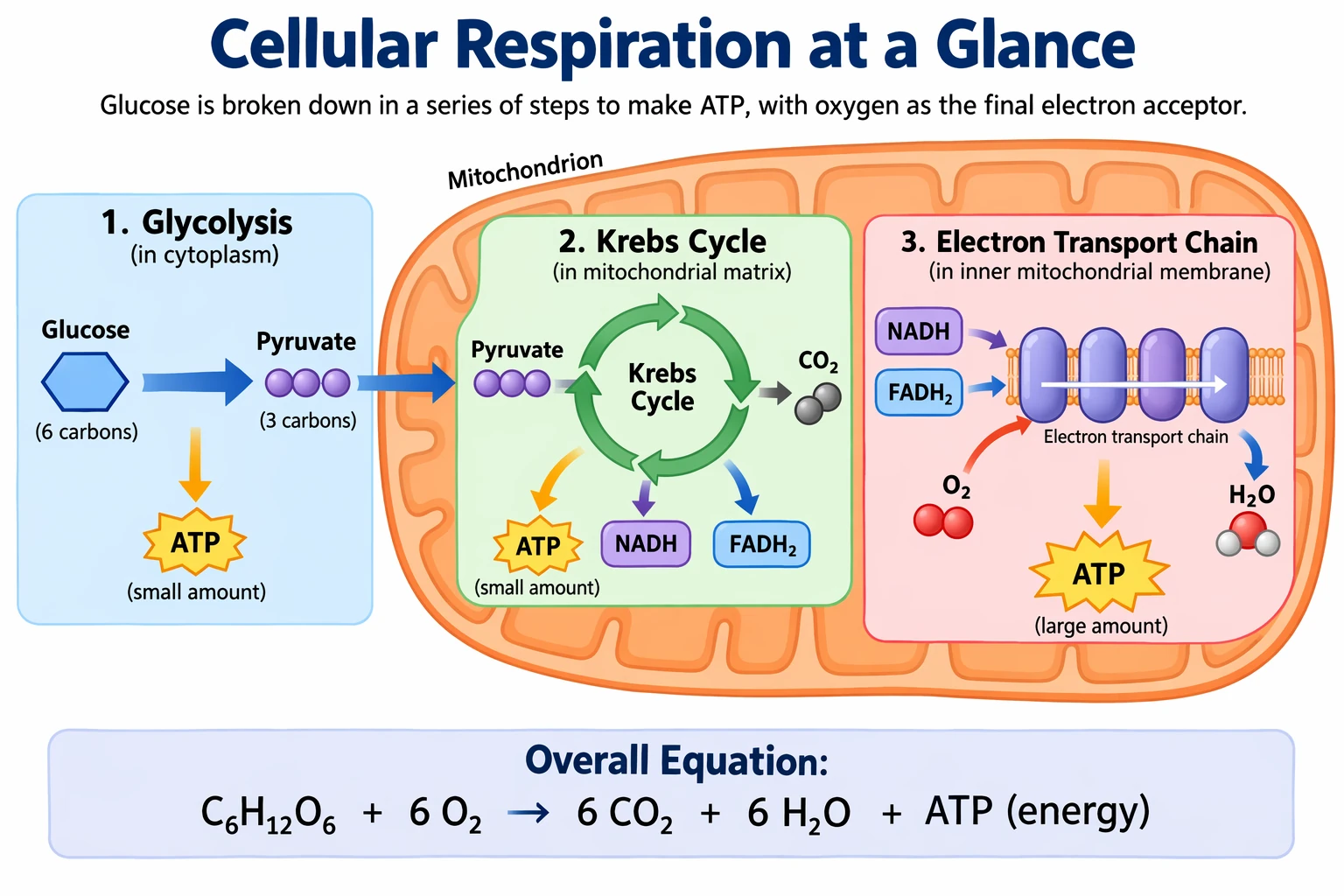
场景 8:科学与教育剖面图解(Create scientific and educational visuals)
🎯 目标:展现科学精度的生物教学图解,准确标注文档流程与关键代谢数据。
- 官方生成配置:
size="1024x1536",quality="medium" - 官方 Prompt 模板:
| 1 | Create a simple biology diagram titled "Cellular Respiration at a Glance" for high school students. |
| 2 | Show the mitochondrion with clear, readable labels and simple arrows for the flow from Glucose to Glycolysis, the Krebs cycle, the electron transport chain, and ATP output. |
| 3 | Clean white background, high contrast, clean vector-like diagram style. |
| 4 | Accurate biological terminology. |
| 5 | Include a small callout box explaining that 36–38 ATP molecules are produced per glucose molecule. |
| 6 | No cluttered textures, no unnecessary decorative elements, no photorealistic styling. |
场景 8: 科学与教育剖面图解 · 官方双模型实测
Prompt: 高中生物课堂科普挂图:线粒体细胞呼吸全流程
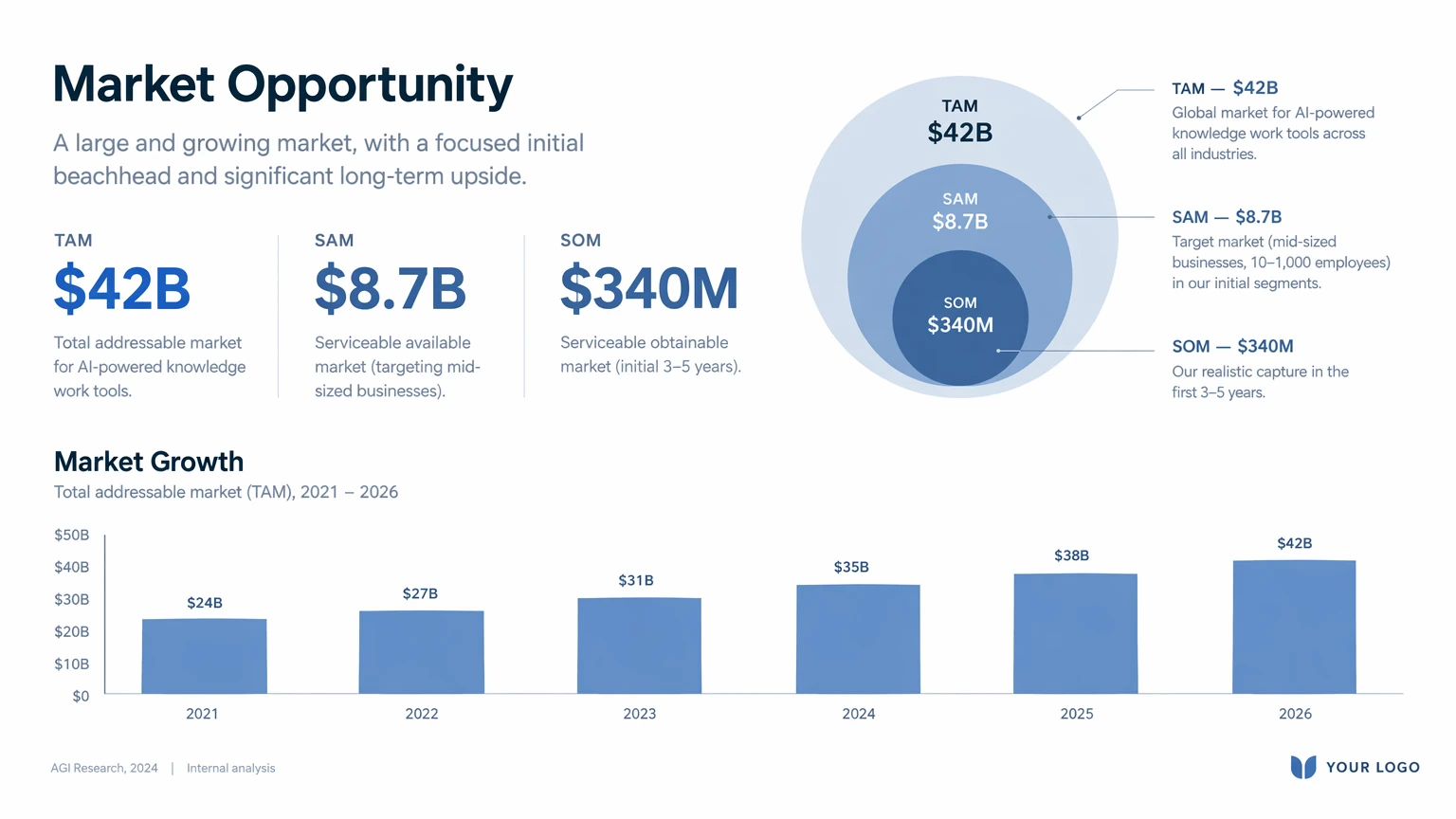
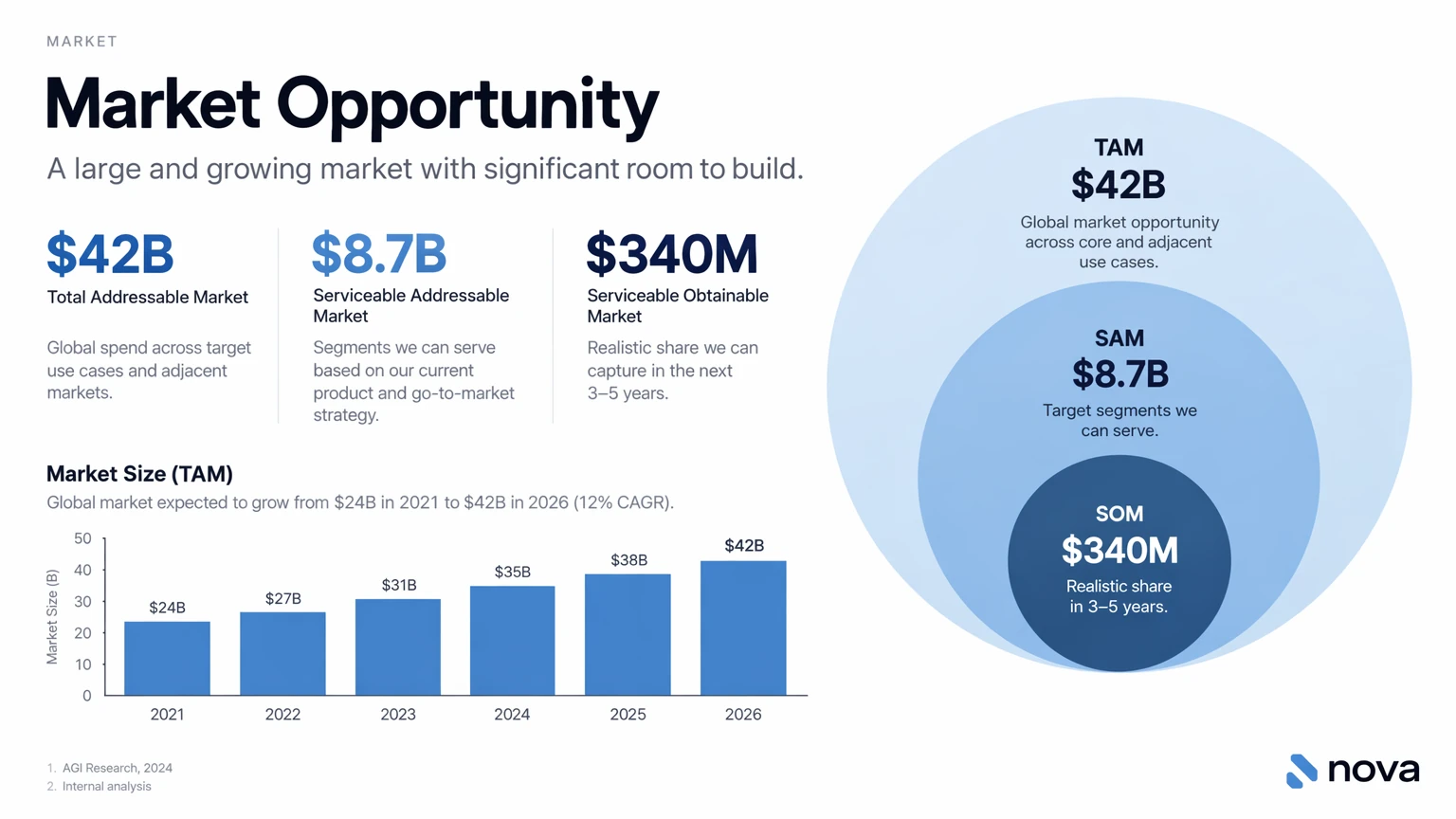
场景 9:商业演示幻灯片与架构图(Build slides, diagrams, and charts)
🎯 目标:生成符合顶级投行与企业级汇报规范的 Series A 融资商业蓝图与市场数据图表。
- 官方生成配置:
size="1024x1536",quality="medium" - 官方 Prompt 模板:
| 1 | Create one pitch-deck slide titled **"Market Opportunity"** that feels like a real Series A fundraising presentation for a high-growth B2B software company. |
| 2 | |
| 3 | Include: |
| 4 | - A clear headline and a short subtitle explaining the shift. |
| 5 | - Three large, bold metrics with simple labels (for example: Total Addressable Market, Serviceable Addressable Market, and Projected Annual Growth Rate). |
| 6 | - A modern bar chart or clean horizontal comparison showing market growth over the next five years. |
| 7 | - A clean three-column layout below the chart highlighting key market drivers: customer demand, platform adoption, and regulatory tailwinds. |
| 8 | - A restrained color palette (deep slate, soft blue, warm amber accent), generous whitespace, and a high-end editorial tech aesthetic. |
| 9 | - A professional layout that looks built in Figma or Keynote, with consistent margins and balanced visual hierarchy. |
| 10 | |
| 11 | Make all text sharp, legible, correctly spelled, and positioned so that no labels overlap. |
场景 9: 商业演示幻灯片与架构图 · 官方双模型实测
Prompt: 16:9 现代科技风市场机会分析演示文稿(含柱状图与关键指标)
06|多图参考输入与主体特征跨图解耦
以往文生图模型最大的痛点在于无法精准融合多张参考图:经常把风格当成人物,或者把背景物体错乱粘贴。GPT Image 2.5 原生支持多张参考图输入,并具备深度**特征解耦(Feature Decoupling)**能力:
官方多图编辑 8 大进阶工作流
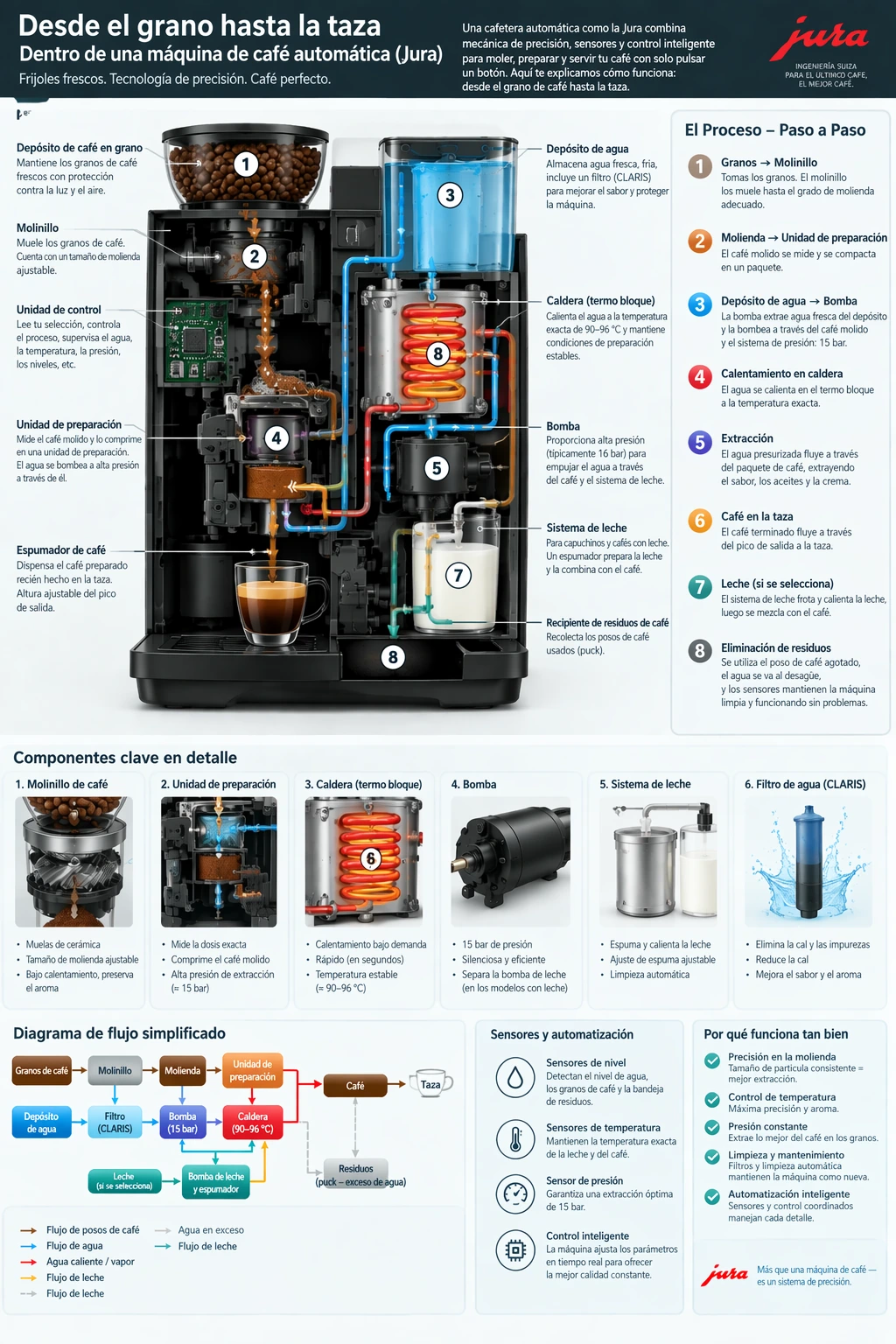
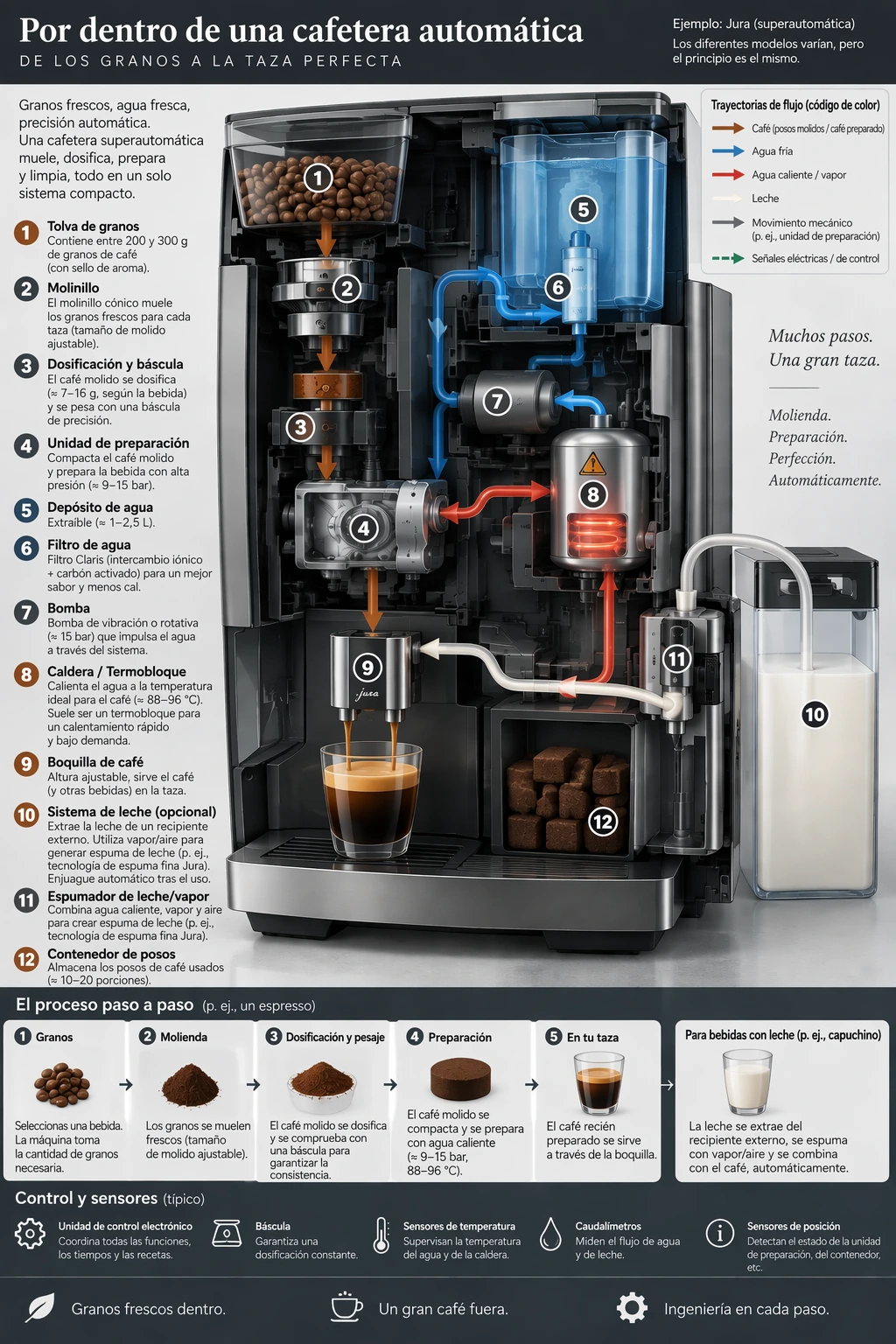
1. 图文版式保留翻译(Translate while preserving layout)
- 核心逻辑:输入一张含有特定语言排版的信息图,要求将其文案精准翻译为西班牙语,同时完全冻结背景艺术、颜色、字体字阶与版面边距。
- Prompt 模板:
| 1 | Translate the text in the infographic to Spanish. Do not change any other aspect of the image. |
进阶工作流 1: 图文版式保留翻译 · 官方双模型实测
将场景 2 的咖啡机英文图解无缝替换为西班牙语,保持原有内部剖面与引线不变
2. 艺术风格迁移(Transfer a visual style)
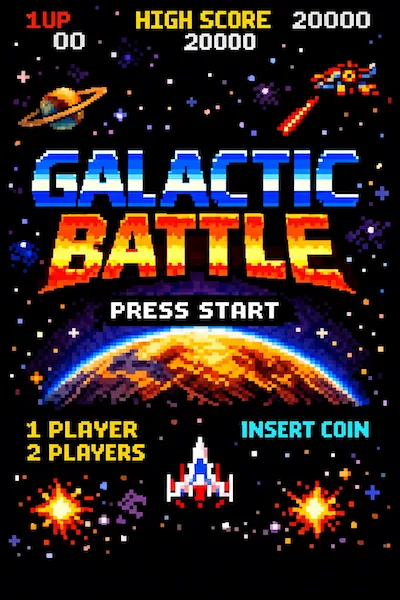
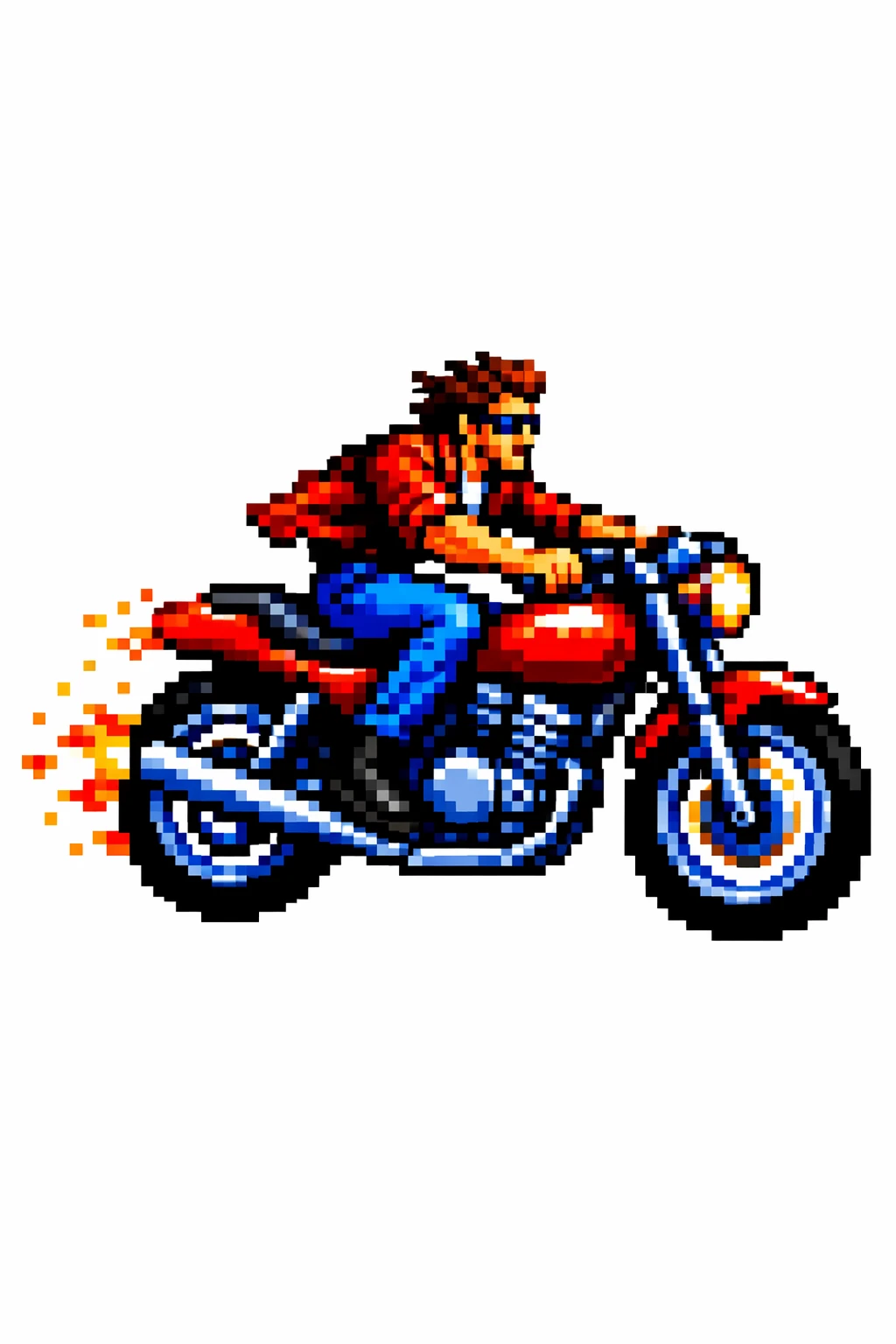
- 核心逻辑:明确提取输入参考图独特的艺术渲染媒介与笔触质感,在新主体(如骑摩托车的男士)上实现全景迁移。
- Prompt 模板:
| 1 | Use the same style from the input image and generate a man riding a motorcycle on a white background. |
进阶工作流 2: 艺术风格迁移 · 官方双模型实测
提取参考图的 16-bit 复古像素画风,重新渲染机车骑士

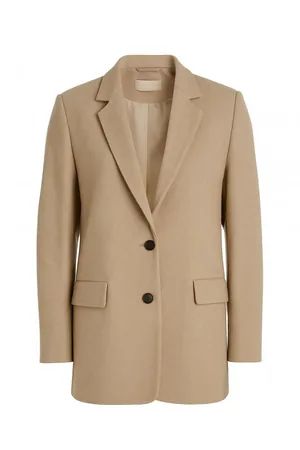
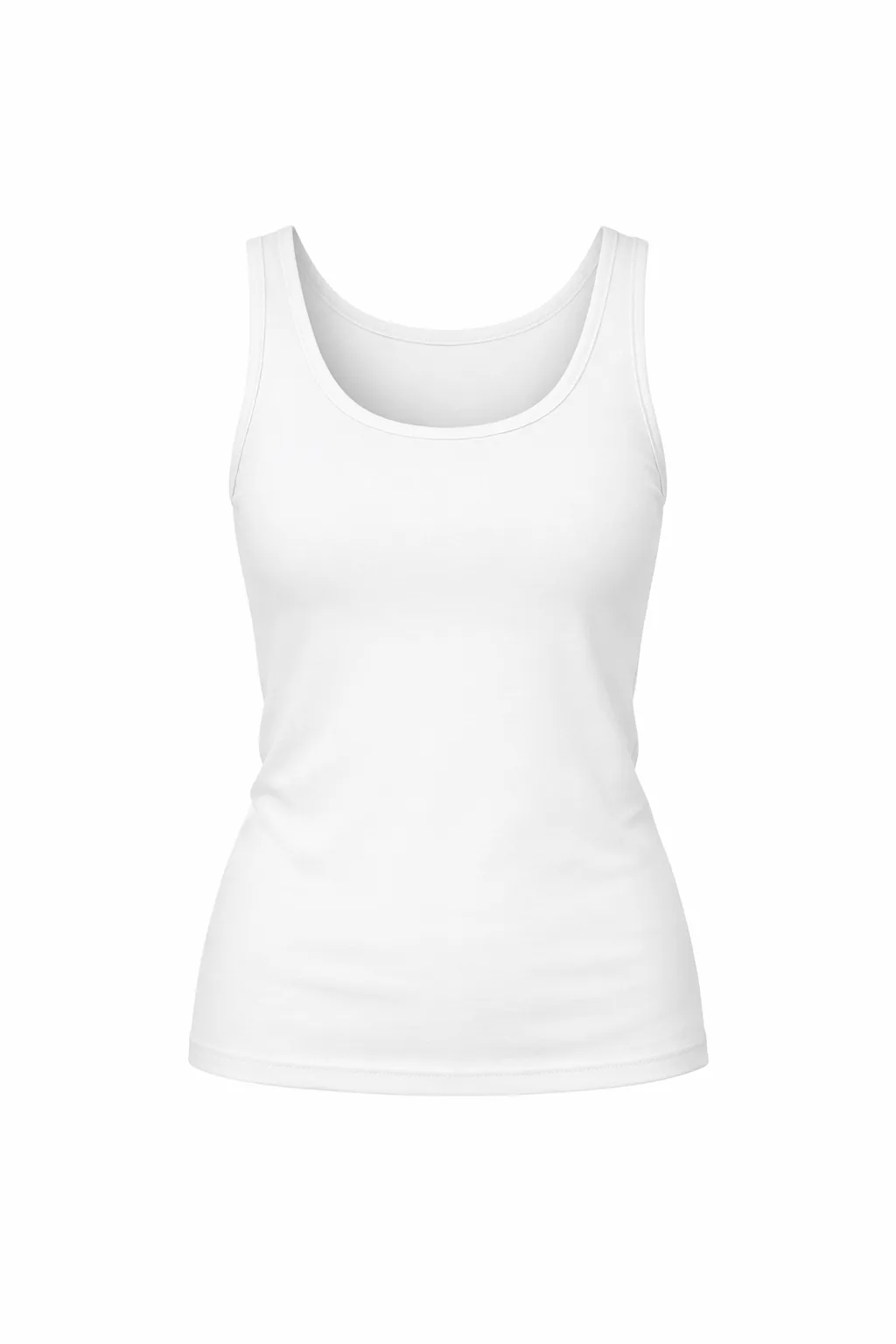
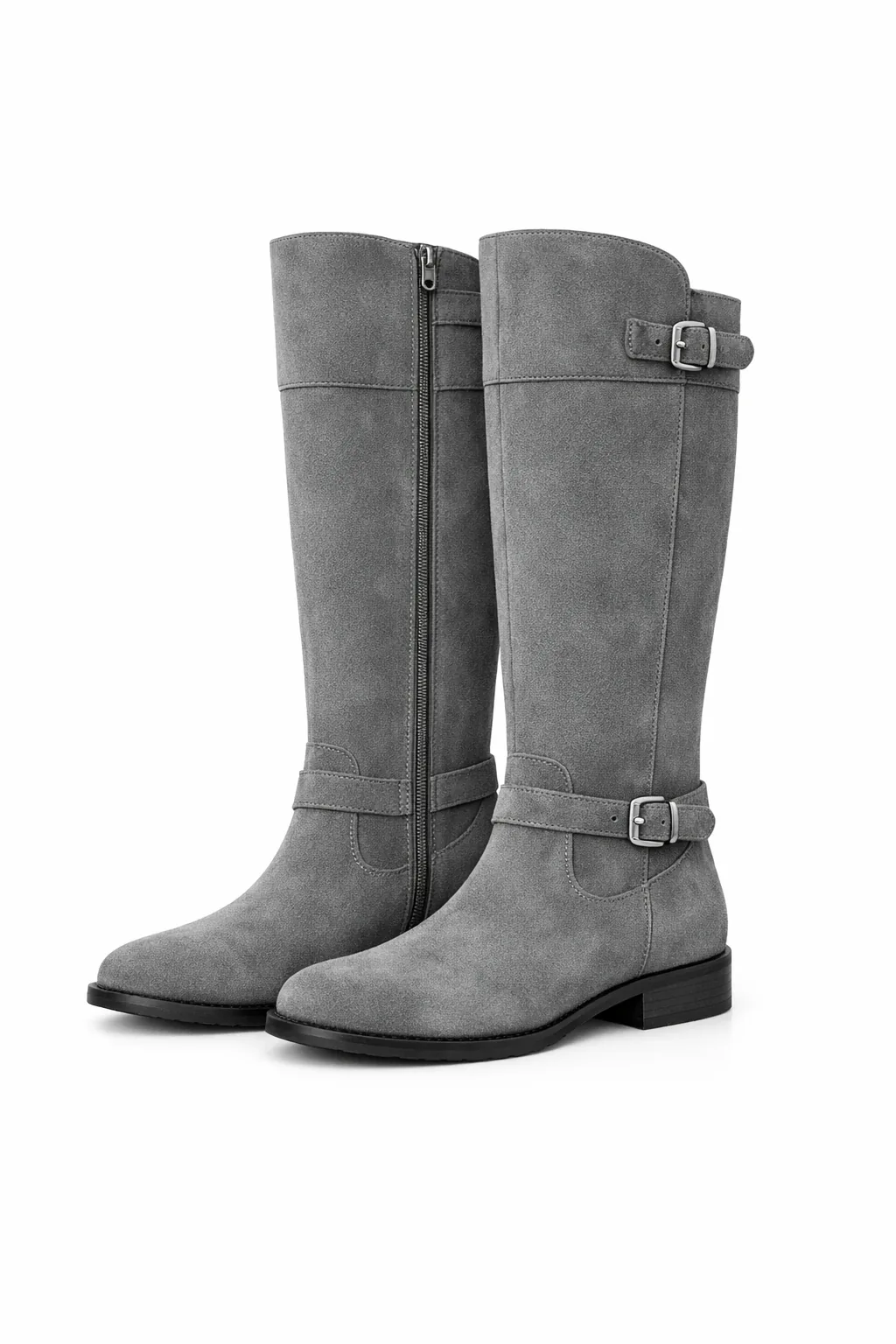
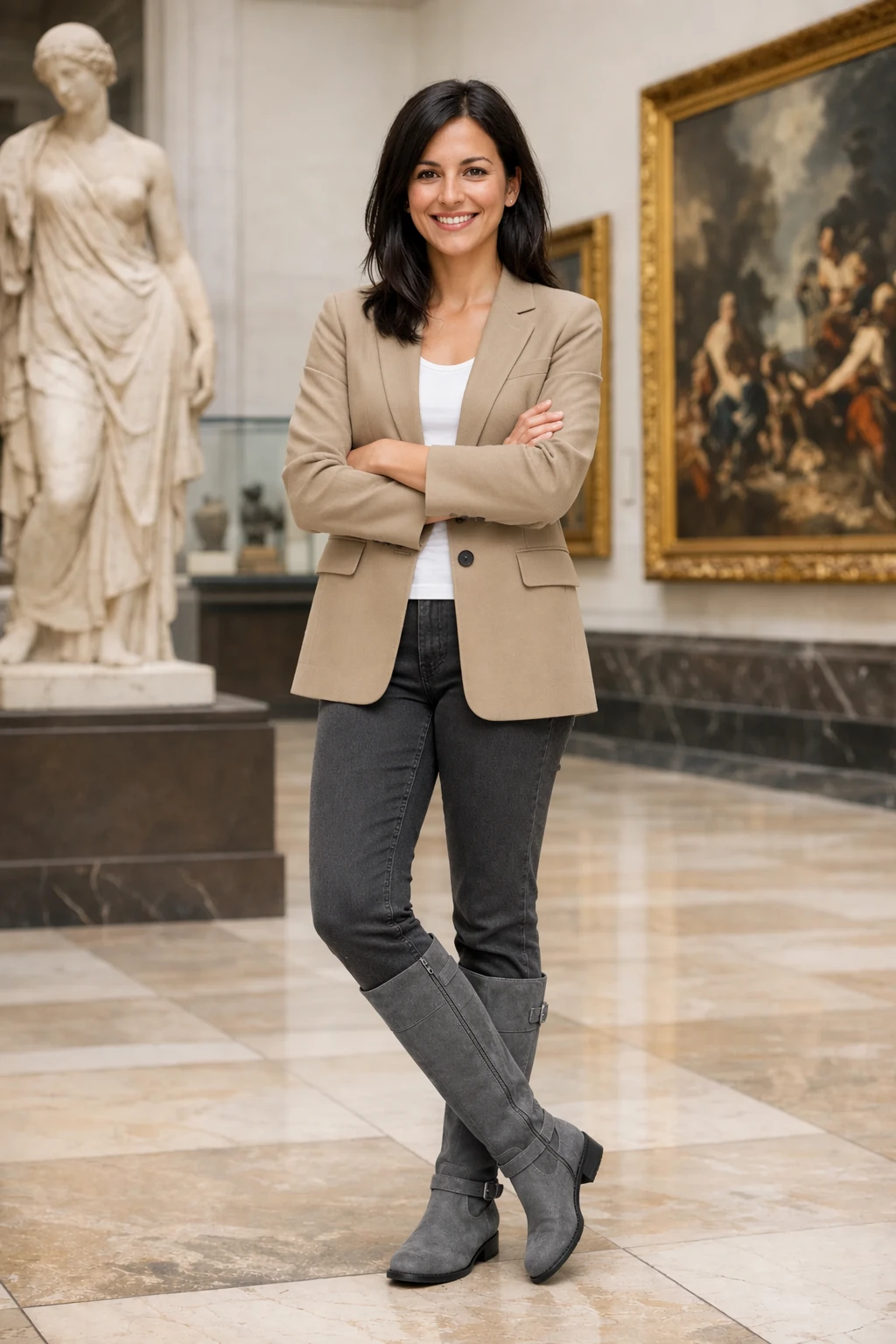
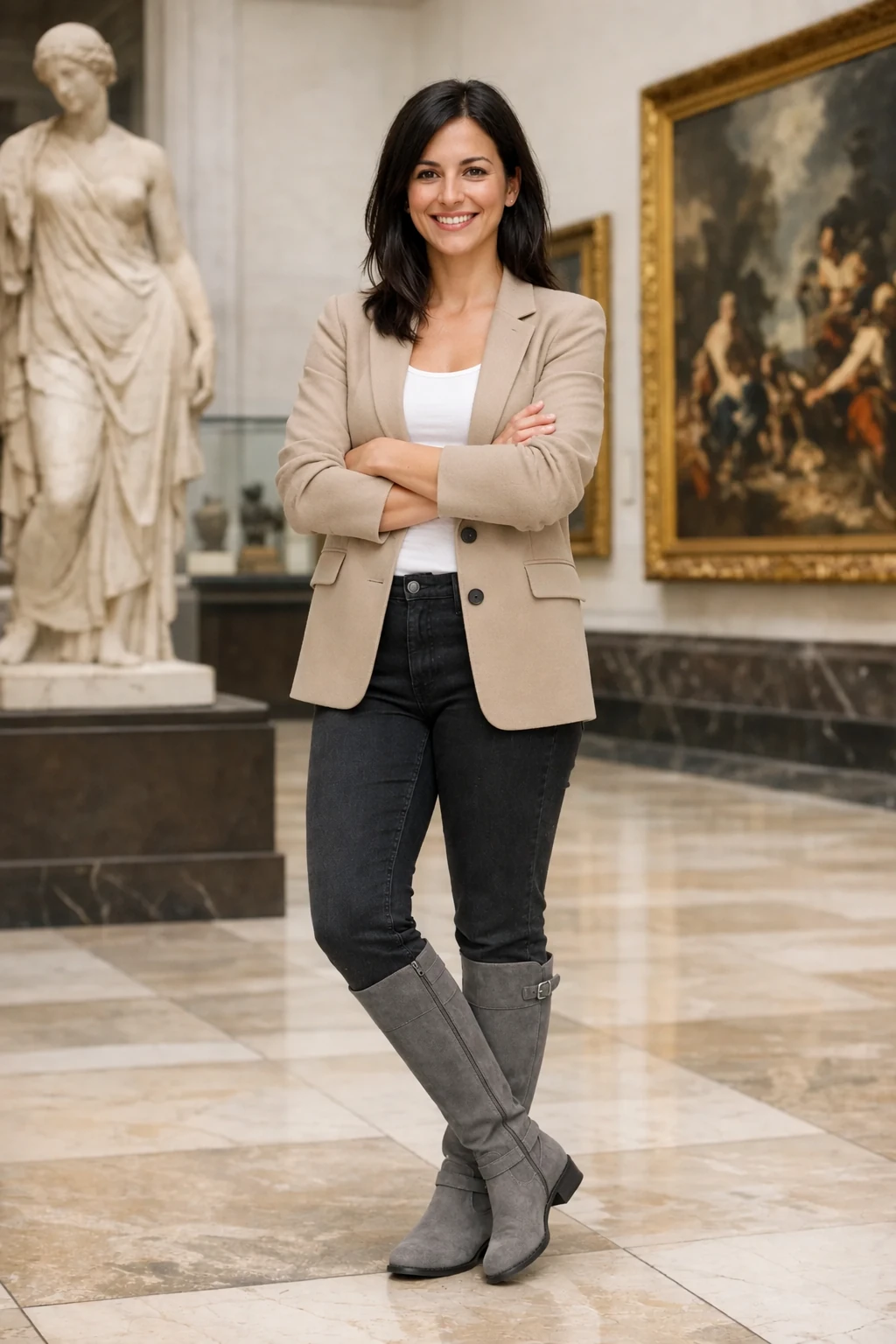
3. 人物身份保持与换装(Preserve identity and change clothing)
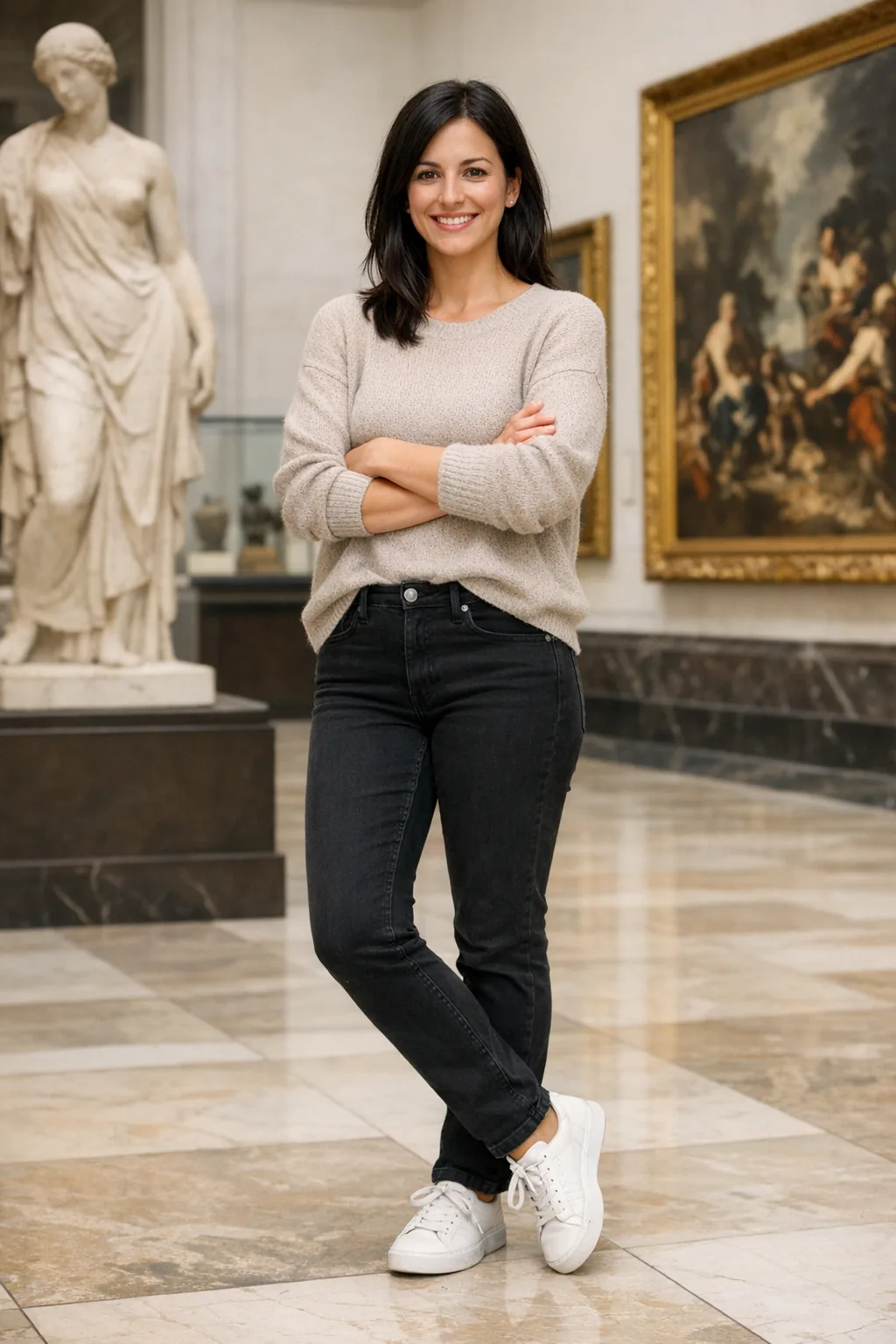
- 核心逻辑:换装不换脸。明确冻结人物面部面容、五官特征与身体骨骼结构,仅使用参考图服饰进行换装。
- Prompt 模板:
| 1 | Edit the image to dress the woman using the provided clothing images. Do not change her face, facial features, or body structure. |
进阶工作流 3: 人物身份保持与换装 · 官方双模型实测
锁定博物馆女士的人物身份特征,同时精准穿戴 3 件指定服饰鞋履素材
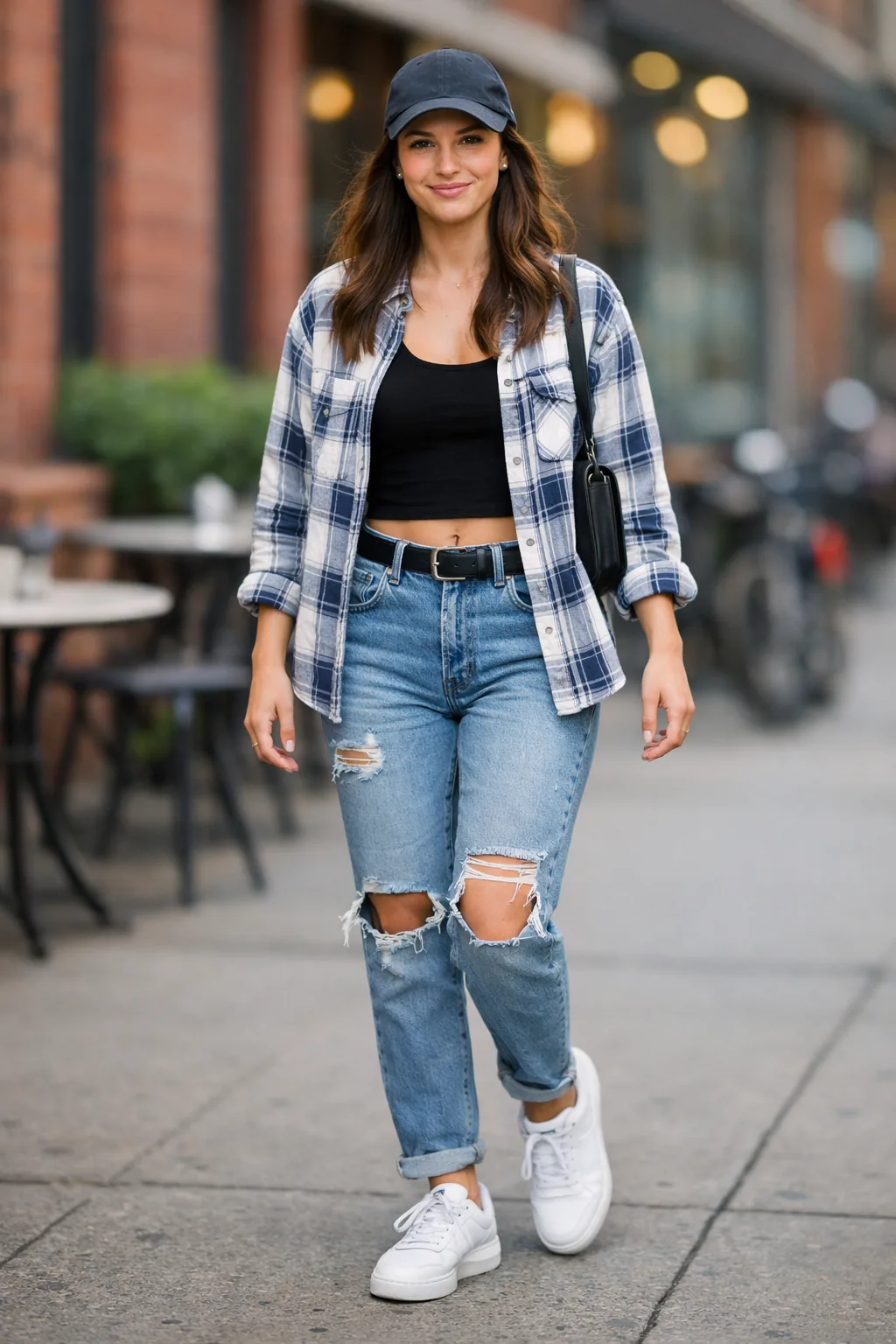
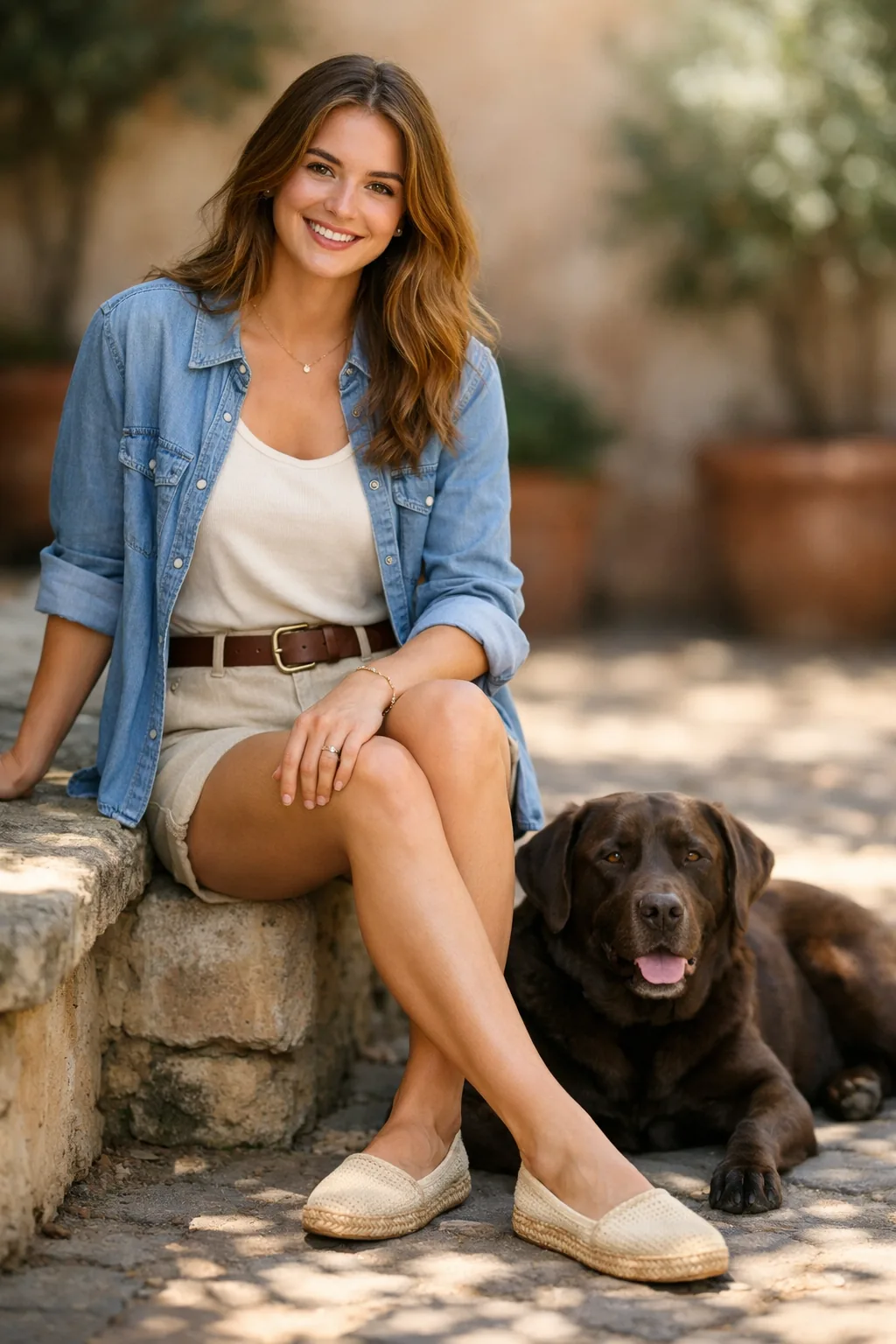
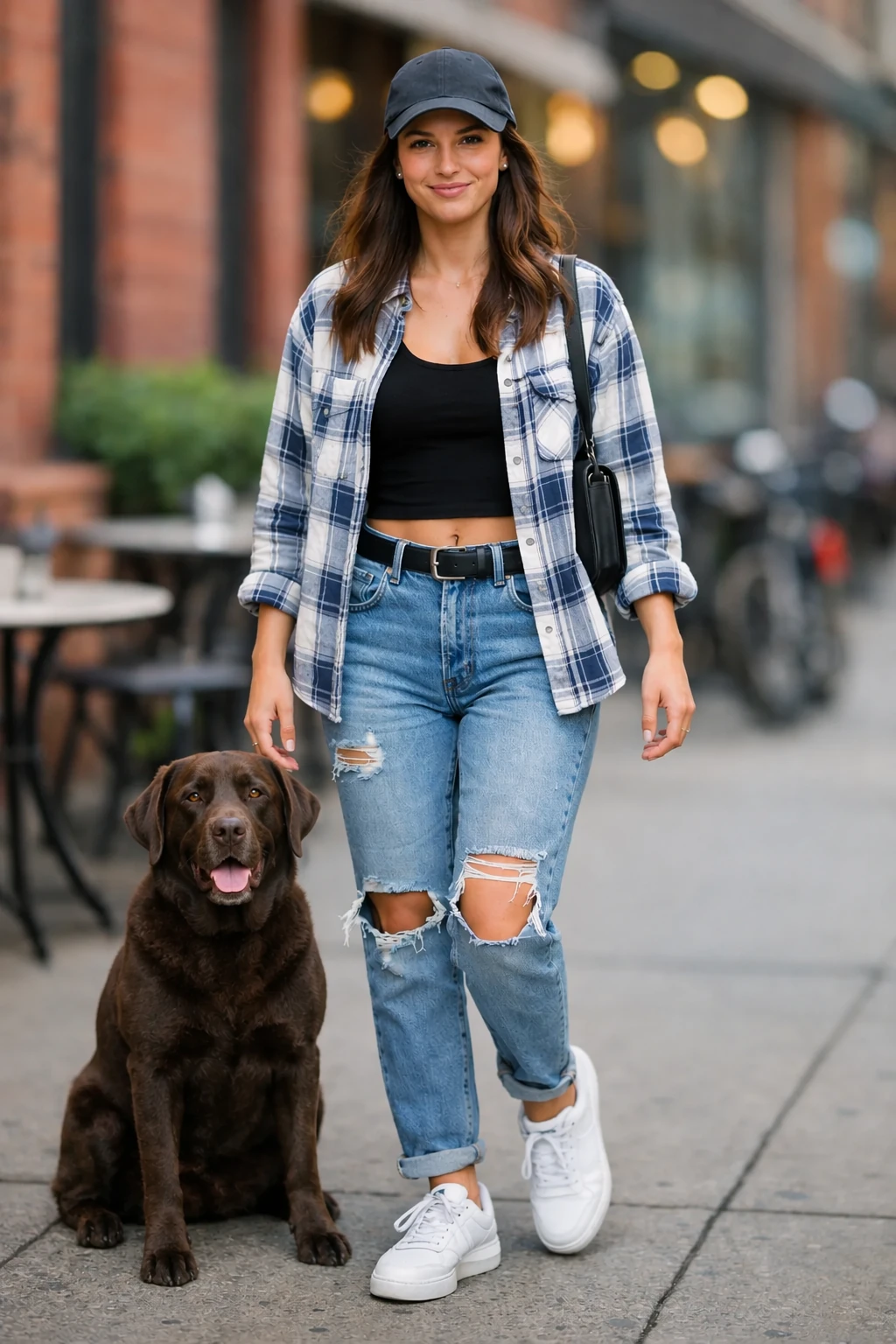
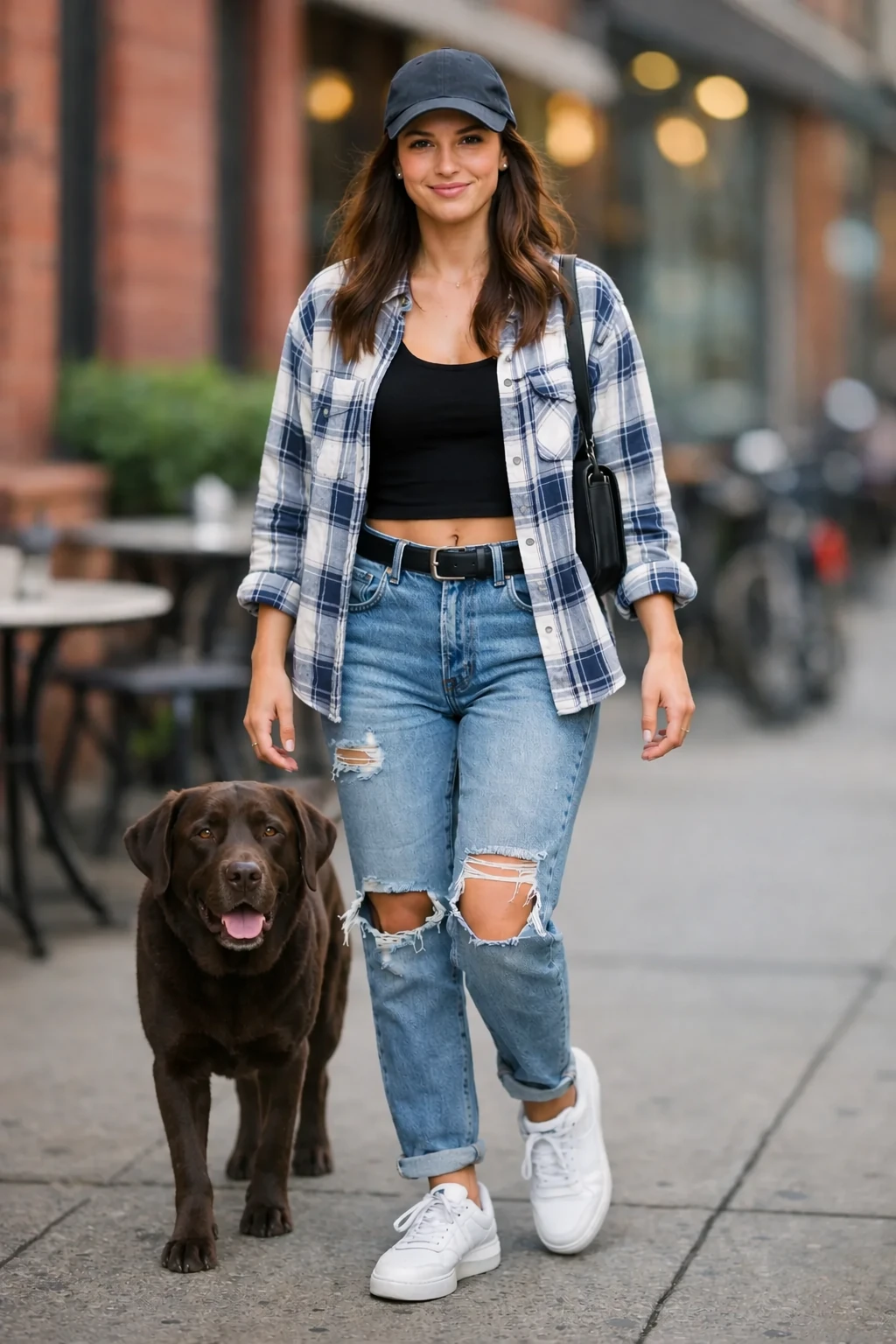
4. 多图要素跨图融合(Combine references)
- 核心逻辑:从第二张图提取狗狗,放入第一张图的环境中女士身旁,保持第一张图的光影画风。
- Prompt 模板:
| 1 | Place the dog from the second image into the setting of image 1, right next to the woman, use the same style as image 1. |
进阶工作流 4: 多图要素跨图融合 · 官方双模型实测
提取图 2 的宠物犬,自然合成进图 1 的城市街景中女士身旁
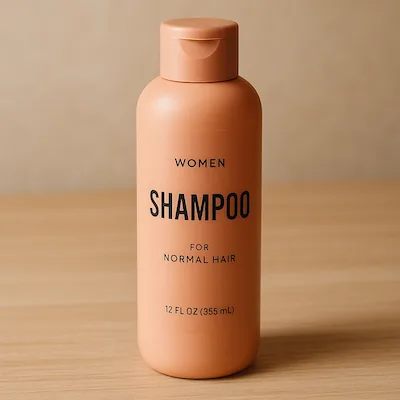
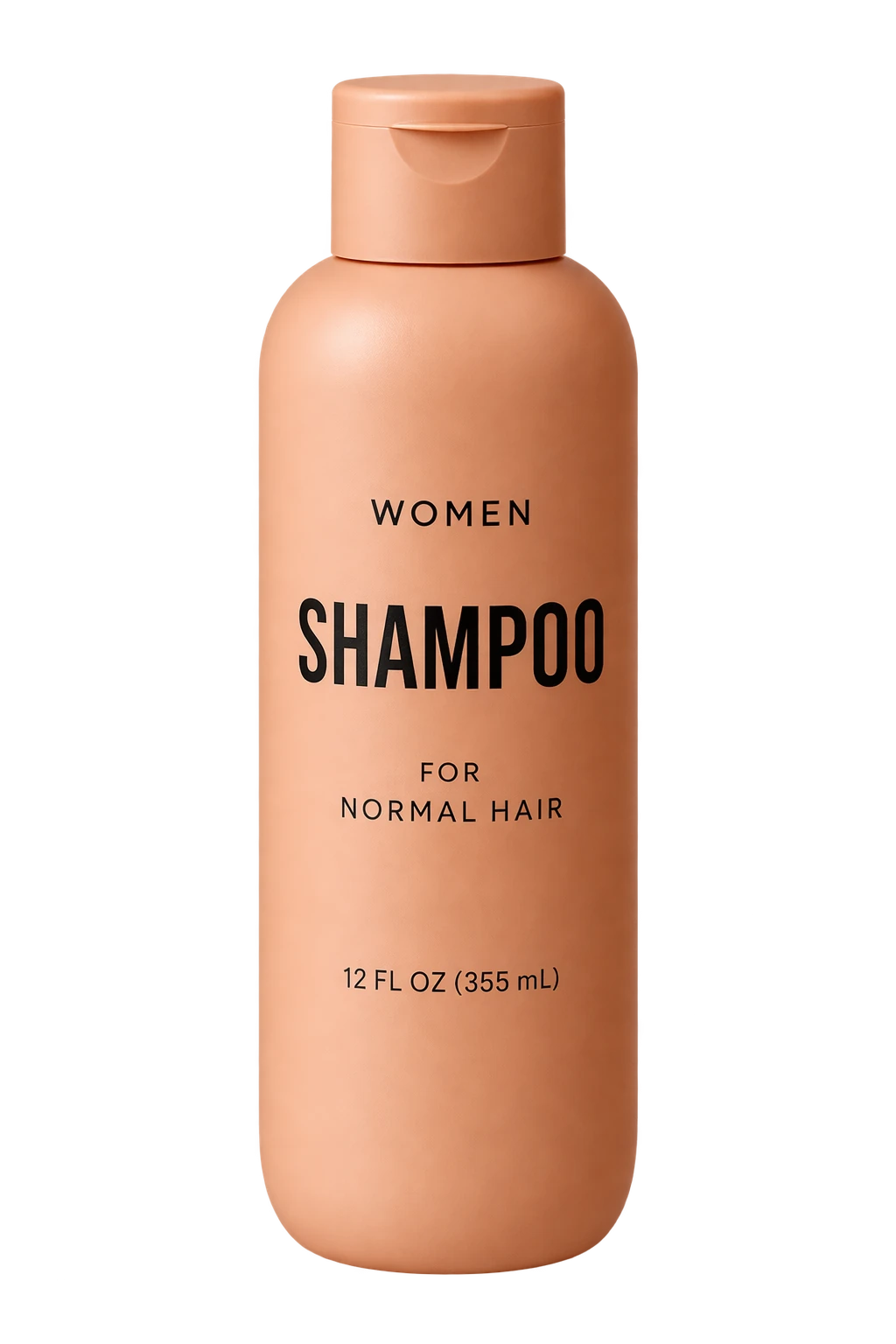
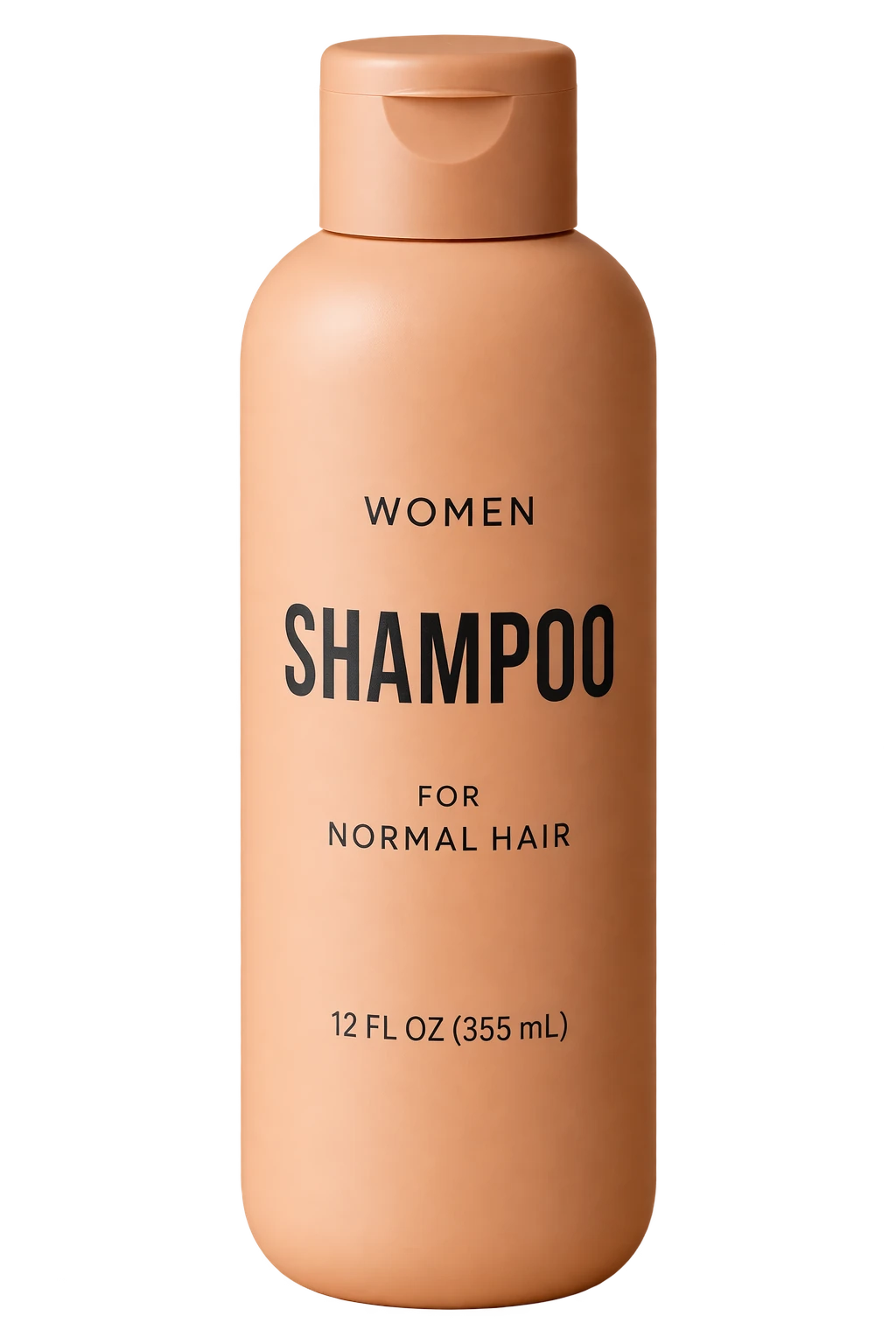
5. 电商级一键透明抠图(Create a transparent product cutout)
- 核心逻辑:将商品从输入图中分离,孤立置于完全透明的背景上,保留原生高分辨率与 Alpha 通道。
- Prompt 模板:
| 1 | Extract the product from the input image and isolate it on a fully transparent background. |
| 2 | Output a single centered product cutout with clean alpha edges, preserving all original colors, materials, textures, highlights, and fine details. |
| 3 | Ensure no background remnants, shadows, ground planes, or surrounding objects are visible. |
| 4 | Deliver a high-resolution PNG with true alpha transparency. |
进阶工作流 5: 电商级一键透明抠图 · 官方双模型实测
精准提取洗发水商品主体,生成高精度纯透明 Alpha 通道 PNG
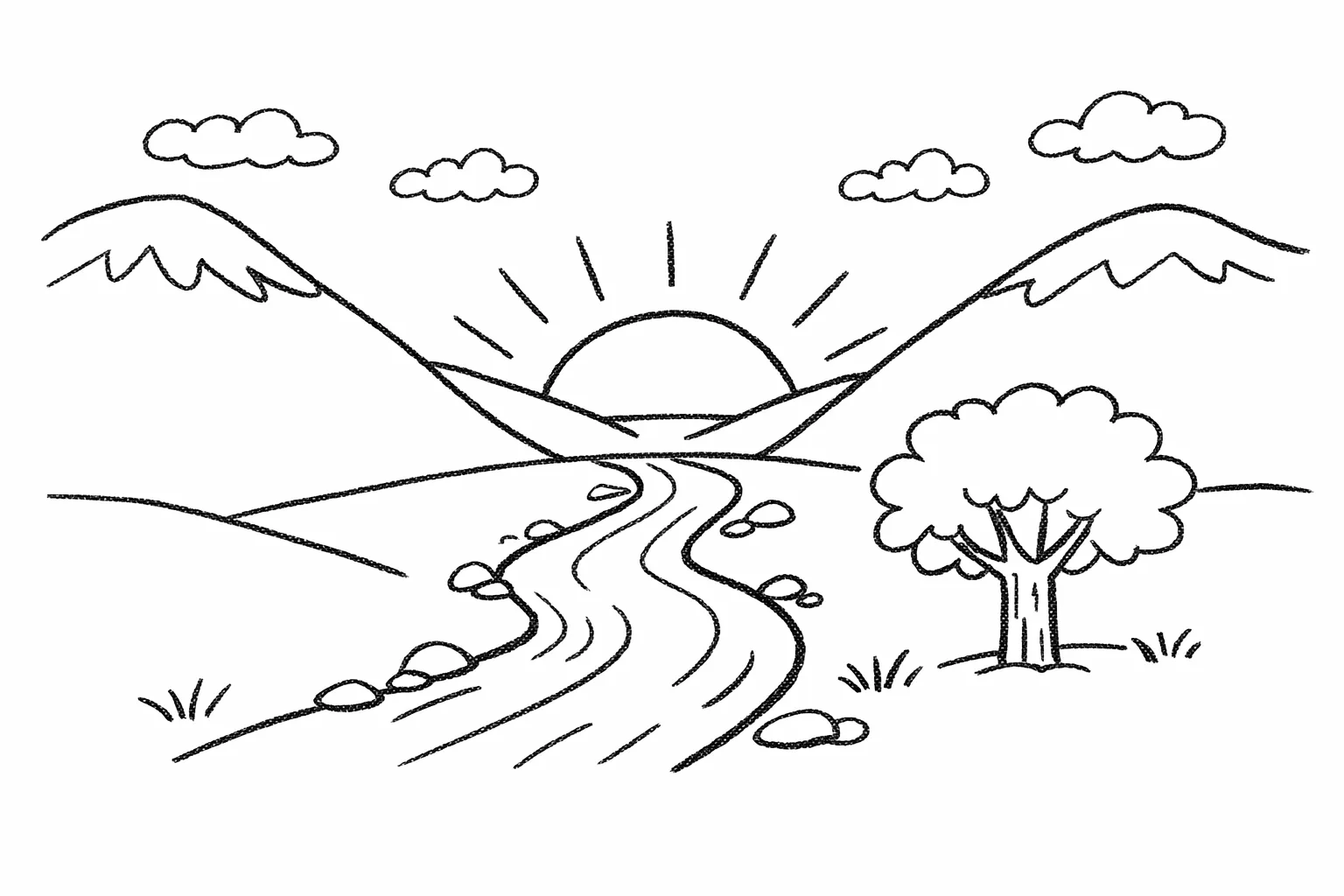
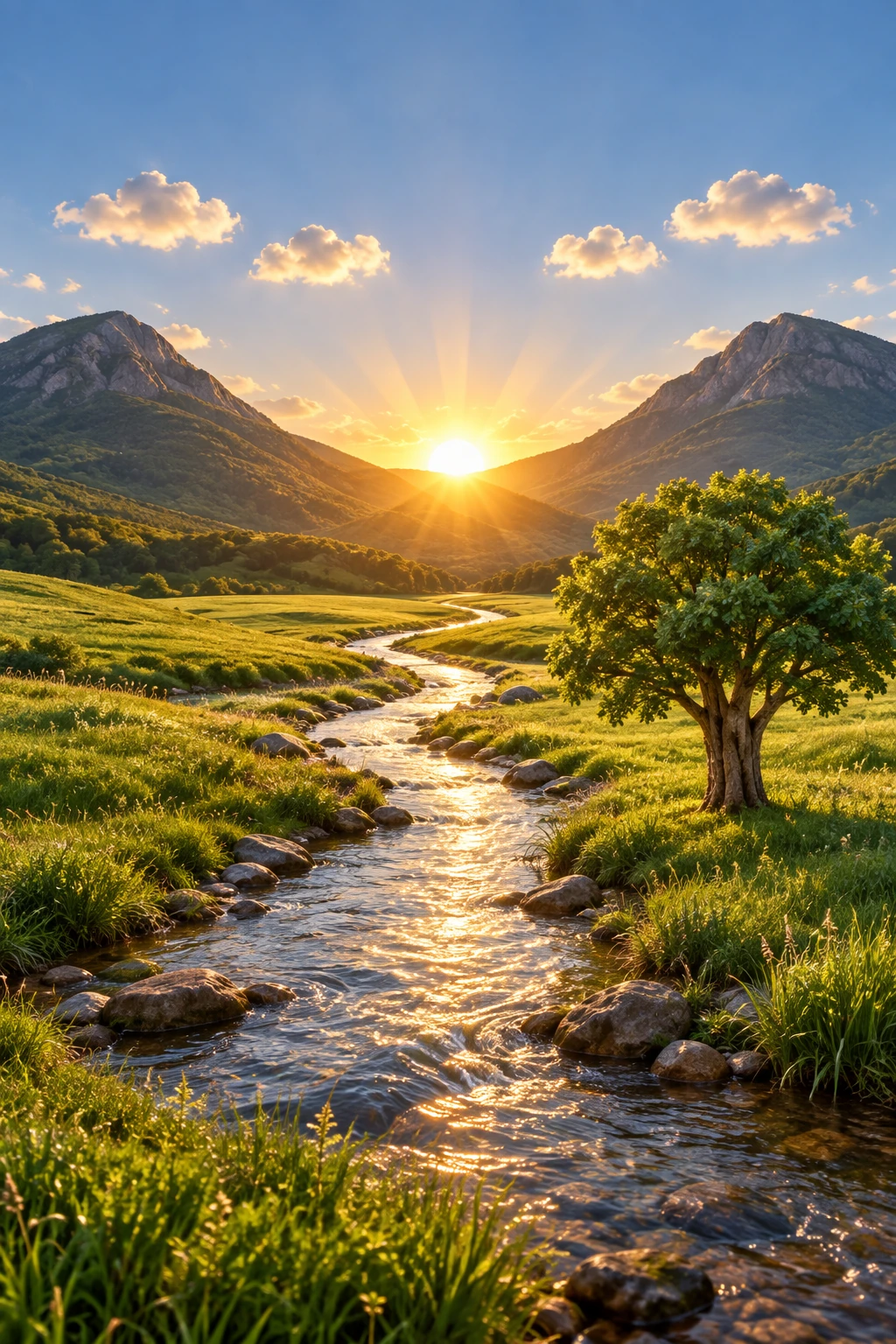
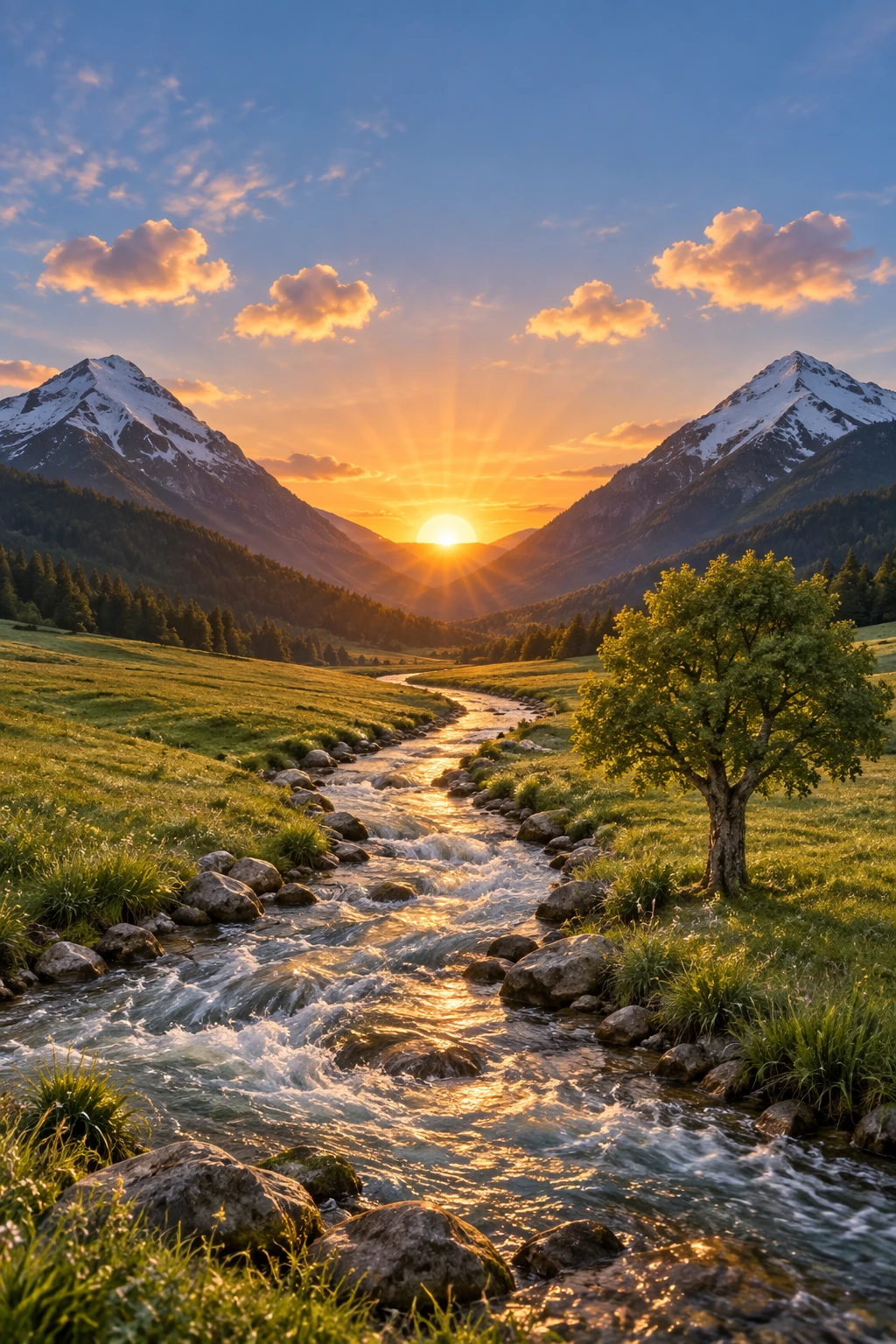
6. 手绘草图转超写实渲染(Turn a drawing into a realistic image)
- 核心逻辑:输入手绘线稿草图,严格锁定构图排版、比例与透视角度,赋予自然真实的物理材质与环境光照。
- Prompt 模板:
| 1 | Turn this drawing into a photorealistic image. |
| 2 | Preserve the exact layout, proportions, and perspective of the original drawing. |
| 3 | Render natural textures, realistic lighting, and depth, while keeping all objects and elements faithful to the original composition. |
进阶工作流 6: 手绘草图转超写实渲染 · 官方双模型实测
依据手绘河流山谷黑白草图,高保真渲染现实自然风光大片
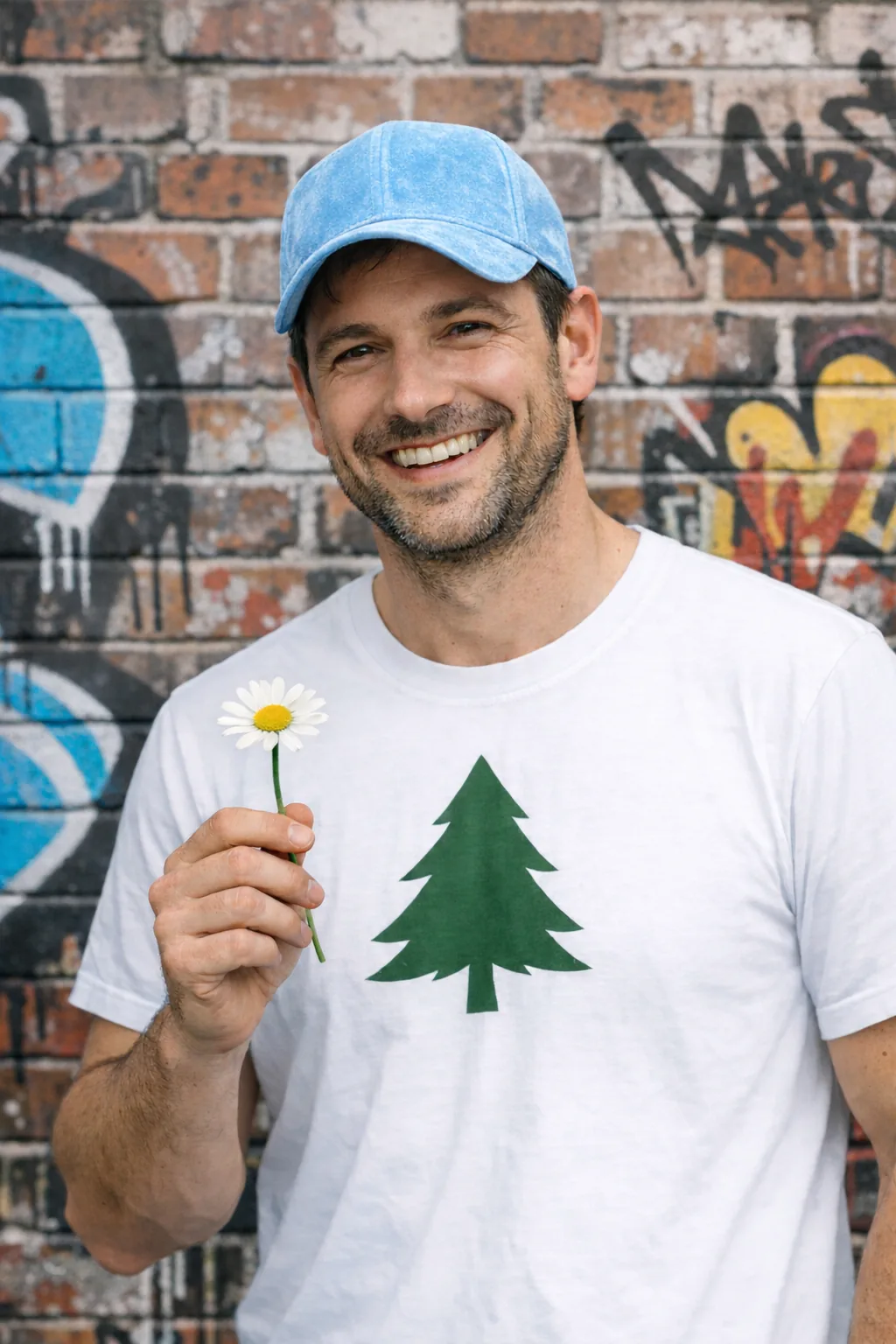
7. 智能物体消除与背景补全(Remove an object)
- 核心逻辑:指定移除画面中的特定局部物体(男士手中的花朵),严禁触碰画面其余任何细节,智能平滑修复被遮挡区域。
- Prompt 模板:
| 1 | Remove the flower from man's hand. Do not change anything else. |
进阶工作流 7: 智能物体消除与背景补全 · 官方双模型实测
抹除男士手中的黄色花朵,手部与毛衣背景天衣无缝自然重构
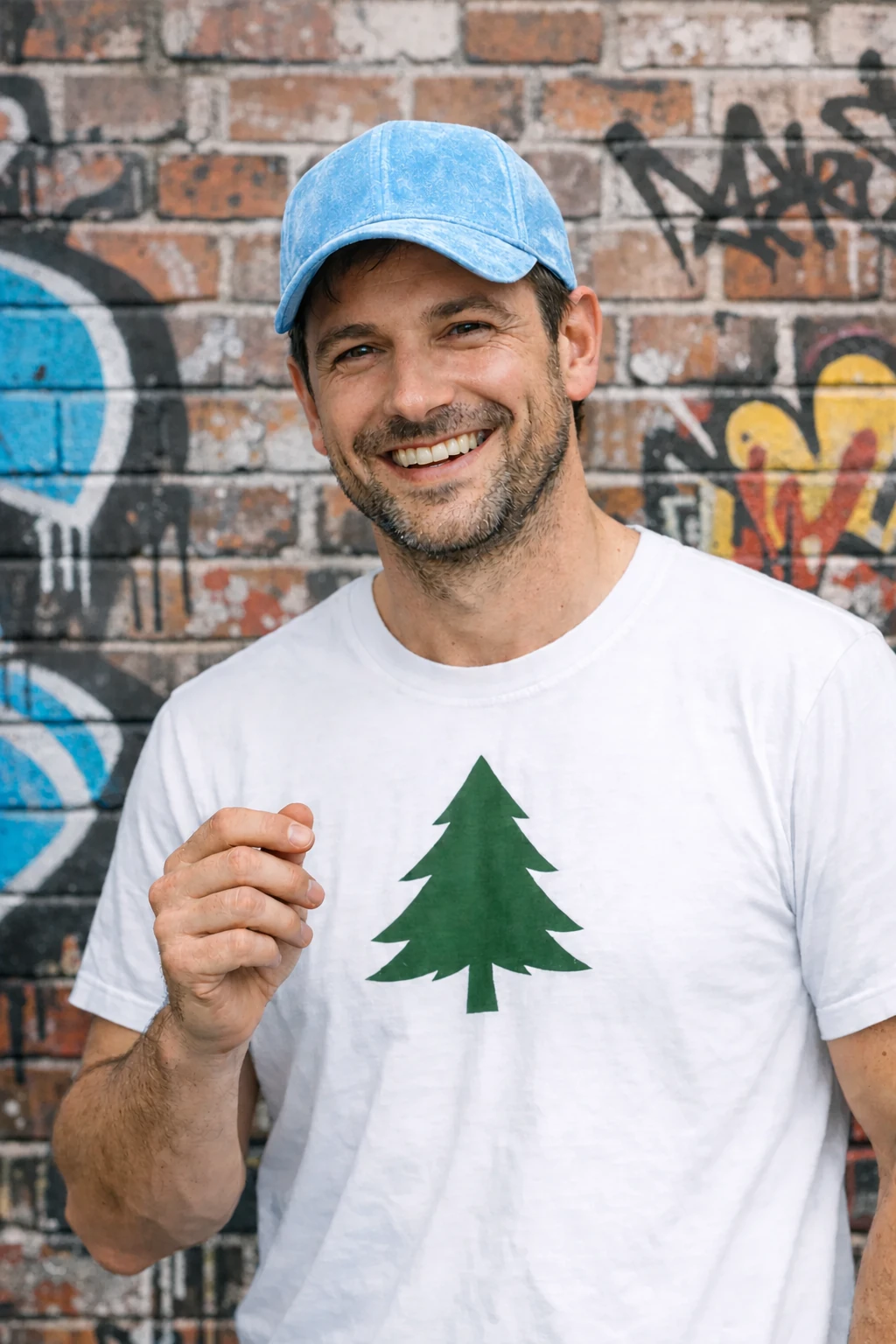
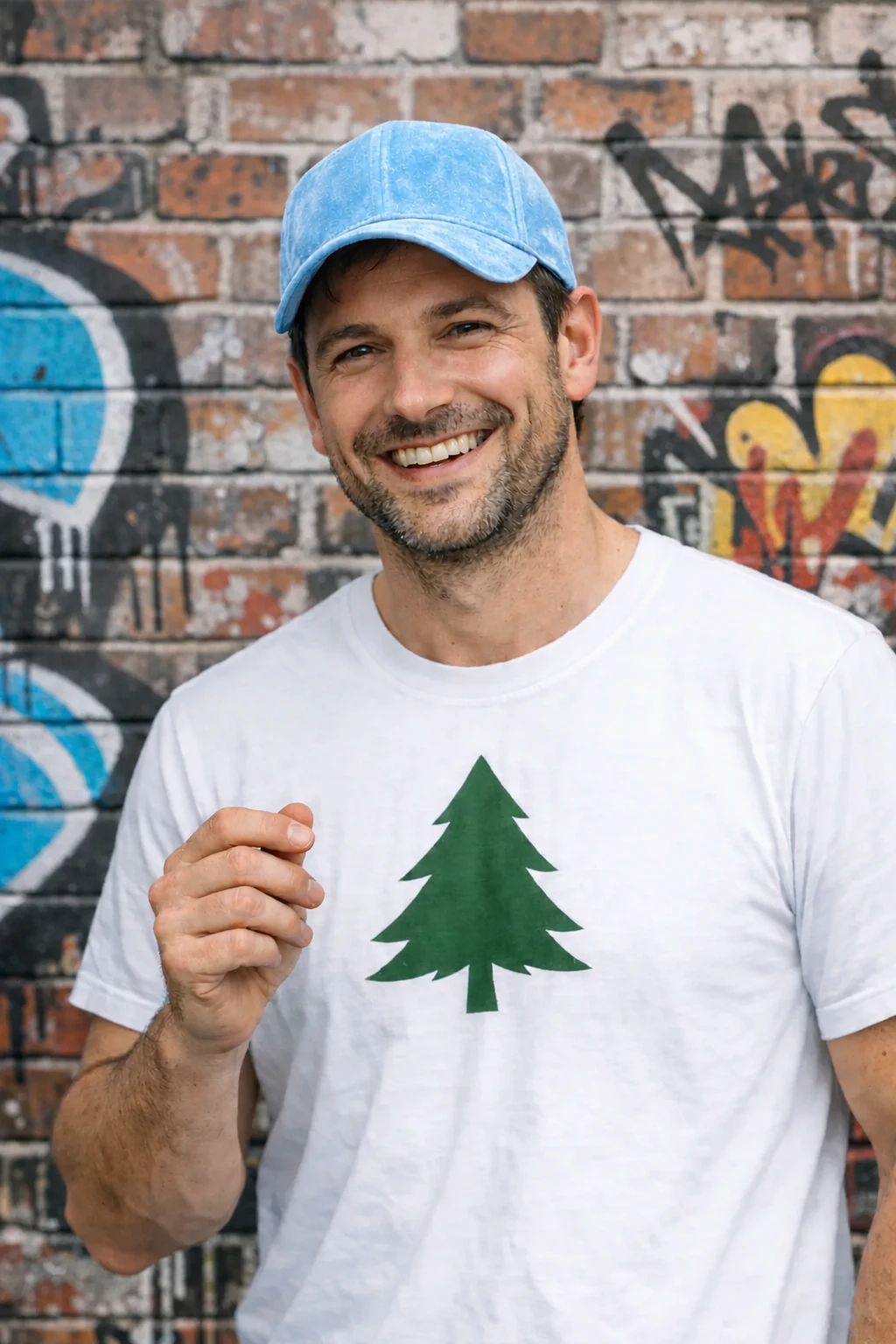
8. 人物自然植入新场景(Insert a person into a scene)
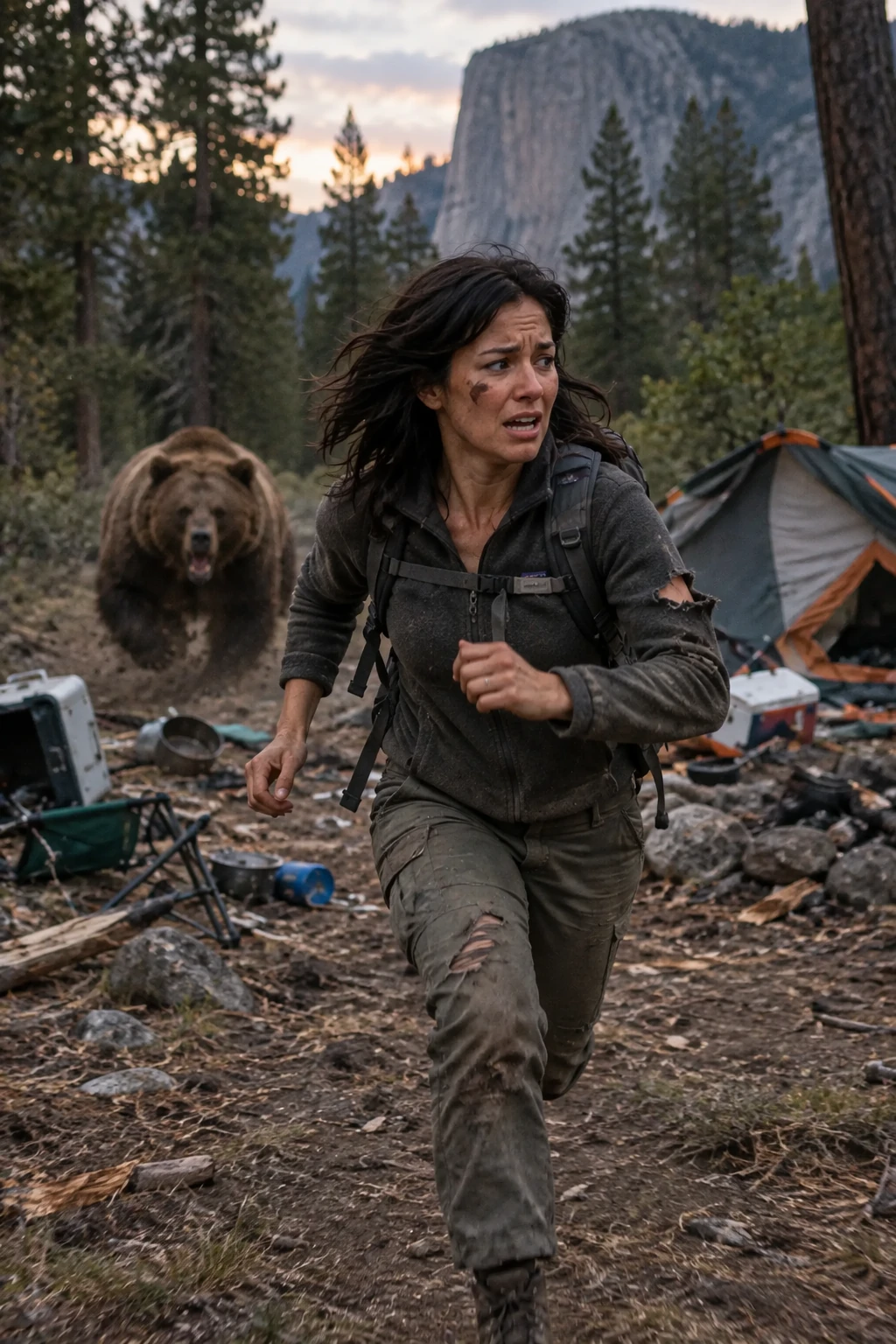
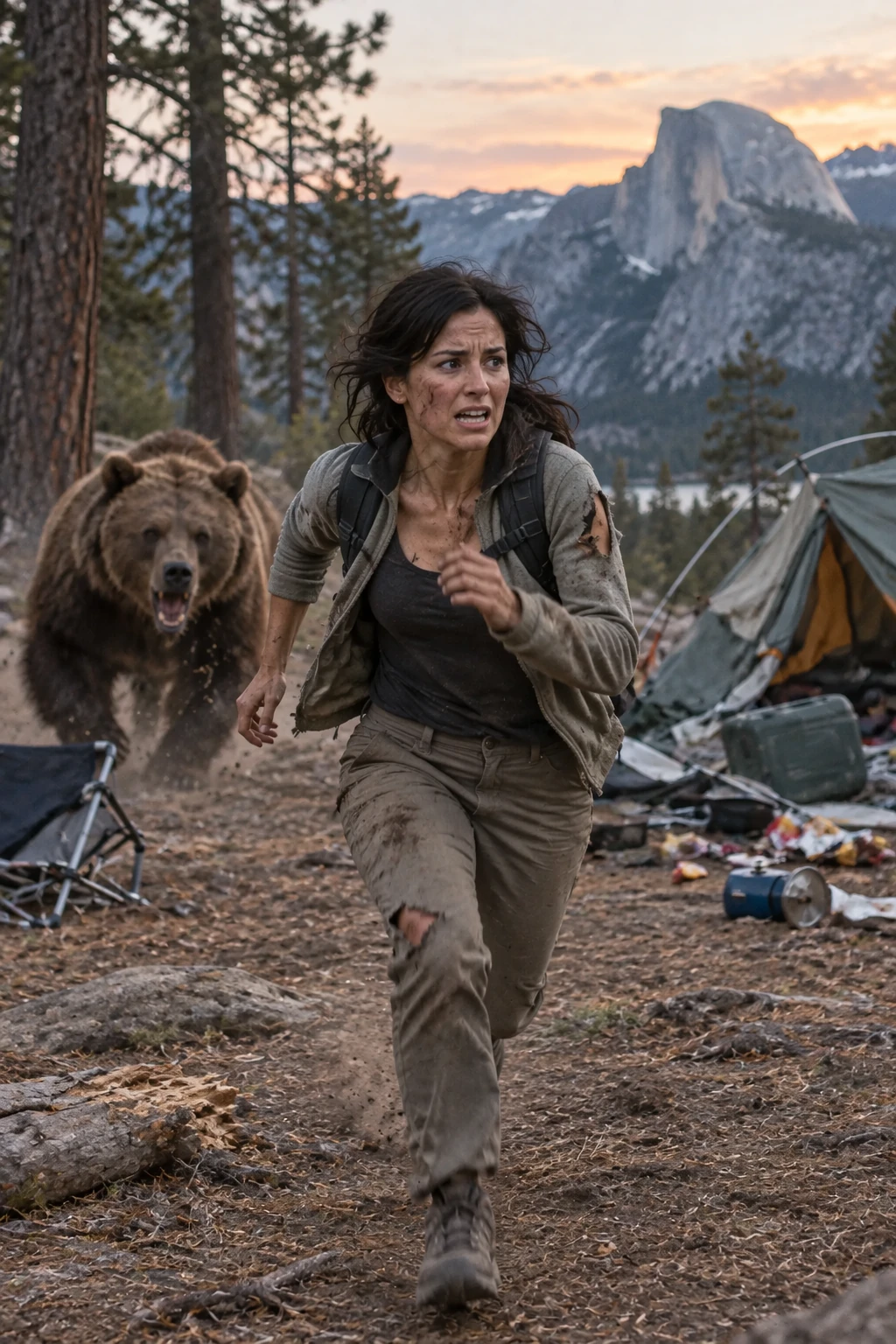
- 核心逻辑:将人物植入茂密森林中遭遇大棕熊追逐的极限动感大片,自动重算自然运动模糊与光影景深。
- Prompt 模板:
| 1 | Generate a highly realistic action scene where this person is running away from a large, realistic brown bear in a dense forest. |
| 2 | The person should look terrified, with natural motion blur to convey speed. |
| 3 | The bear is close behind, actively chasing with an aggressive stance. |
进阶工作流 8: 人物自然植入新场景 · 官方双模型实测
将人物置入森林露营突遇棕熊的动态场景,光影透视深度匹配
07|图像精准编辑与跨轮次迭代微调环
生产级生图流程很少是一步到位的,往往需要经历多轮精修。OpenAI 在官方指南中提出了防漂移的跨轮次迭代闭环:
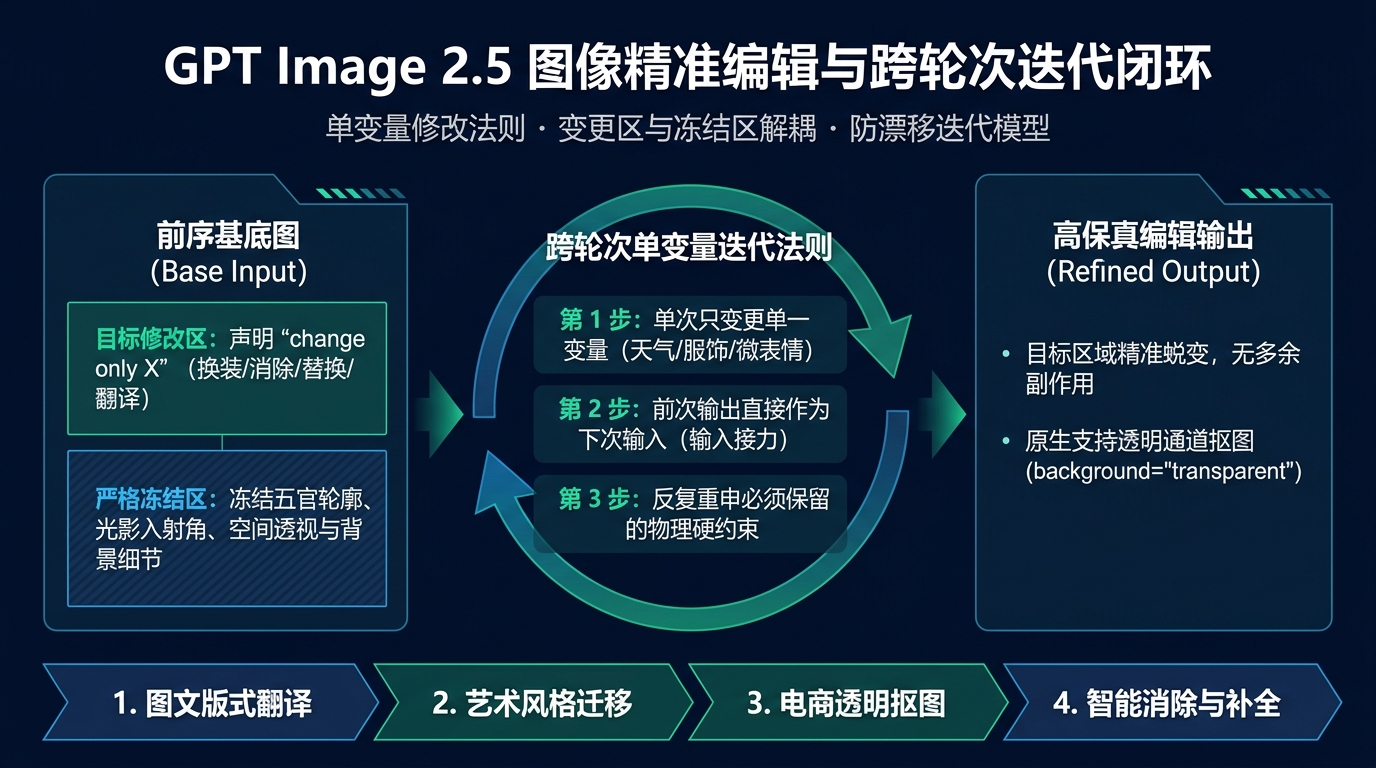
1. 单变量修改法则(The Single Variable Rule)
在多轮微调中,最忌讳的是“一次改三个地方”。这极易触发模型的全局重绘逻辑,导致原本满意的五官或构图直接丢失。
💡 防漂移公式:
输入前序图 N + 明确声明唯一变更:Change only [单一变量] + 明确声明冻结清单:Preserve all [五官/透视/材质/标签] ──> 生成输出图 N+1
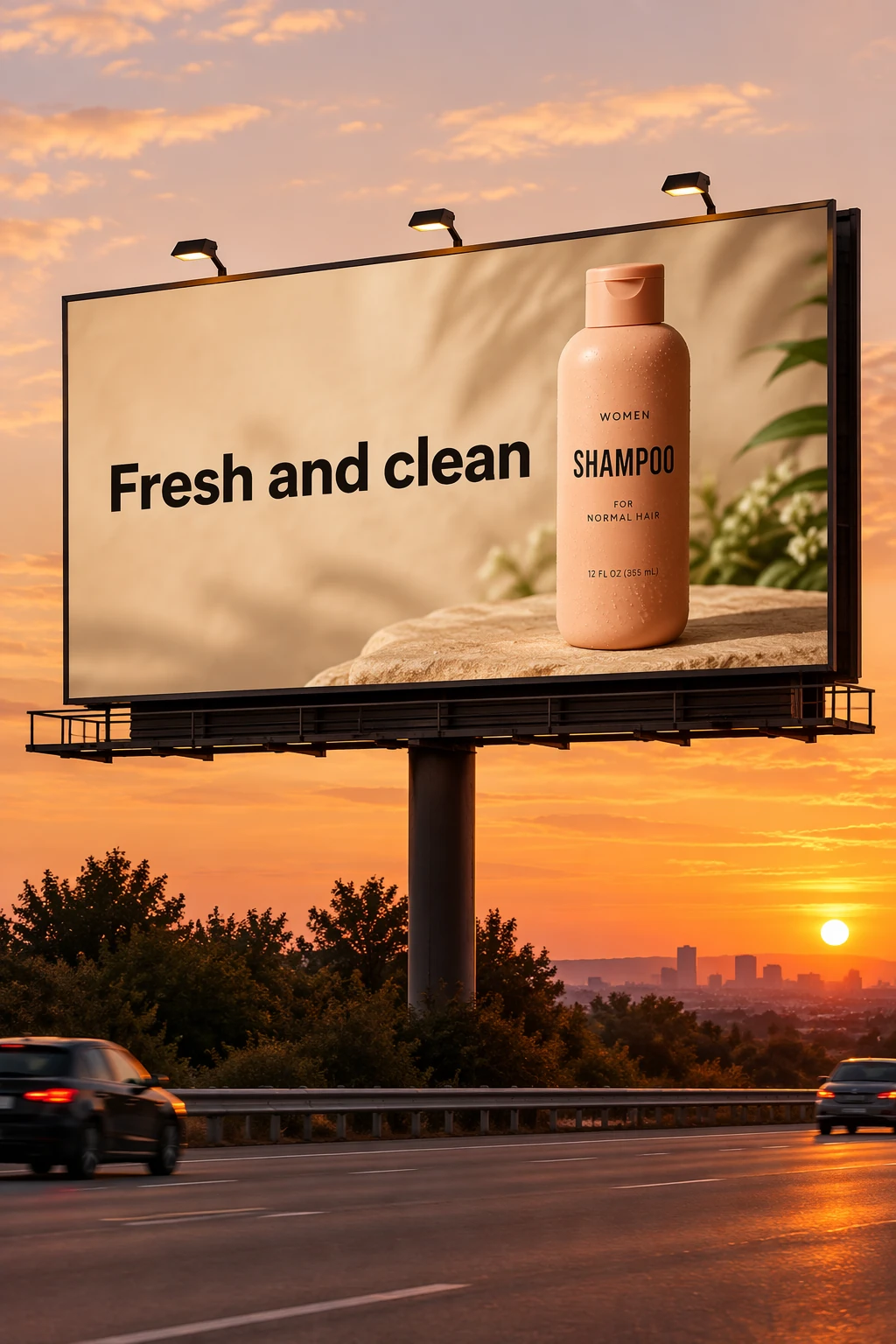
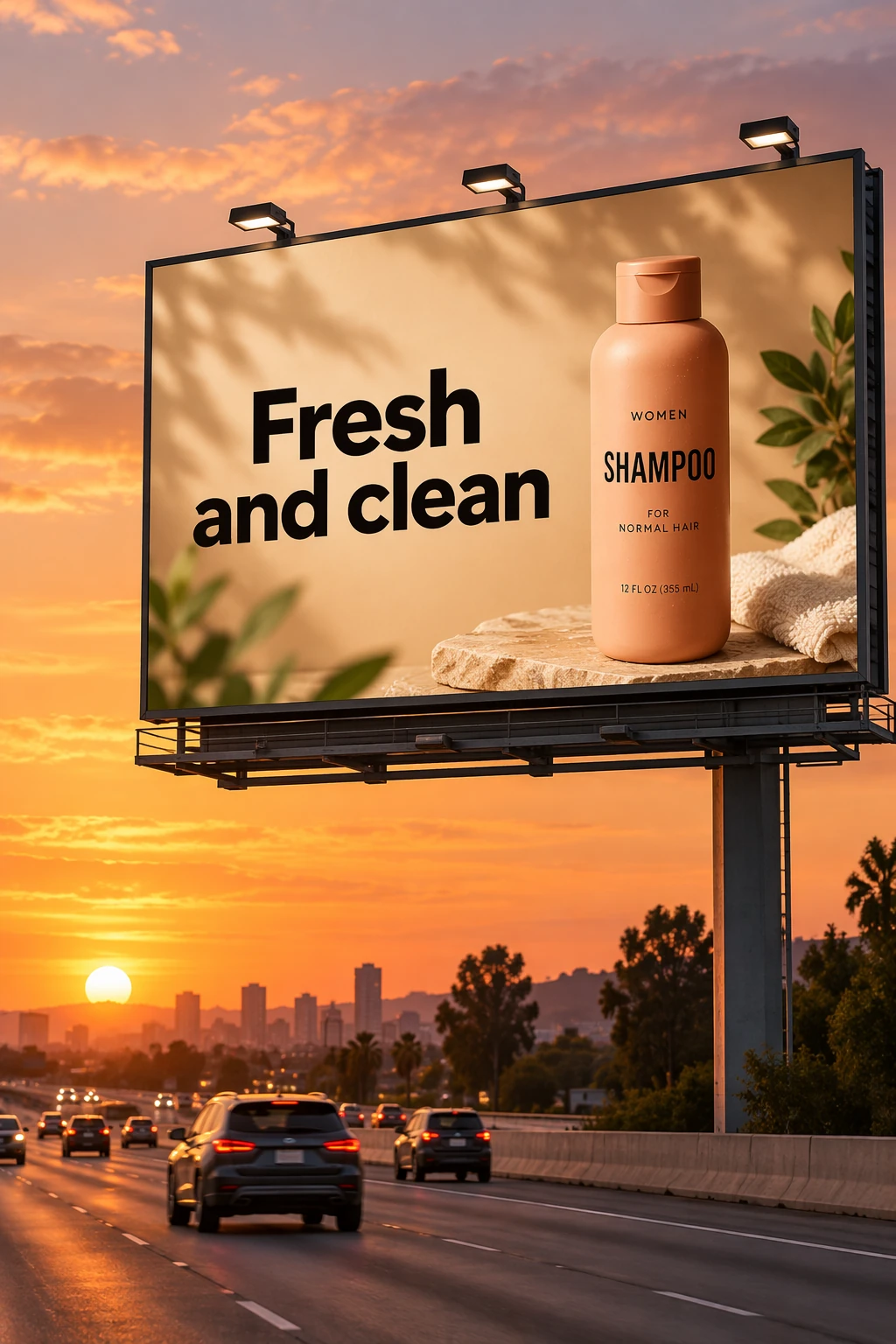
基础底图建立(Create starting image)
| 1 | Create a realistic billboard mockup of the shampoo on a highway scene during sunset. |
| 2 | Billboard text: "Nature's Secret Shampoo". |
| 3 | A billboard featuring the shampoo bottle prominently on a sunny road. |
| 4 | The surrounding environment should look natural, with highway signs, distant trees, and cars on the road. |
单变量修改法则 · 第 1 步:建立基准底图
以洗发水摄影原图为参考,生成日落时分高速公路户外广告牌商业大片
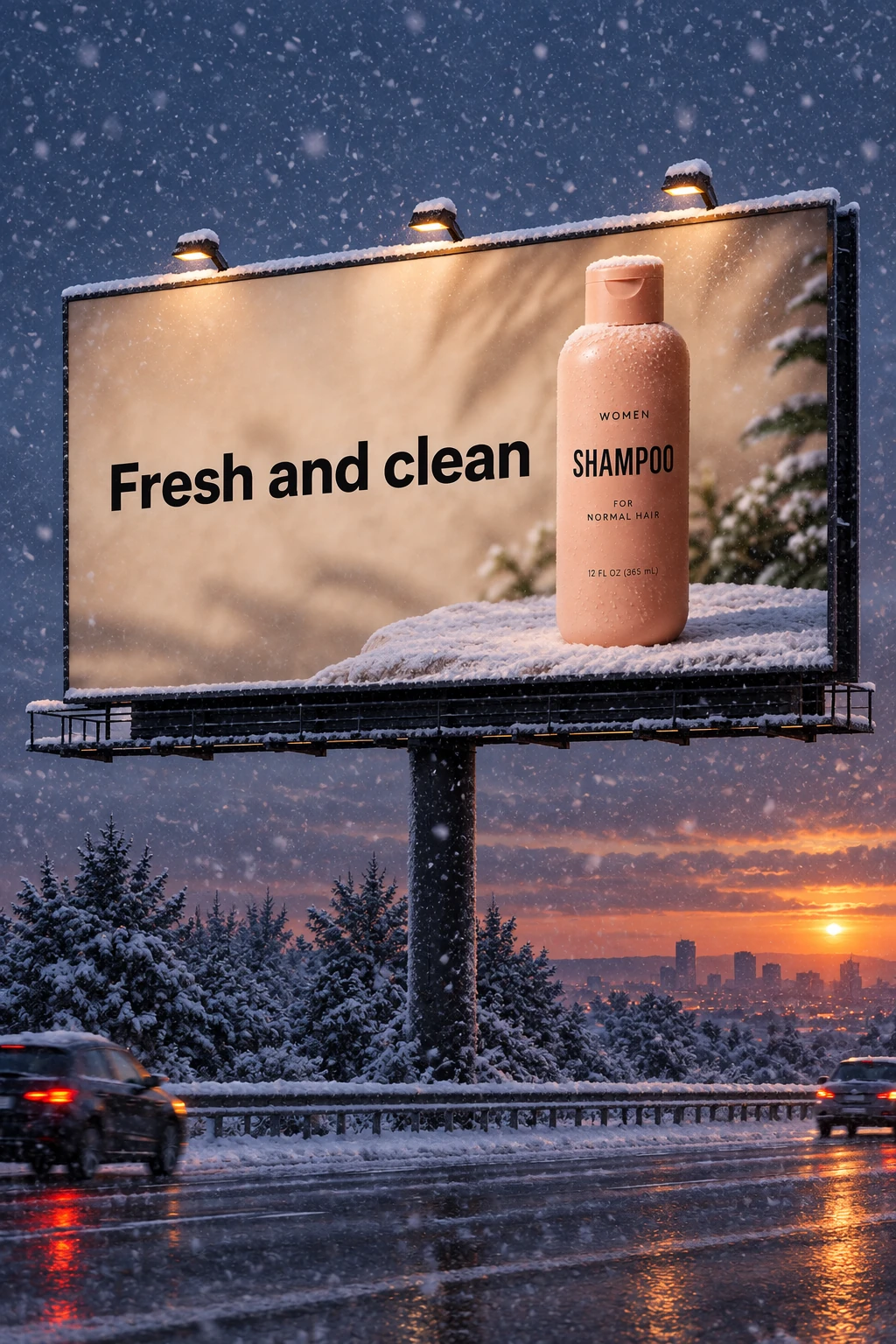
单条件状态演进(Change one condition)
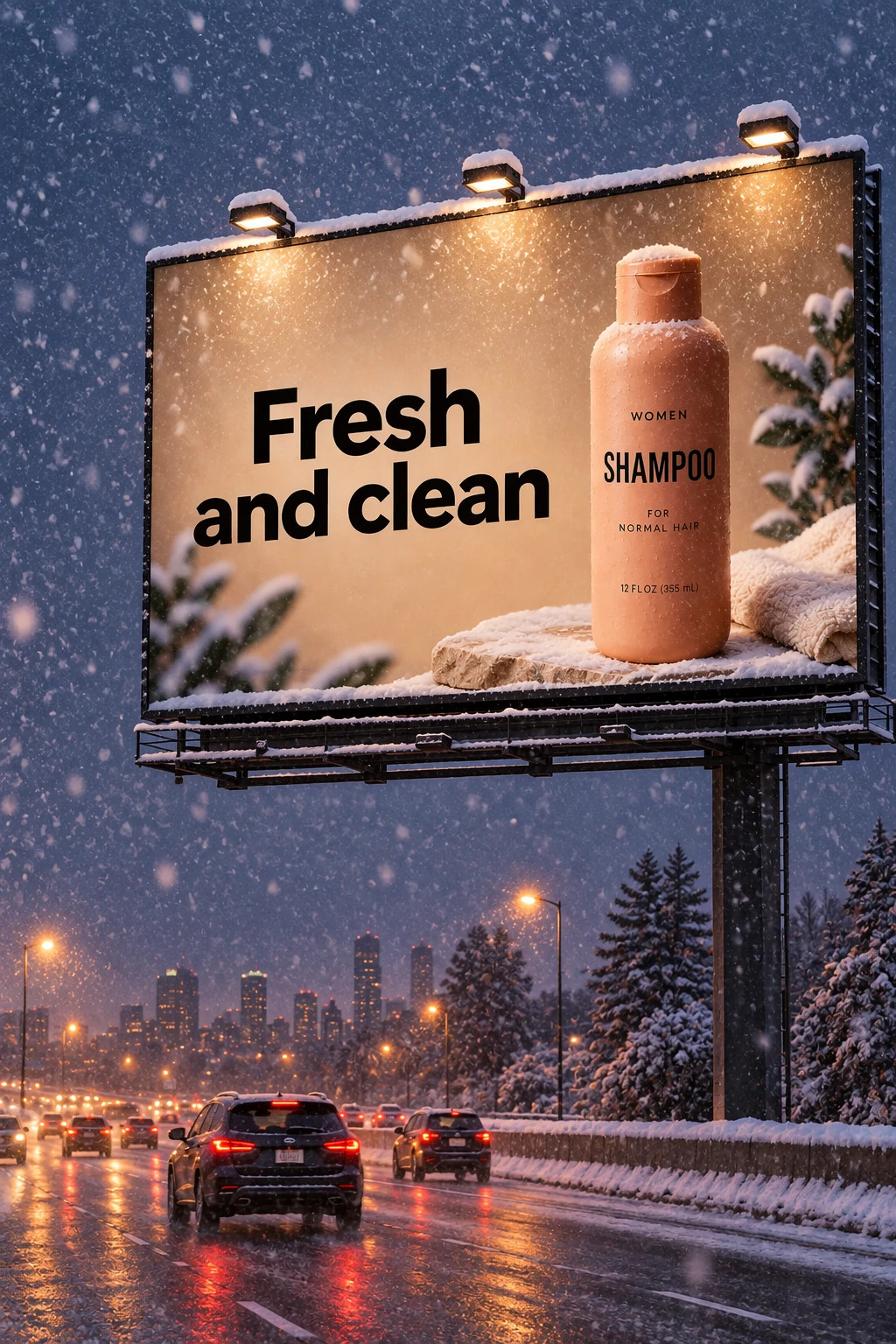
| 1 | Make it look like a winter evening with snowfall. |
单变量修改法则 · 第 2 步:单条件状态演进
锁定广告牌与公路构图,仅将环境天气由日落演进为风雪交加的冬夜
2. 角色跨镜头一致性连贯维持(Character Consistency Workflow)
在制作连续故事分镜、儿童绘本或品牌 IP 视觉时,维持同一角色的连贯一致性是行业公认的最高门槛:
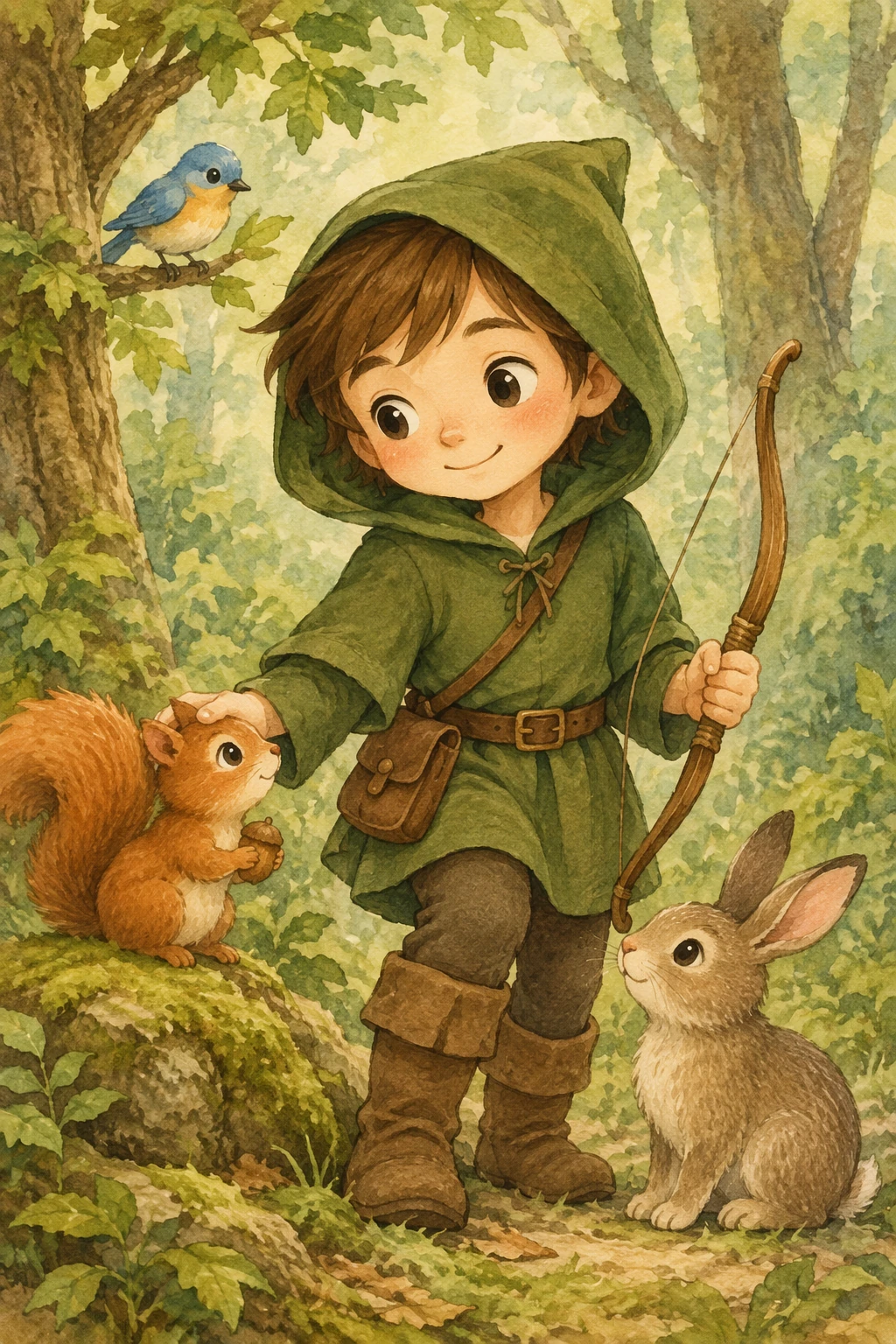
第 1 步:建立基准角色底图 (Establish the character)
| 1 | Create a children’s book illustration introducing a main character. |
| 2 | |
| 3 | Subject: A playful 8-year-old girl named Maya. She has messy shoulder-length curly dark-brown hair, expressive hazel eyes, light freckles across her nose, and a missing upper right incisor that shows when she grins. She is wearing bright yellow rain overalls with rolled cuffs, a striped navy-and-white long-sleeve shirt underneath, and tomato-red rubber rain boots. |
| 4 | |
| 5 | Scene: Maya is jumping into a large rain puddle on a neighborhood sidewalk lined with colorful autumn trees. Leaves in shades of orange and gold float in the water. Her toy stuffed rabbit, "Barnaby"—a scruffy gray rabbit with one floppy ear—peeks out of her yellow backpack. |
| 6 | |
| 7 | Style & Mood: Whimsical storybook illustration style. Warm gouache and colored pencil texture with soft watercolor washes. Gentle natural morning light after a storm. Cheerful, adventurous, and full of childhood energy. Clean edges and expressive shapes suitable for a high-quality picture book. |
角色一致性工作流 · 第 1 步:建立基准角色底图
创建秋季森林儿童绘本主角(身披红斗篷与软皮靴的森林小英雄)
第 2 步:剧情推进接力 (Continue the story)
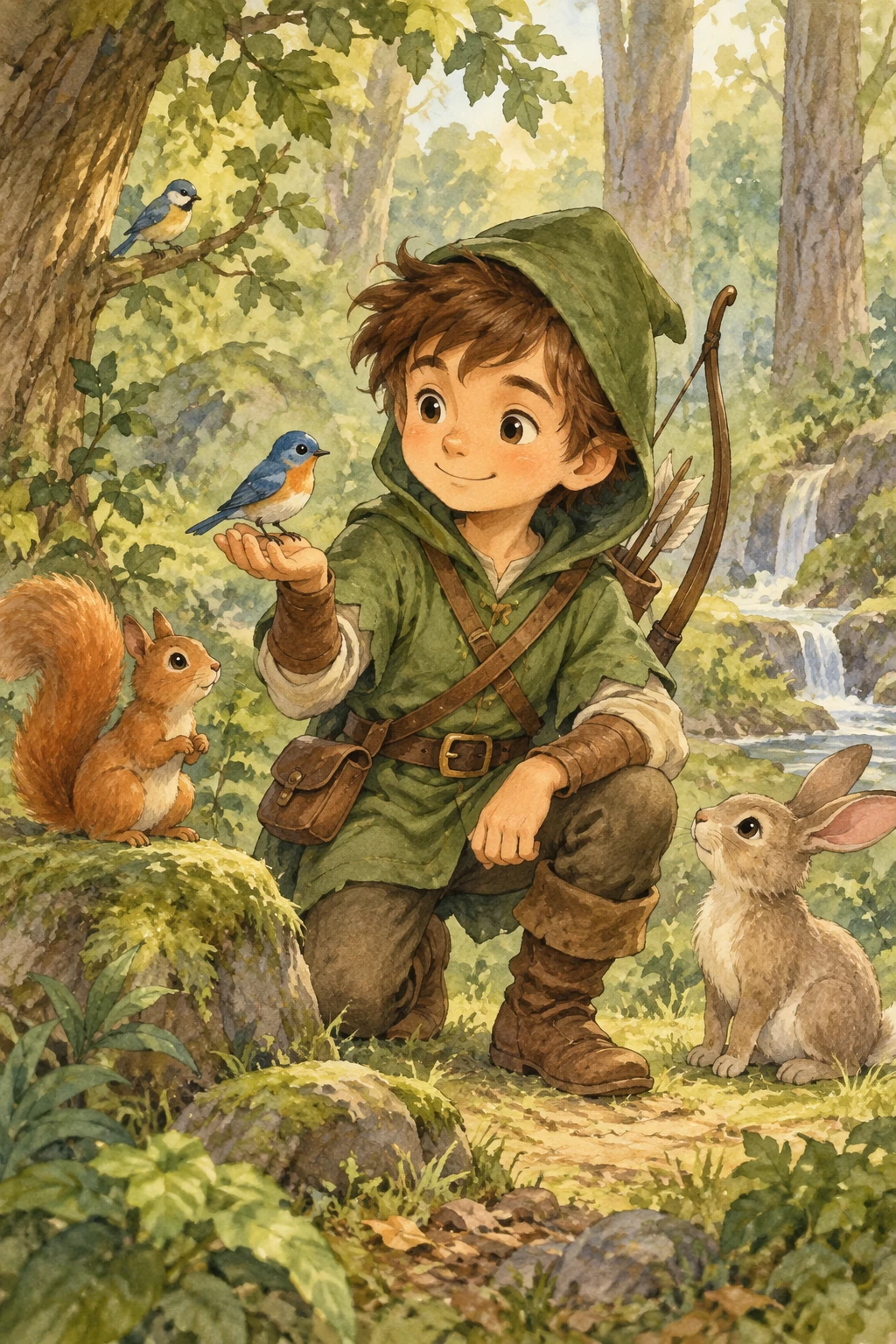
| 1 | Continue the children’s book story using the same character. |
| 2 | |
| 3 | Subject: The same 8-year-old girl, Maya, from the previous image. Keep her character design completely consistent: messy shoulder-length curly dark-brown hair, hazel eyes, freckled nose, missing upper right incisor, bright yellow rain overalls, striped navy-and-white shirt, and tomato-red rain boots. |
| 4 | |
| 5 | Action & Scene: A close-up shot of Maya sitting cross-legged on an old wooden bench inside a leafy greenhouse. She is carefully examining a bright-red ladybug resting on her outstretched finger with wide, curious eyes and a gentle smile. Her backpack sits beside her on the bench with the scruffy gray rabbit, Barnaby, still visible. Soft light filters through the rain-streaked glass ceiling above, with potted ferns, terracotta planters, and hanging vines surrounding her. |
| 6 | |
| 7 | Style & Mood: Maintain the same whimsical storybook illustration style, gouache and colored pencil texture, and warm color palette as the previous image. Quiet, intimate, and magical. |
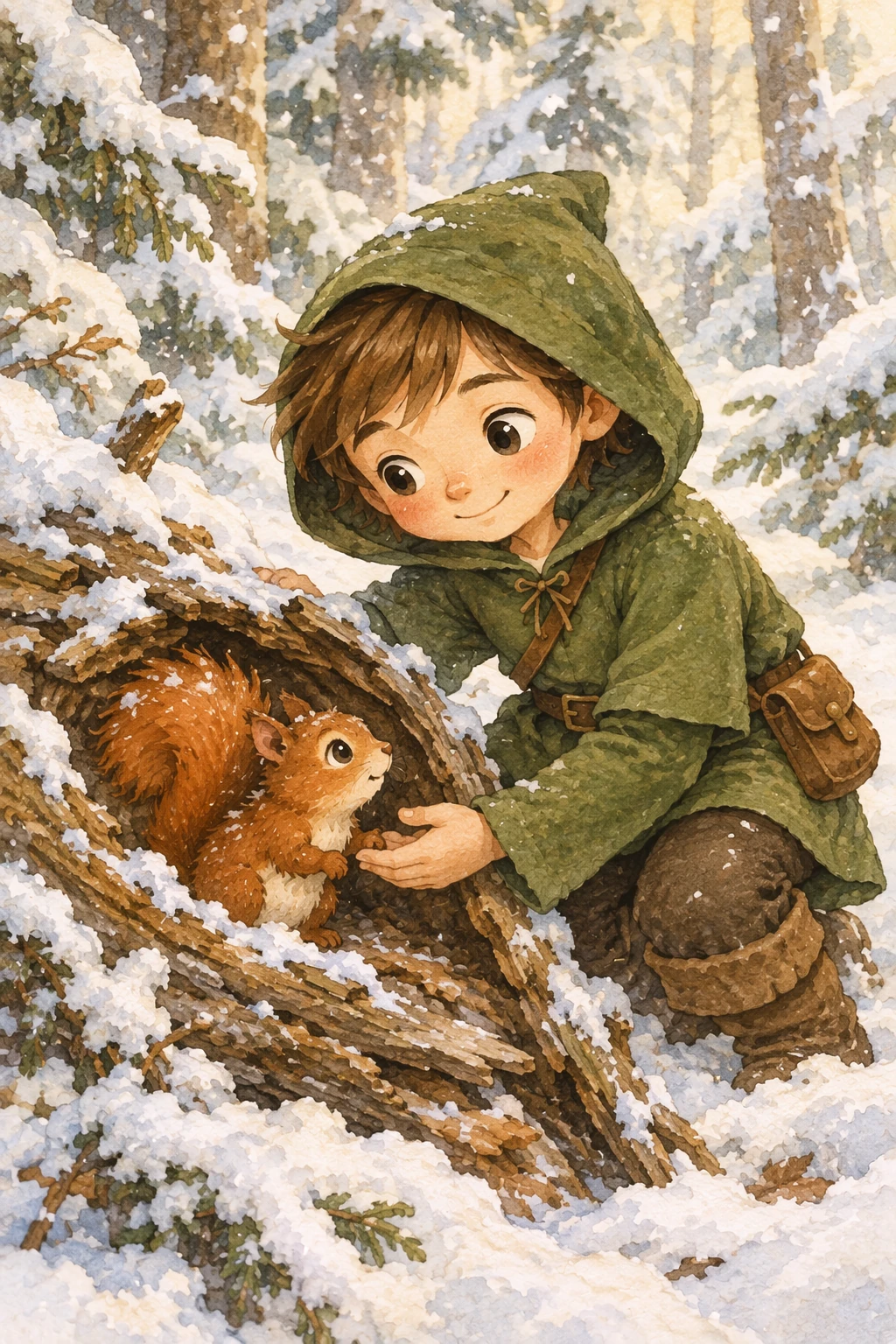
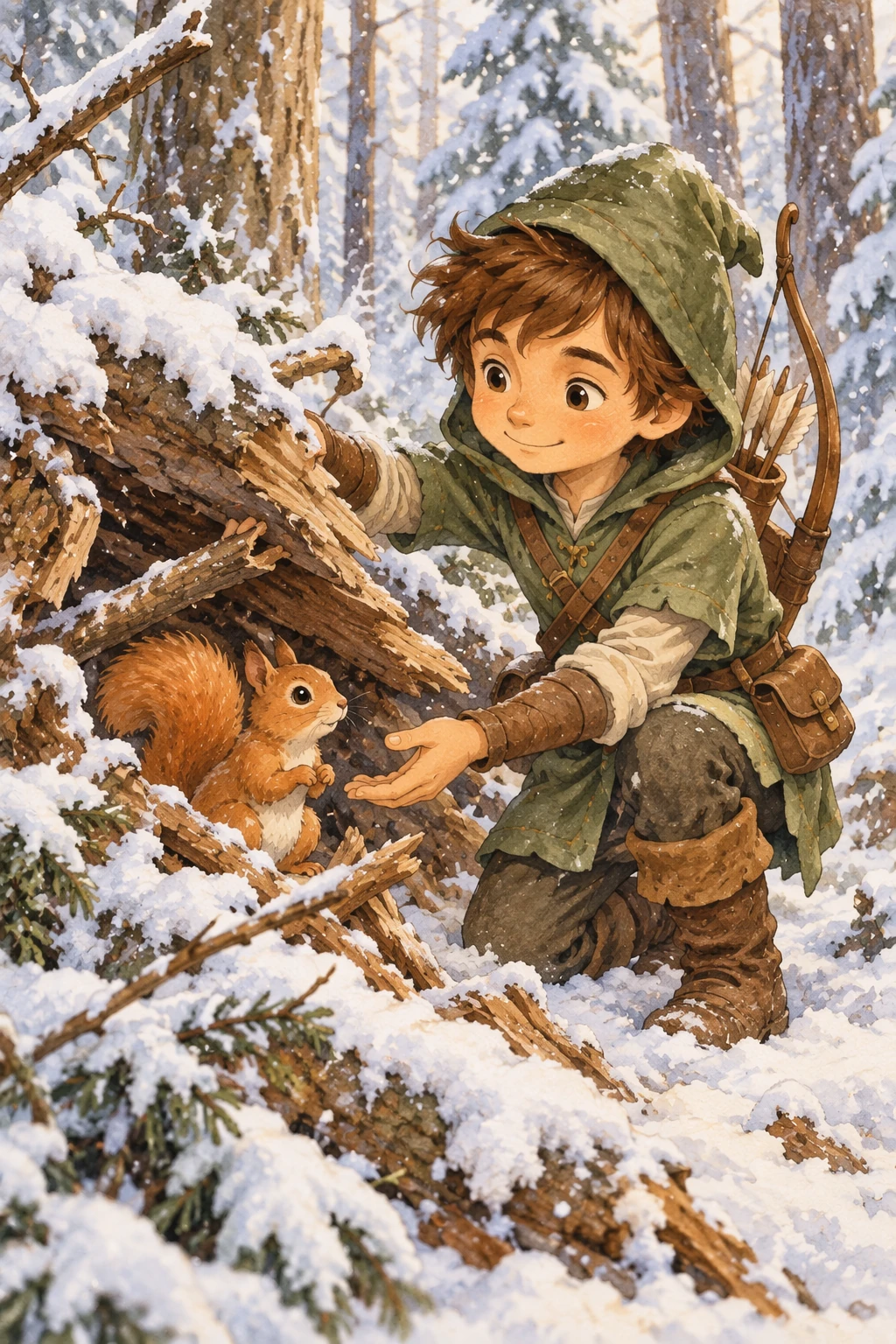
角色一致性工作流 · 第 2 步:剧情推进接力
保持同一角色形象 100% 不漂移,场景切换为寒冬森林救助树洞小松鼠
3. 官方高级实战工作流扩展
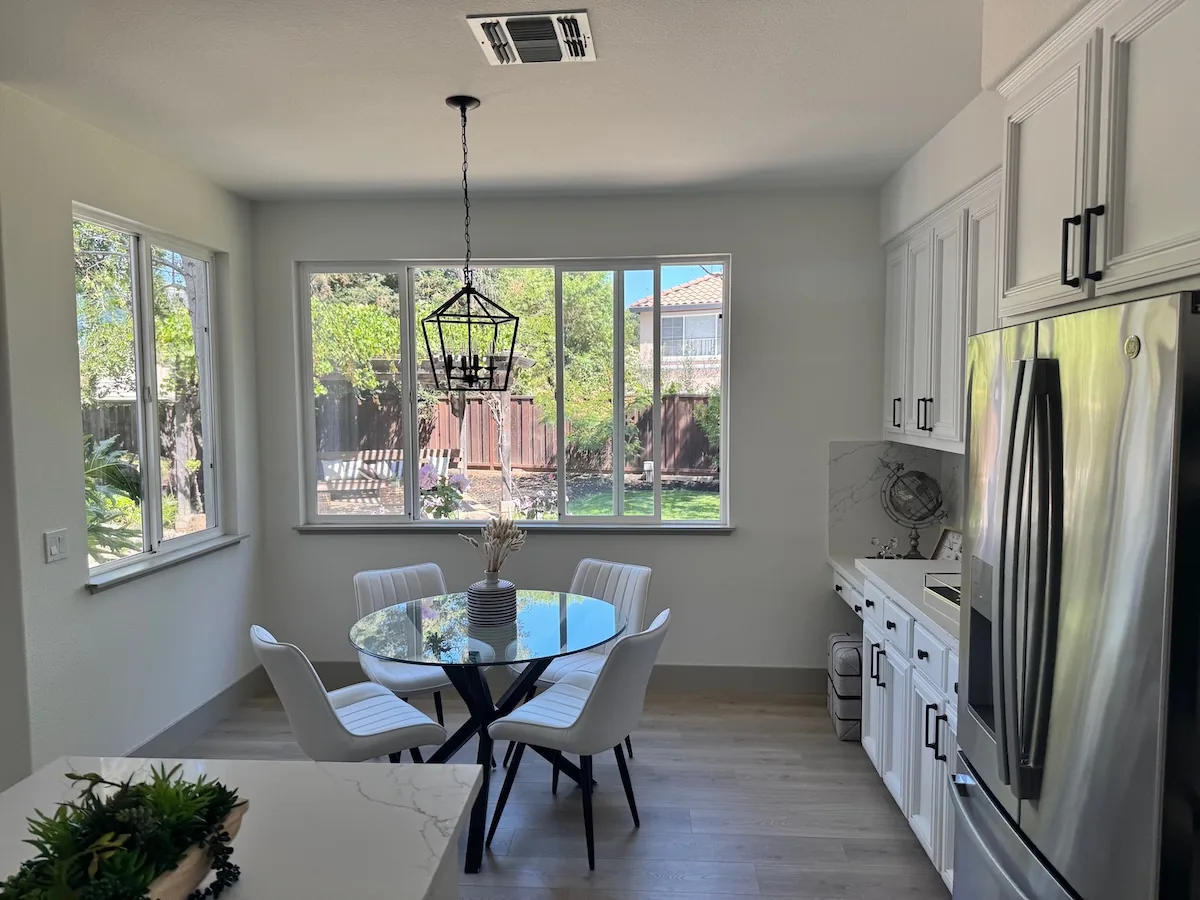
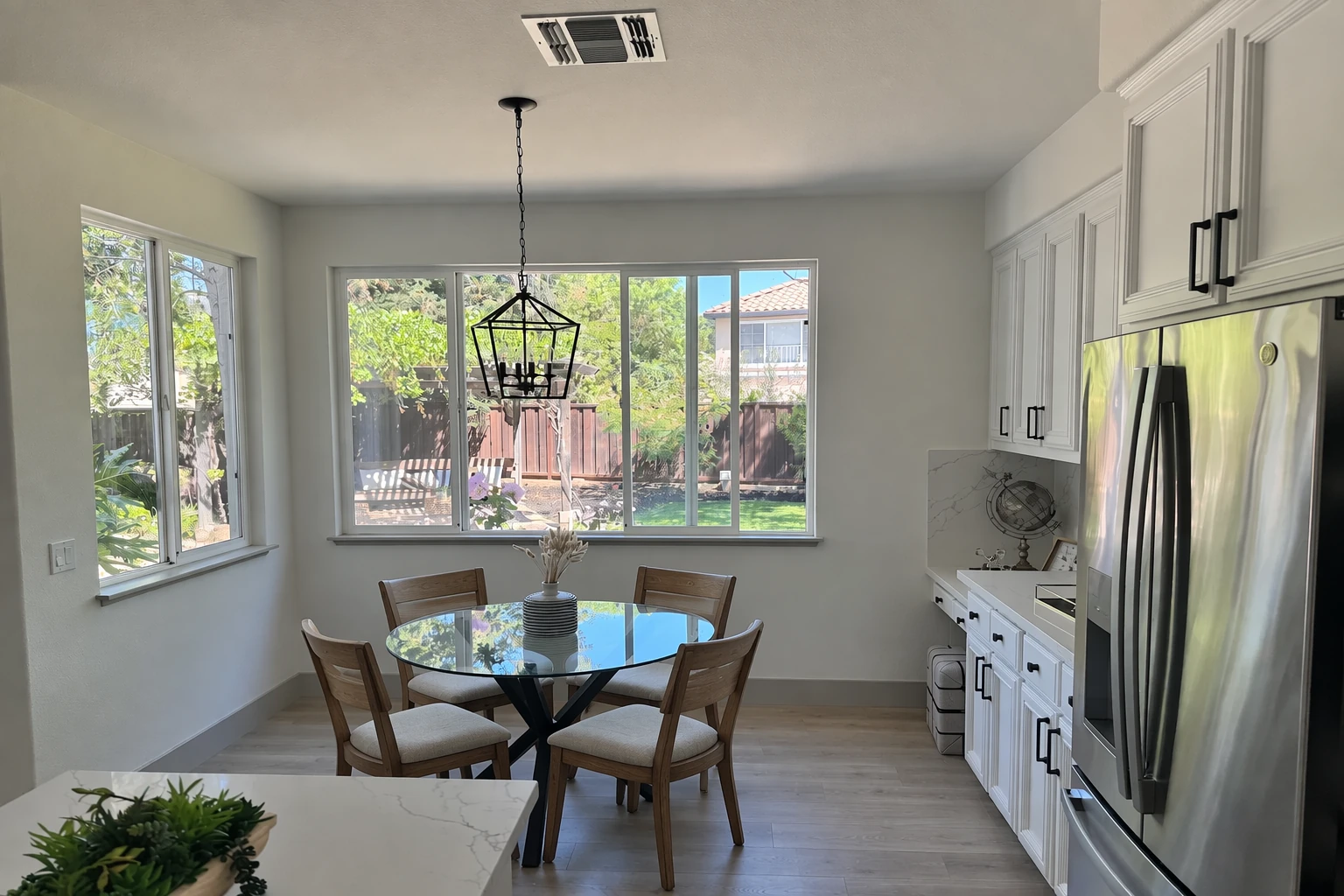
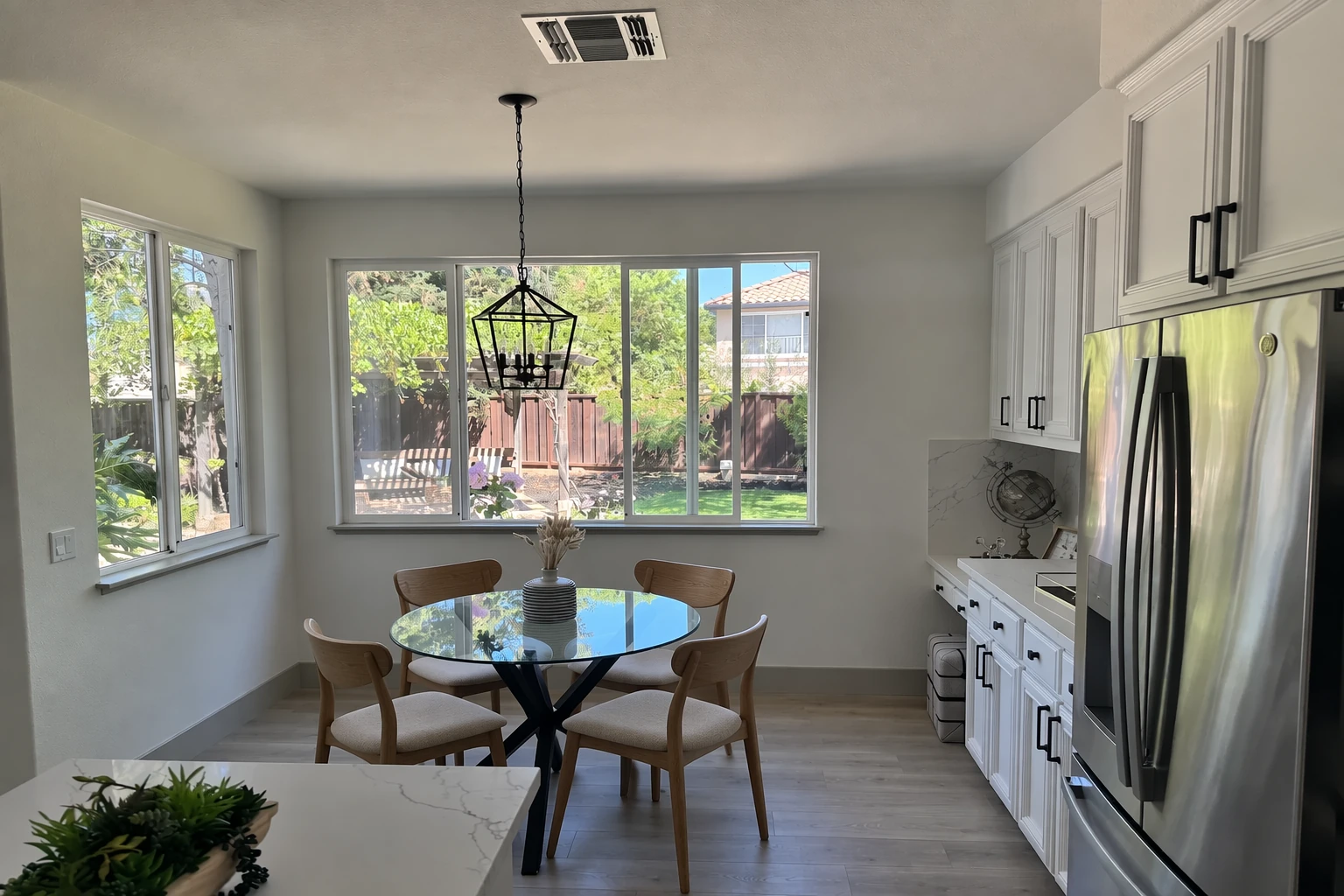
高级工作流 A:室内家具定向替换改造(Change furniture in a room)
- 核心逻辑:保留相机视角、环境光照与地面墙面材质,仅将白色椅子定向替换为实木椅子。
| 1 | In this room photo, replace ONLY the white chairs with chairs made of wood. |
| 2 | Preserve camera angle and lighting. |
| 3 | Maintain all existing textures and colors of the floor and walls. |
高级工作流 A:室内家具定向替换改造 · 官方双模型实测
硬装格局分毫不动,仅将厨房中岛的白色现代椅精准替换为复古原木餐椅
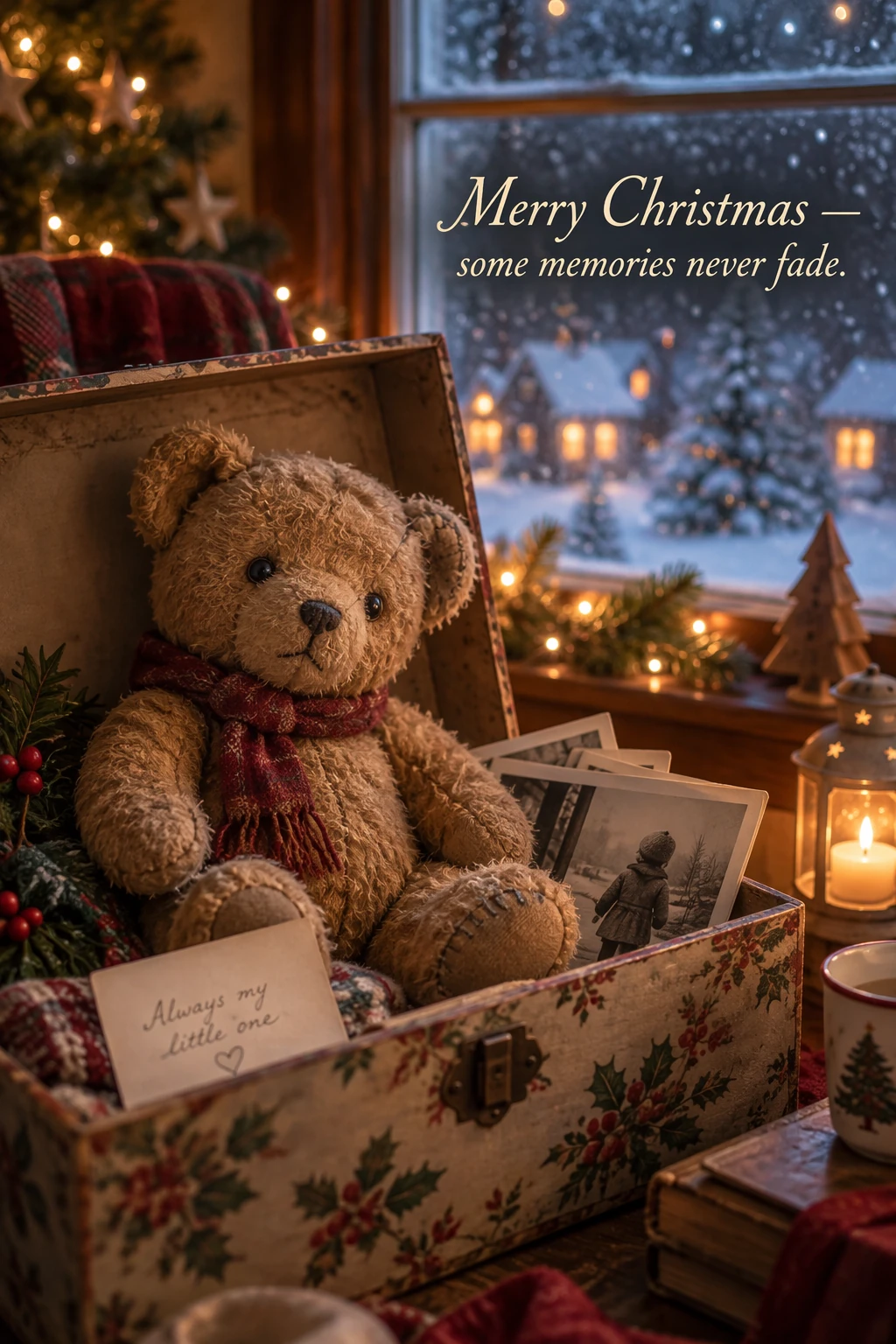
高级工作流 B:圣诞节日贺卡排版设计(Design a holiday card)
- 核心逻辑:欧洲积雪童话小镇黄昏,中心是挂满暖光星灯的巨型冷杉,顶部精准书写烫金花体标语
"Merry Christmas",下方小字"and a Happy New Year"。
| 1 | Create a Christmas holiday card illustration. |
| 2 | |
| 3 | Subject: A cozy village square covered in fresh snow at twilight. In the center is a grand evergreen Christmas tree decorated with glowing warm-white fairy lights, red and gold glass baubles, and a shining golden star on top. Townsfolk in colorful winter coats, wool scarves, and mittens are ice-skating on a small frozen pond nearby, with soft breath visible in the cold air. |
| 4 | |
| 5 | Setting: Quaint European-style half-timbered cottages with snow-laden rooftops and warm, amber light glowing from the mullioned windows line the square. A dusting of snow gently falls from a deep twilight sky tinted in shades of cobalt blue and violet, with a crescent moon peeking through the clouds. |
| 6 | |
| 7 | Style & Text: Nostalgic holiday greeting-card art style. Warm, painterly digital illustration with rich textures, soft glowing light, and a timeless, comforting holiday atmosphere. Centered at the top, render the greeting "Merry Christmas" in elegant, hand-lettered golden script. Centered below in smaller text, render "and a Happy New Year". |
| 8 | |
| 9 | Output: Clean composition framed nicely for a folded greeting card with balanced margins and high visual polish. |
高级工作流 B:圣诞节日贺卡排版设计 · 官方双模型实测
窗边泰迪熊温馨节日商业贺卡,暖光烛火与飘雪夜景

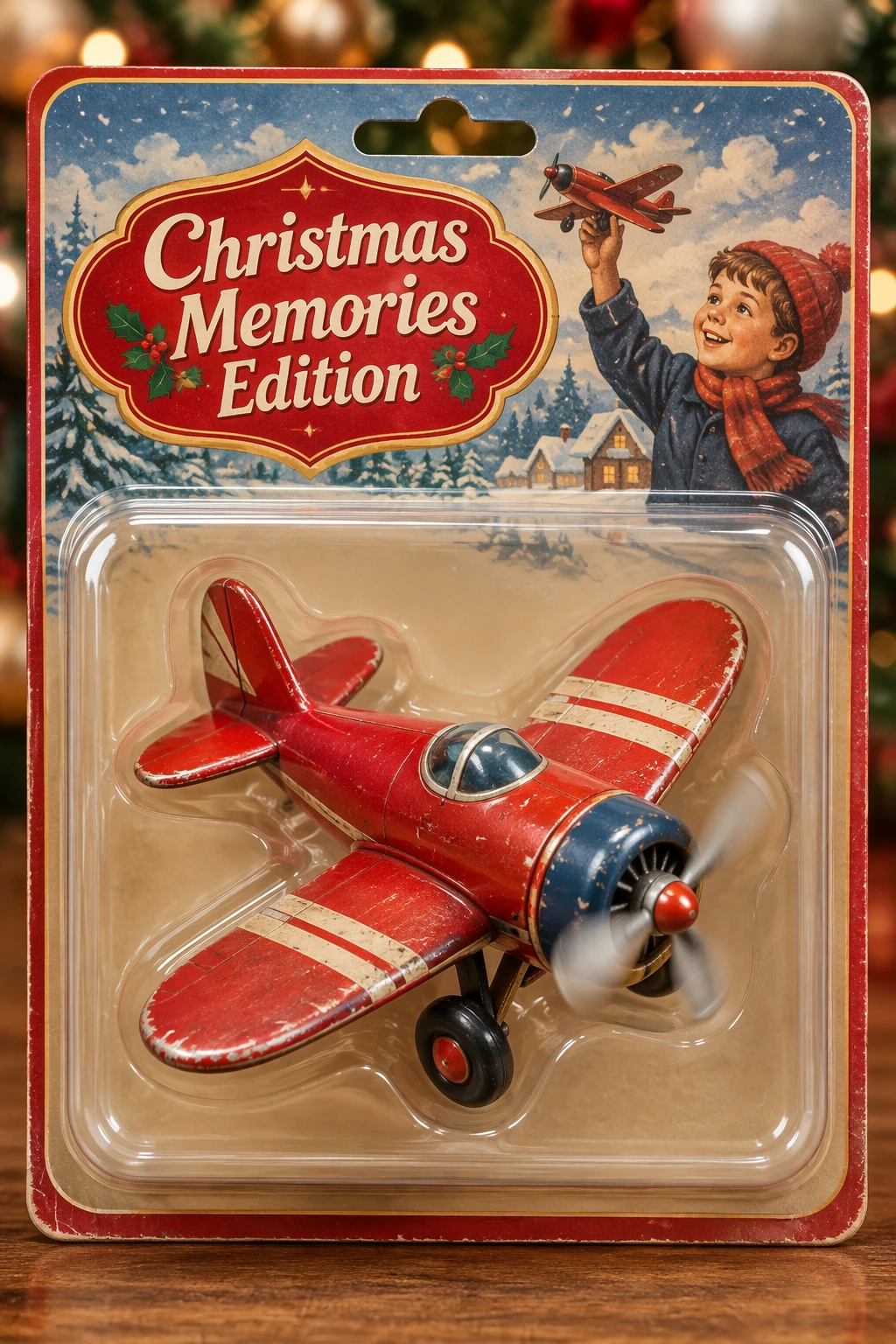
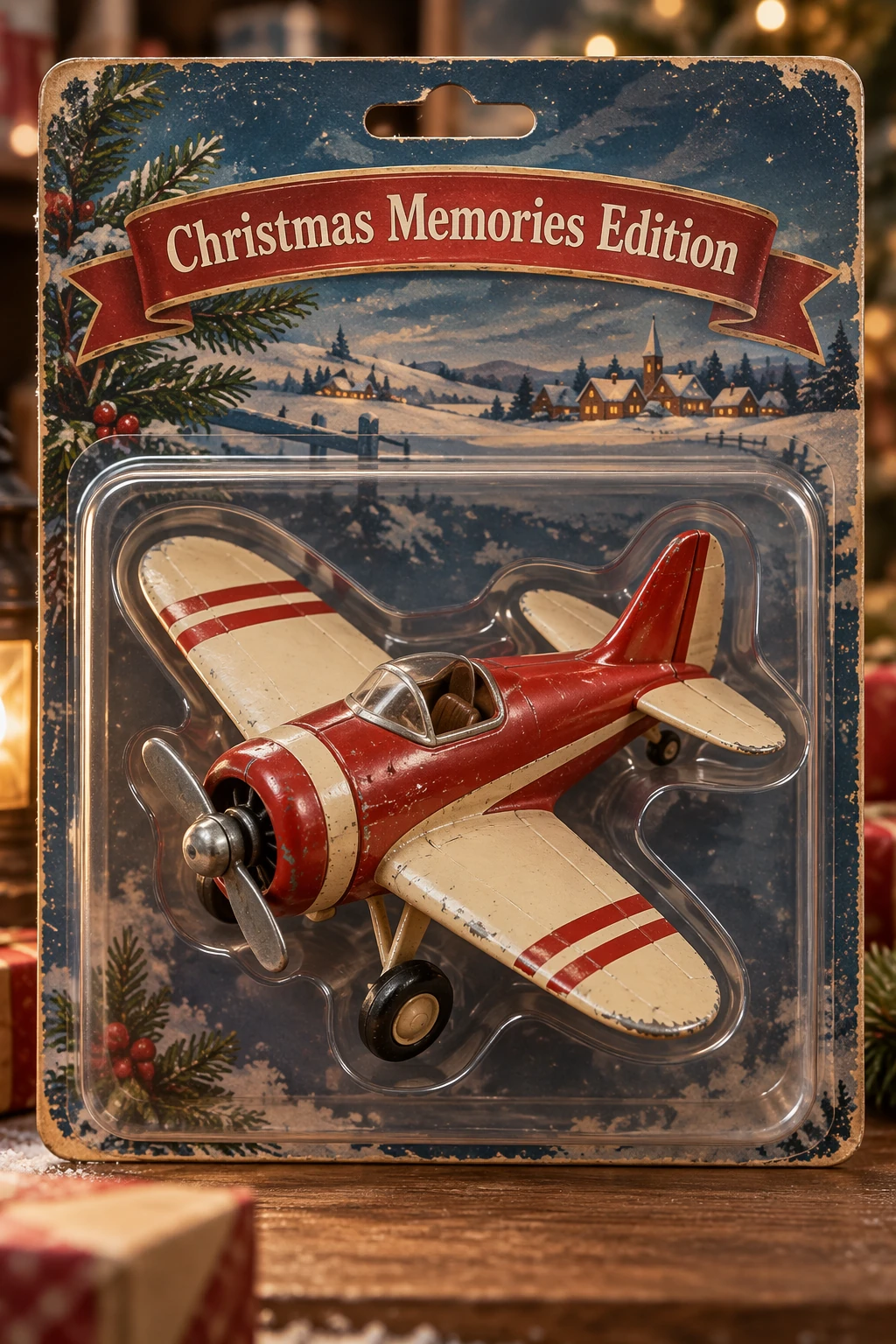
高级工作流 C:收藏级潮玩手办与包装盒设计(Design collectible merchandise)
- 核心逻辑:打造复古螺旋桨飞机潮玩手办
"AeroPup",配有复古开窗展示盒与半透明亚克力视窗。
| 1 | Create a collectible action figure of a vintage-style toy propeller airplane with rounded wings, a friendly smiling front face on the engine cowl, and oversized landing gear wheels. |
| 2 | |
| 3 | Product Details: The plane is painted in matte retro teal and creamy off-white with cherry-red accents on the wingtips and propeller. Chunky, satisfying proportions designed as a collectible designer toy. |
| 4 | |
| 5 | Packaging: The toy is packaged inside a retro-inspired window display box with clear acetate on the front and sides, showing the toy securely held in place. The box has vintage-style typography and illustrations, with the product name "AeroPup" printed on the top and bottom panels. |
| 6 | |
| 7 | Presentation: Display the boxed collectible against a neutral warm-gray background with soft studio lighting and subtle product reflections underneath. Photorealistic product render, sharp focus, premium collectible packaging design. |
高级工作流 C:收藏级潮玩手办与包装盒设计 · 官方双模型实测
由平面贺卡元素延伸至实体潮玩复古玩具飞机、开窗包装盒与烫金字样
08|生产级 Python SDK 调用与全流程代码实战
以下是基于 OpenAI 官方 Python SDK 的完整工程级调用示例,包含单图生成、透明底抠图、多图参考融合及二进制流处理:
| 1 | import os |
| 2 | import base64 |
| 3 | from pathlib import Path |
| 4 | from openai import OpenAI |
| 5 | |
| 6 | # 初始化 OpenAI 客户端 |
| 7 | client = OpenAI(api_key=os.environ.get("OPENAI_API_KEY")) |
| 8 | |
| 9 | def generate_photorealistic_scene(): |
| 10 | # 示例 1:调用旗舰版 Sunburst 模型生成高质量摄影大片 |
| 11 | response = client.images.generate( |
| 12 | model="gpt-image-2.5-sunburst", |
| 13 | prompt=( |
| 14 | "Create a photorealistic candid photograph of an elderly sailor standing on a small fishing boat. " |
| 15 | "He has weathered skin with visible wrinkles, pores, and sun texture, adjusting a net. " |
| 16 | "Shot on 35mm film, 50mm lens, soft coastal daylight, shallow depth of field, subtle film grain. " |
| 17 | "No heavy retouching, authentic real-world texture." |
| 18 | ), |
| 19 | size="1536x1024", # 官方支持的标准横版尺寸 |
| 20 | quality="high", # 旗舰画质档位 |
| 21 | n=1 |
| 22 | ) |
| 23 | |
| 24 | image_url = response.data[0].url |
| 25 | print(f"生成的摄影大片 URL: {image_url}") |
| 26 | return image_url |
| 27 | |
| 28 | def generate_transparent_product_logo(): |
| 29 | # 示例 2:生成带透明通道 (Alpha Channel) 的矢量 Logo 并保存为 PNG |
| 30 | response = client.images.generate( |
| 31 | model="gpt-image-2.5-flare", # 使用轻量快速版 |
| 32 | prompt=( |
| 33 | "Create an original, non-infringing logo for a bakery called 'Field & Flour'. " |
| 34 | "Clean vector shapes, warm and simple, balanced negative space. " |
| 35 | "Fully transparent background, clean alpha edges, no background scenery, no watermarks." |
| 36 | ), |
| 37 | size="1024x1024", |
| 38 | quality="medium", |
| 39 | background="transparent", # 核心参数:启用透明背景 |
| 40 | output_format="png", # 必须为 png 或 webp |
| 41 | response_format="b64_json", # 获取 base64 字节流 |
| 42 | n=1 |
| 43 | ) |
| 44 | |
| 45 | # 将返回的二进制流保存为透明 PNG 文件 |
| 46 | image_data = base64.b64decode(response.data[0].b64_json) |
| 47 | with open("bakery_logo_transparent.png", "wb") as f: |
| 48 | f.write(image_data) |
| 49 | print("已成功保存带透明 Alpha 通道的 Logo: bakery_logo_transparent.png") |
| 50 | |
| 51 | def edit_with_multi_references(subject_img_path, style_img_path): |
| 52 | # 示例 3:多图参考输入 —— 角色身份保持 + 艺术风格迁移 |
| 53 | with open(subject_img_path, "rb") as f_sub, open(style_img_path, "rb") as f_style: |
| 54 | response = client.images.edit( |
| 55 | model="gpt-image-2.5-sunburst", |
| 56 | image=[f_sub, f_style], # 传入多张参考图流 |
| 57 | prompt=( |
| 58 | "Image 1 is the subject character. Image 2 is the artistic visual style. " |
| 59 | "Render the character from image 1 in the exact brushwork, watercolor bleeding, " |
| 60 | "and color palette of image 2. " |
| 61 | "Keep the facial features, bone structure, and gaze direction of image 1 completely unchanged." |
| 62 | ), |
| 63 | size="1024x1024", |
| 64 | quality="high" |
| 65 | ) |
| 66 | return response.data[0].url |
| 67 | |
| 68 | if __name__ == "__main__": |
| 69 | print("正在启动 OpenAI GPT Image 2.5 生产级调用范例...") |
| 70 | # generate_photorealistic_scene() |
09|总结与生产落地黄金清单
回顾 OpenAI GPT Image 2.5 的发布,其本质是视觉生成模型正在从‘不可控的黑盒玄学抽卡’走向‘确定性的软件工程系统’。
在将 GPT Image 2.5 部署到生产环境之前,建议团队对照以下 5 项落地清单进行逐项复核:
- 架构选型明确:高频批量走
flare,复杂设计走sunburst,拒绝盲目全量顶配; - 尺寸参数硬校验:入库尺寸严格把关“16的倍数、单边<=3840、长宽比<=3:1、总像素在65.5万~829万之间”;
- 提示词结构化解耦:落地【场景-主体-细节-约束】四层结构,严禁拼接空洞修饰词;
- 文字双引号与排版锁定:文案加英文双引号并声明渲染频次,彻底防范文字重影与错乱;
- 编辑遵循单变量防漂移:单次只改一个条件,强行保留冻结特征清单。
📌 版权声明与官方出处
📄 文档来源与版权归属:
- 官方文档出处:OpenAI Developer Documentation (developers.openai.com/api/docs/guides/image-prompting?model=gpt-image-2.5)
- 文档原始标题:《Image Prompting Guide (GPT Image 2.5)》
- 发布机构:OpenAI API Engineering & Research Team
- 整理译注与架构解析:evaoo 架构技术团队(全量原子级工程重构与视觉化导图解析)
- 技术合规与许可:本文内容遵照 OpenAI API 官方开发者条款整理,旨在促进全球开发者与架构师理解最新多模态生成工程规范。引用请注明原文链接与译注出处。