
🎨This playbook is also featured in our dedicated "AI Image Best Practices" studio.
View in StudioChatGPT Can Now Turn You Directly Into a Meme Sticker Pack: iMessage, WhatsApp, WeChat & QQ Ready
Author: DAAI @zhidawang219555
Format: Course Article
Est. Read Time: 5 min
Author: DAAI (@zhidawang219555)•Date: 2026-08-26 11:00•Format: Agent Production Tutorial
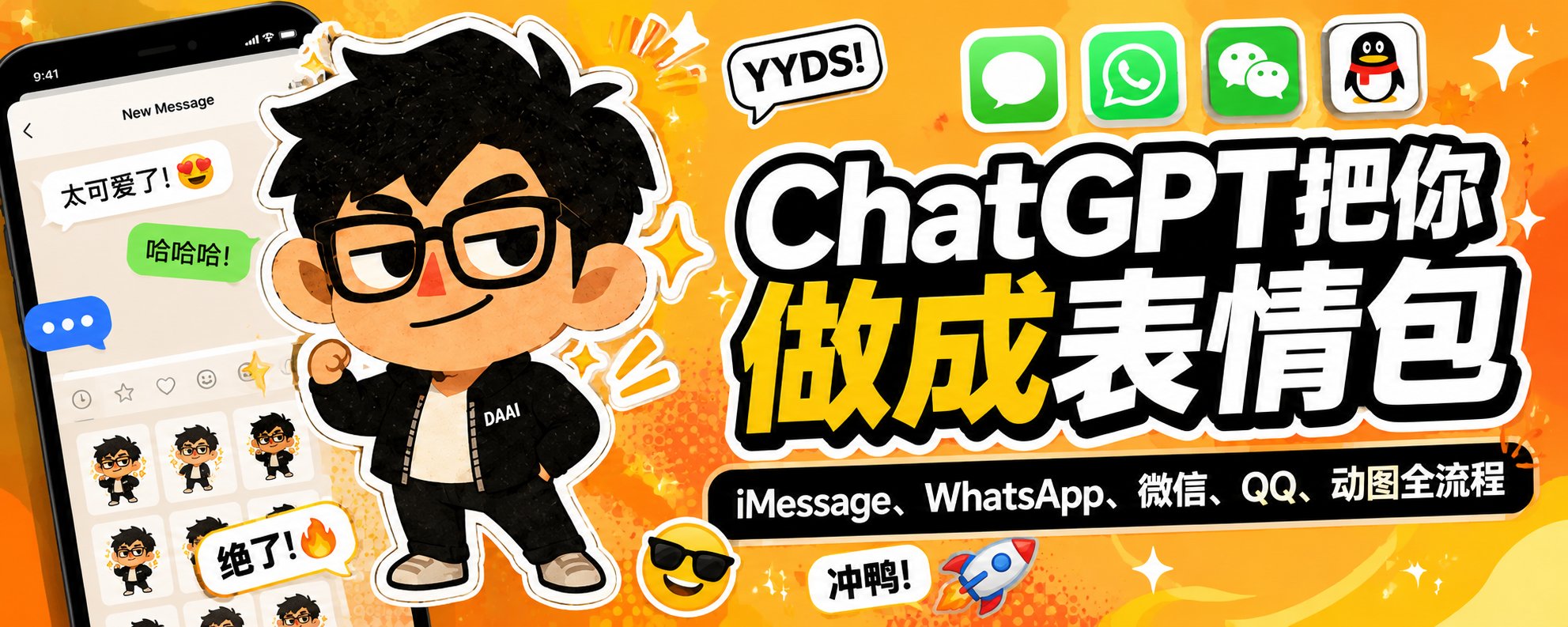
Recently, a fascinating new capability has emerged in ChatGPT's multimodal image generation:
Simply upload a single photo of yourself, and ChatGPT can transform you into a full set of custom Meme sticker packs.
And this isn't just generating a static 3×3 grid image. Following this workflow, you can directly import the stickers into iMessage, WhatsApp, WeChat, and QQ to use in daily conversations.
Furthermore, you can feed these static stickers into video models like Grok or Seedance to bring your memes to life with animated looping motion. Here is the complete end-to-end tutorial.
01|Generate Your Personal Meme Sticker Pack with ChatGPT
Step one is straightforward. Open ChatGPT, start a fresh chat session, and upload a clear photo of yourself.
💡 Photo Selection Tips:
- Clear facial features without heavy obstruction;
- Half-body or full-body photos both work well;
- Neutral or mild expressions work best as a clean baseline.
Next, enter the following structured prompt:
ChatGPT Sticker Generation Prompt
Create a set of Meme stickers based on the attached image, incorporating 🚲🚗🎉😭💪😎🤔🤩🍕.

The character design features a big head and a tiny body, with the head taking up 50% of the body, and very short arms and legs.

Use exaggerated internet-reaction expressions, including crying, confusion, shock, smugness, side-eye, and deadpan disbelief, with awkward poses, low-fi cutout textures, and absurd humor.

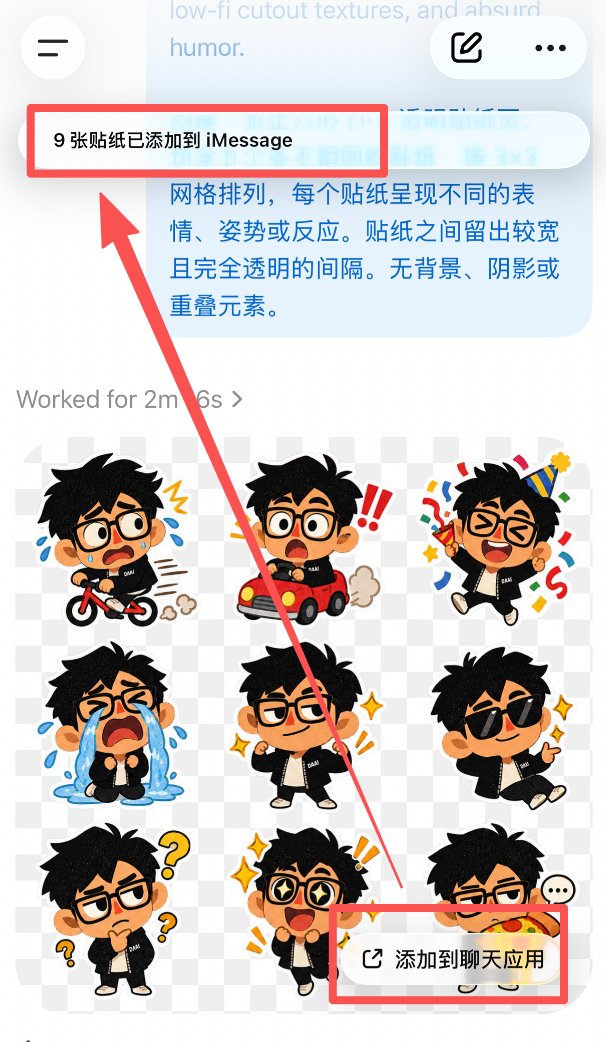
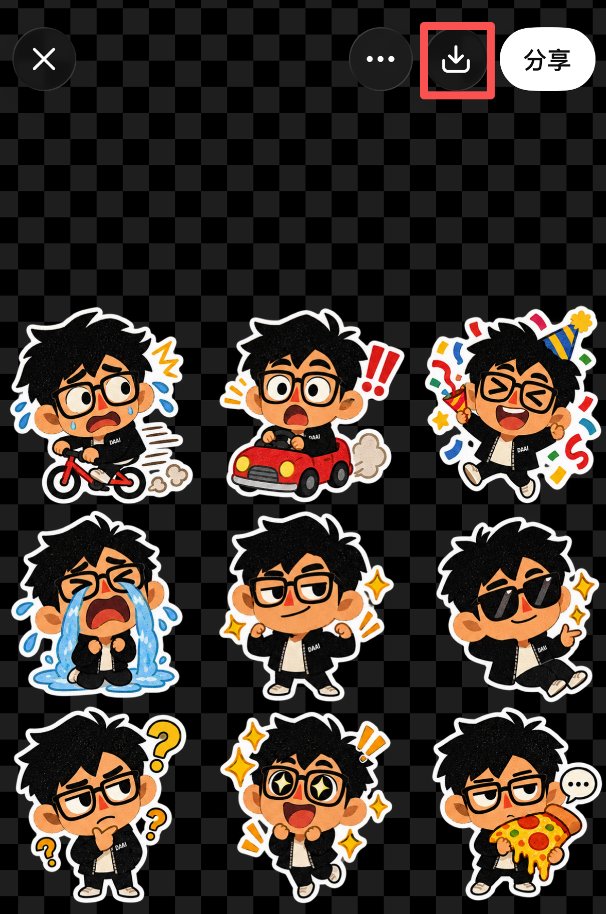
Create a square (1:1) transparent sticker sheet containing nine distinct stickers arranged in a 3×3 grid, each showing a different expression, pose, or reaction.

Leave wide, completely transparent gaps between stickers.

No background, shadow, or overlapping elements.
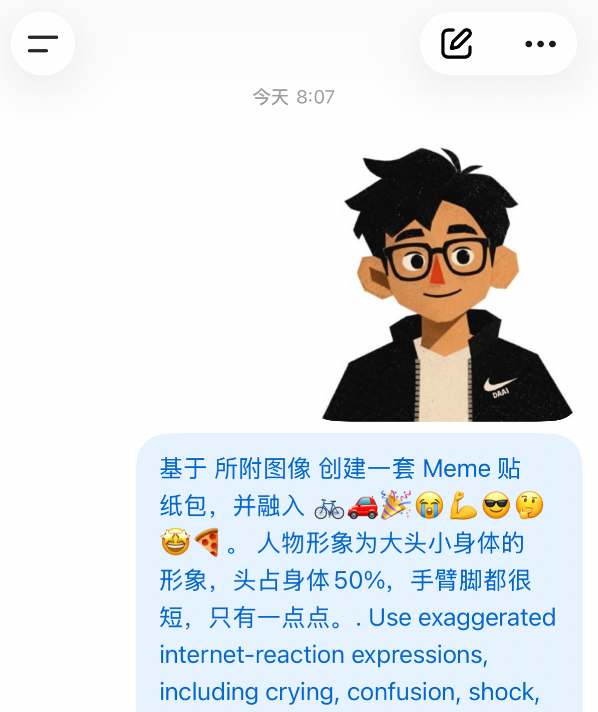
🎯 Design Rationale: Big Head + Tiny Body + Short Limbs
Standard human proportions look like normal illustrations rather than chat stickers. Scaling the head to 50% body ratio paired with classic internet reaction expressions (crying, confusion, shock, side-eye) instantly unlocks the iconic "Meme flavor".
02|How to Add Stickers to Apple iMessage
Once generation finishes, click the share / add entry in the bottom-right corner of the image result and select "Add to iMessage".
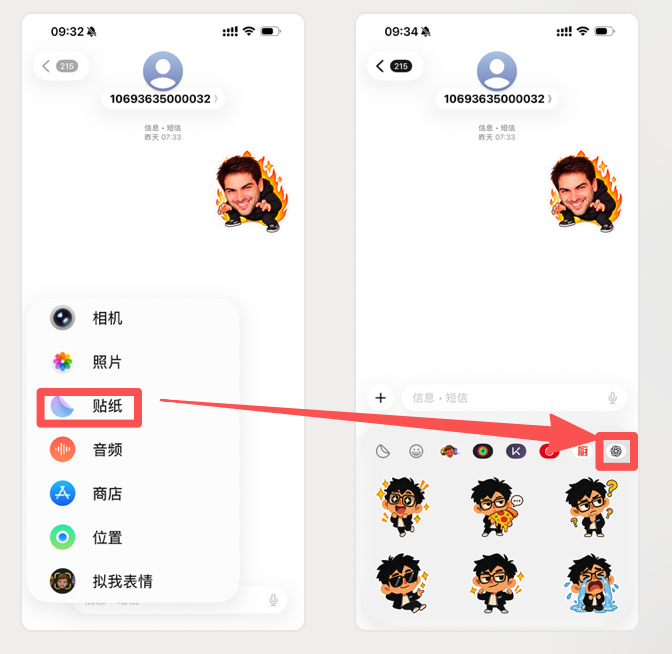
Open iMessage, and your generated custom stickers will appear directly in your active sticker drawer, ready for 1-tap sending.
03|Importing into WhatsApp
If WhatsApp is installed on your device, choose WhatsApp from ChatGPT's export menu.
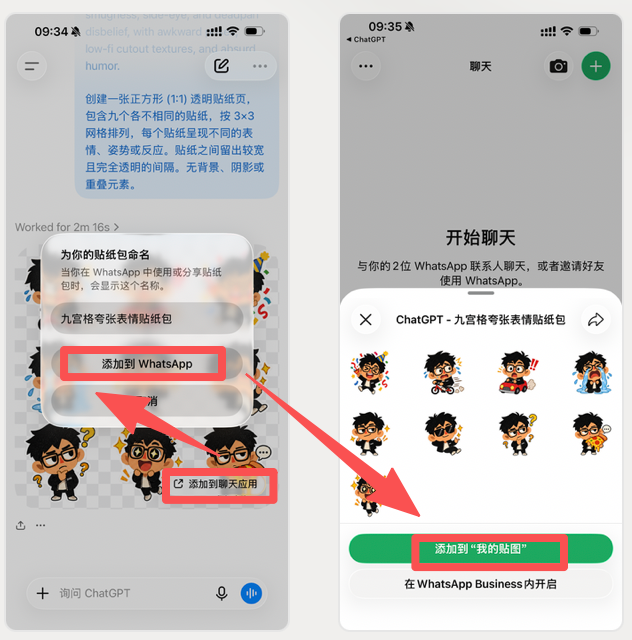
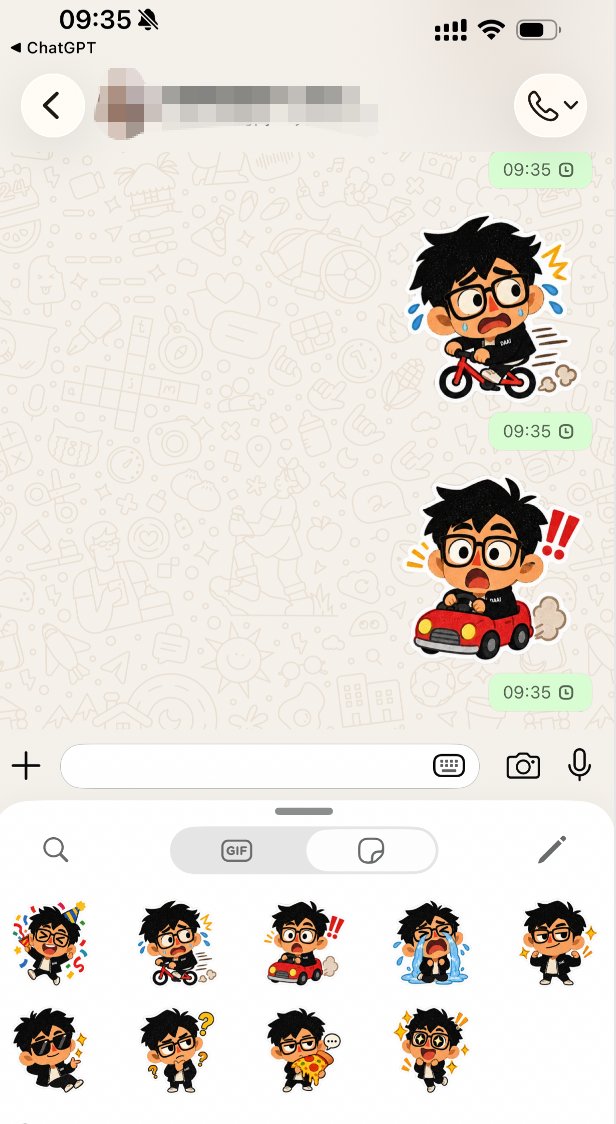
04|Importing into WeChat Custom Stickers
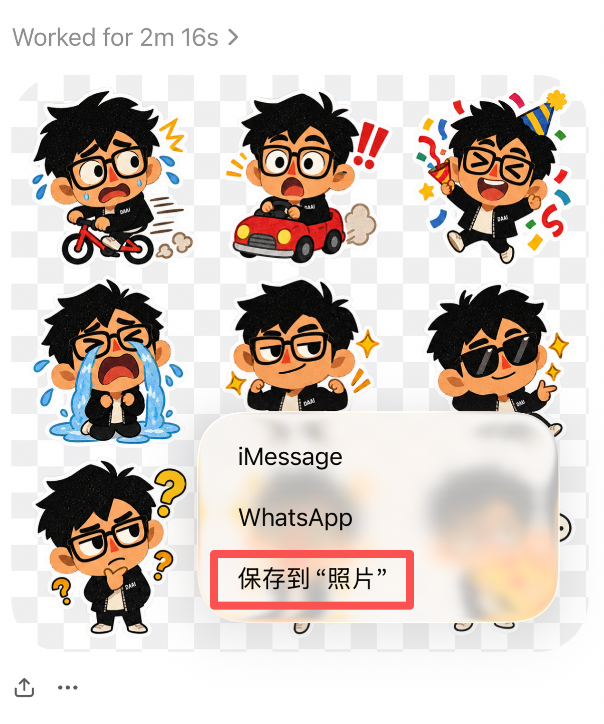
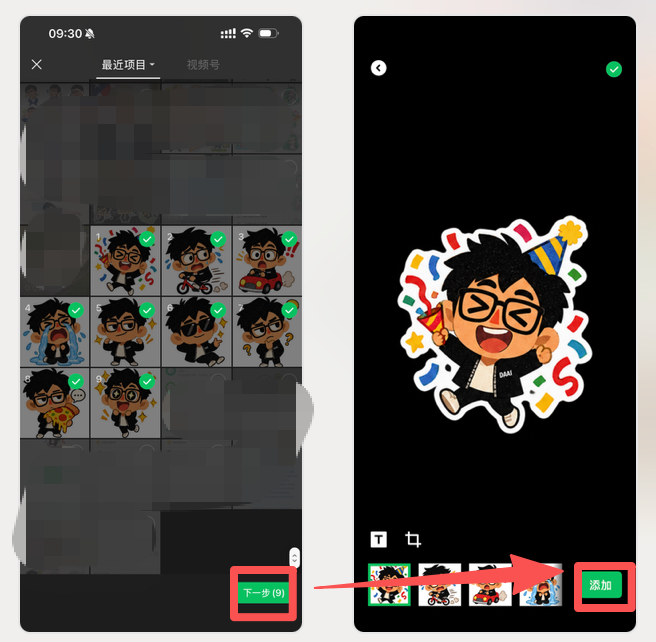
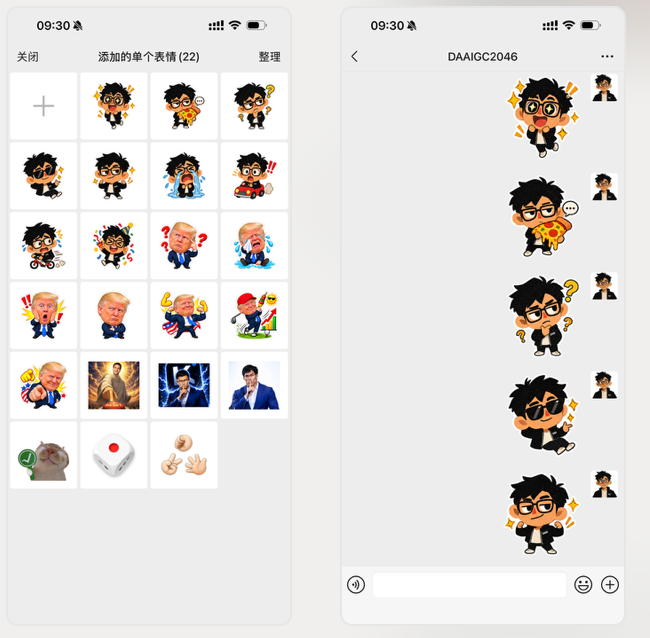
For WeChat, tap the image in ChatGPT and save it to your phone album. Then navigate to:WeChat Chat → Emoji Menu → Favorite Stickers (+) → Add from Album
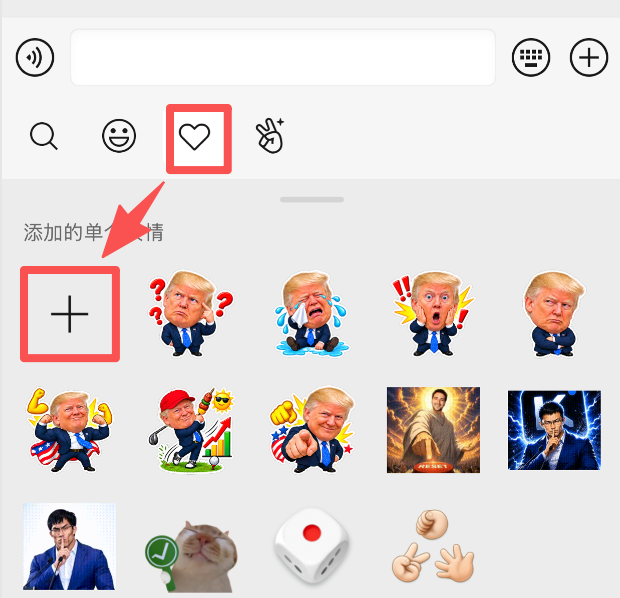
05|Importing into QQ
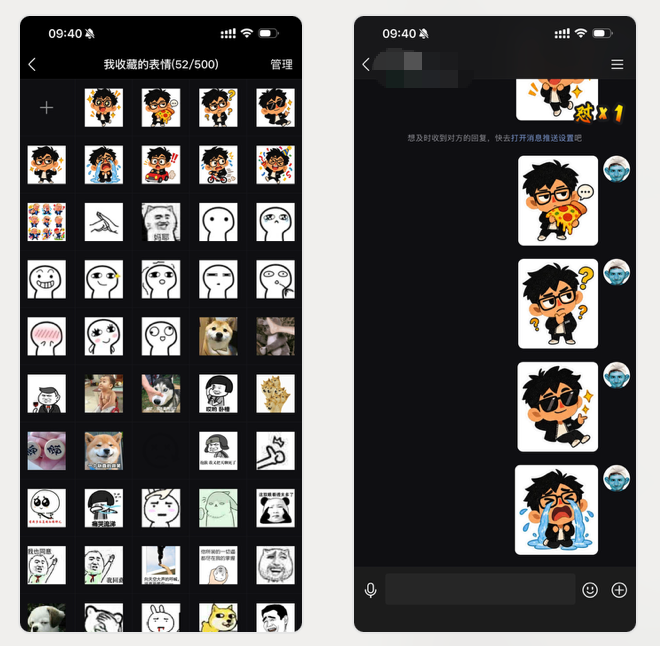
QQ follows the same logic: save the sticker image to your camera roll, open QQ chat, enter Favorite Stickers, and import from your photo gallery.
06|Make It Dynamic: Turning Static Stickers into Looping GIFs
Static stickers are great, but animated GIFs amplify humor tenfold. We use a dual-model pipeline:ChatGPT (Design & Grid Asset) → Grok Video (Micro-Motion Looping Animation)
Save the 3x3 image from ChatGPT, upload it to Grok, and run this precise constraint prompt:
Grok Looping Sticker Animation Prompt
The miniature characters in the image move slightly in fixed positions, like a GIF sticker pack, without blocking each other, keeping each character's movement independent.

The duration of each character's action is approximately 1 second, looping smoothly.

Do not alter the original character design, clothing, expressions, or 3x3 grid positions.

All characters perform only subtle movements suitable for stickers, such as shaking head, waving, crying, shrugging, nodding, gasping in shock, or smug wiggling.

Keep the background transparent, ensuring characters never overlap.

Keep movements minimal and looping natural, without camera movement or composition shifts.

Output a short looping animation suitable for social chat apps.
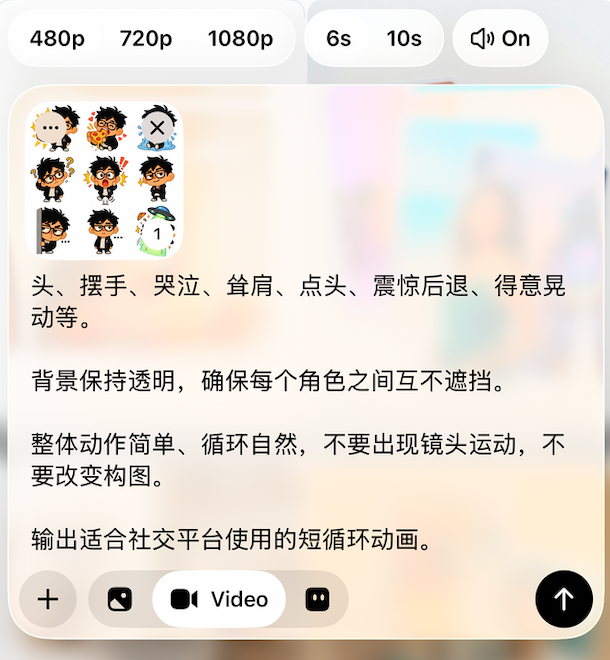
⚠️ Crucial Constraint: "Fixed Position Subtle Movement"
Without this constraint, generative video models might make characters run out of frame or rotate the camera. True stickers require small physical movement with massive emotional exaggeration (tears streaming, head shaking, jaw dropping in place).
07|Add Animated GIFs to WeChat & Social Apps
Save the video / GIF generated by Grok, then add it via WeChat's dynamic sticker import portal.
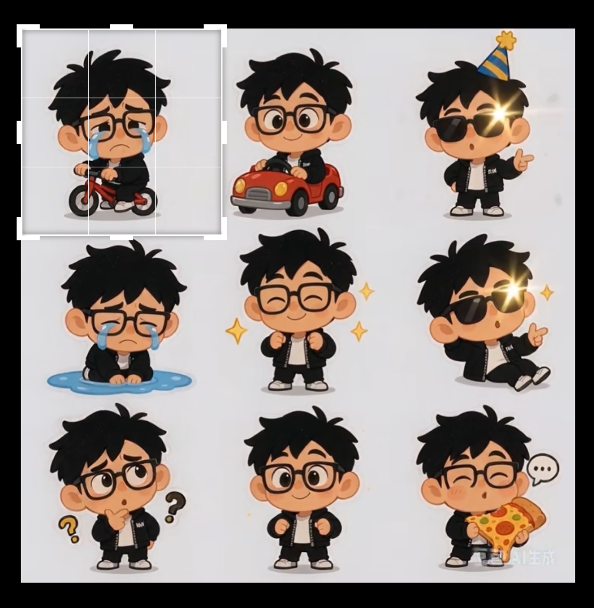
08|Personal IP Growth Loop: WeChat Sticker Assistant
For content creators, this isn't just fun—it's a high-leverage personal IP distribution channel:
AI Generation → Custom Meme → Peer Sharing in Group Chats → Creator Profile Binding
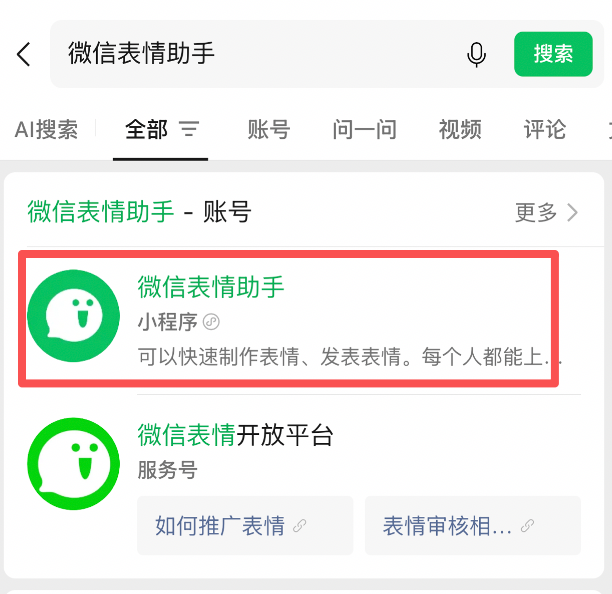
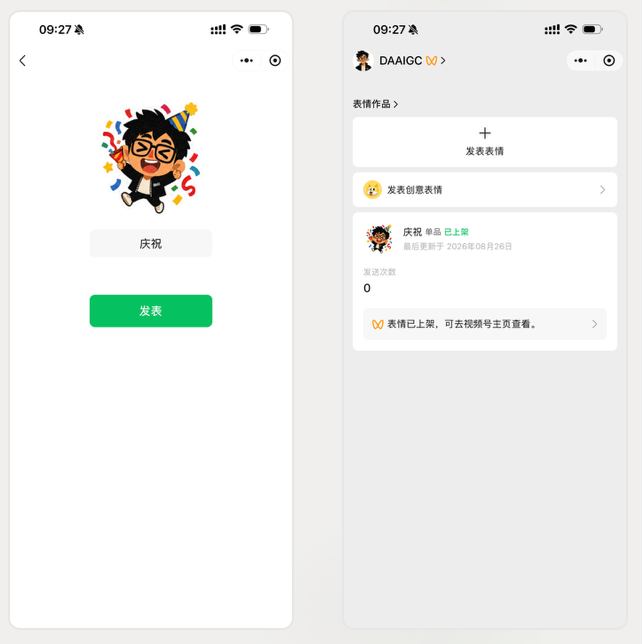
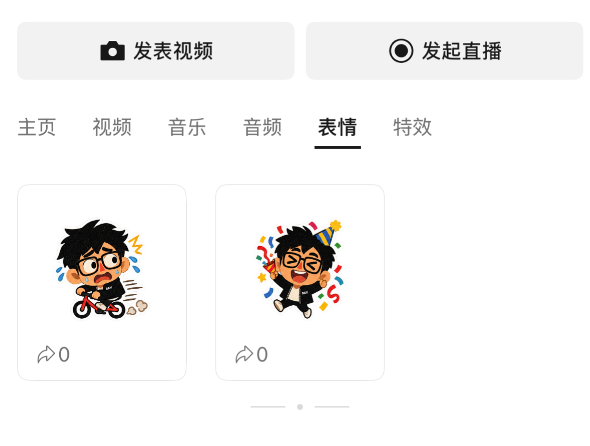
By searching for "WeChat Sticker Assistant" and logging in via your Channels account, you can publish public sticker packs linked directly to your video account profile. Whenever friends and community members use your meme, they are actively amplifying your personal brand.
Summary & Takeaways
Generative AI has evolved past the phase of "generating pretty pictures". It is now integrating seamlessly into everyday communication workflows. Try crafting your own persona meme pack—because in the end, the funniest AI meme will always be yourself! 😂